Home/

Apps/

Entertainment/

Buildings for Minecraft PE

Buildings for Minecraft PE
4.05+

Buildings for Minecraft PE

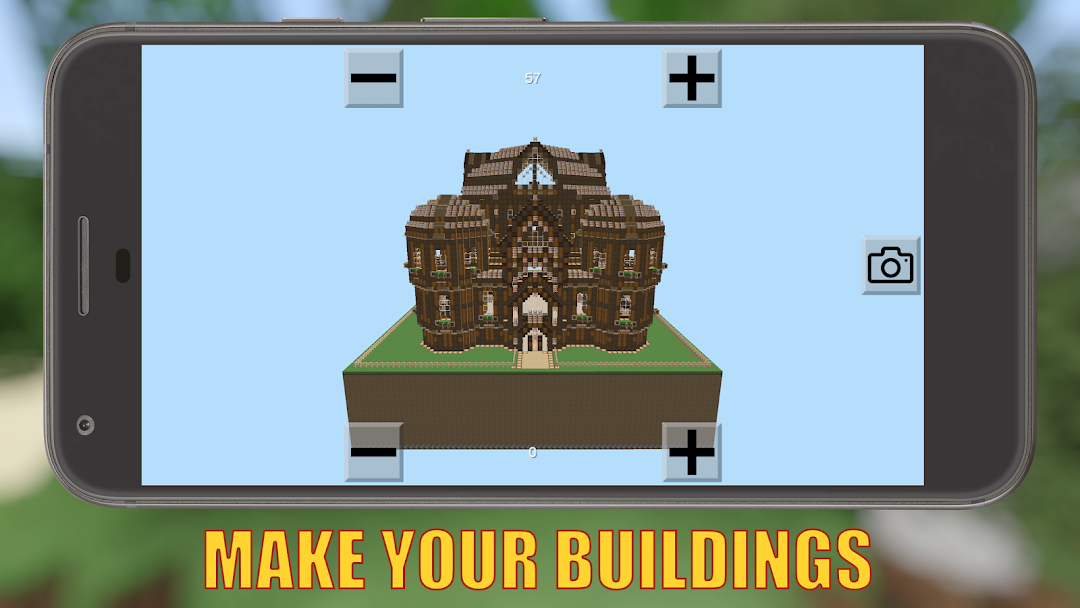
10000+ builds! Install structures in 1-tap. 3D preview. Online & offline modes.

Play on PC with LDPlayer
recommend

Buildings for Minecraft PE is developed and provided by Kristopher Studios. LDPlayer offers the download service only.

Kristopher Studios
How to Download&Play Buildings for Minecraft PE on PC?
Last Updated: 2026-02-26
com.kristopher.buildingsforminecraftpe
Share:
  • Overview

  • FAQ

Run Buildings for Minecraft PE on PC with LDPlayer

Buildings for Minecraft PE is a Entertainment application developed by Kristopher Studios, but with the best Android emulator-LDPlayer, you can download and play Buildings for Minecraft PE on your computer.

Running Buildings for Minecraft PE on your computer allows you to browse clearly on a large screen, and controlling the application with a mouse and keyboard is much faster than using touchscreen, all while never having to worry about device battery issues.

With multi-instance and synchronization features, you can even run multiple applications and accounts on your PC.

And file sharing makes sharing images, videos, and files incredibly easy.

Download Buildings for Minecraft PE and run it on your PC. Enjoy the large screen and high-definition quality on your PC!

🏰 Buildings for Minecraft PE - Ultimate Building Tool

Transform your Minecraft worlds instantly! Access 10,000+ structures with real-time API updates. Preview in 3D, install with one tap, and share your creations worldwide!

✨ CORE FEATURES

🌐 10,000+ ONLINE STRUCTURES
• Real-time cloud API access to 10,000+ community builds
• Daily new uploads from builders worldwide
• Houses, castles, skyscrapers, redstone machines, vehicles & more

📦 OFFLINE STRUCTURE LIBRARY
• Premium curated builds available without internet
• Fully tested for compatibility

📸 AI-POWERED BUILDING GENERATION
• Generate buildings from camera photos or album images instantly
• AI converts any image into Minecraft builds automatically

🎮 3D PREVIEW & SMART INSTALLATION
• Rotate 360° preview with dimensions check
• Visual world map browser with one-tap install
• Automatic world backup

🔨 CREATOR TOOLS
• Extract builds from Minecraft PE
• Generate buildings from photos/images
• Upload to community and track downloads

💾 MANAGEMENT
• Favorites, Downloads, My Creations
• Search by name, category, creator
• Import/export .mcworld files

⚡ QUICK START
• Install: Browse → Preview → Select location → Install (3 seconds)
• Generate: Photo → AI process → Install
• Upload: Build → Extract → Upload

🎁 KEY BENEFITS
• 10,000+ structures, constantly growing
• Instant installation, no manual work
• AI generation from photos
• Online + offline modes
• Active global community
• Auto backups, safe & secure
• Free with full features

🚀 DOWNLOAD NOW!

Transform any photo into a Minecraft building with AI technology. Join millions of MCPE players and upgrade your Minecraft today!

---

Disclaimer: This is an unofficial application for Minecraft. This application is not affiliated with Mojang AB. The Minecraft Name, the Minecraft Brand and the Minecraft Assets are all property of Mojang AB or their respectful owner. All rights reserved. According to http://account.mojang.com/documents/brand_guidelines
Open up

Screenshots and Videos of Buildings for Minecraft PE PC

With LDPlayer, you can download and run Buildings for Minecraft PE on PC, simultaneously managing multiple apps and multiple accounts. Become a master of time management, balancing work and entertainment effortlessly.

How to Download and Run Buildings for Minecraft PE on PC

  • 1

    Download and install LDPlayer on your computer

  • 2

    Locate the Play Store in LDPlayer's system apps, launch it, and sign in to your Google account

  • 3

    Enter "Buildings for Minecraft PE" into the search bar and search for it

  • 4

    Choose and install Buildings for Minecraft PE from the search results

  • 5

    Once the download and installation are complete, return to the LDPlayer home screen

  • 6

    Click on the game icon on the LDPlayer home screen to start enjoying the exciting game