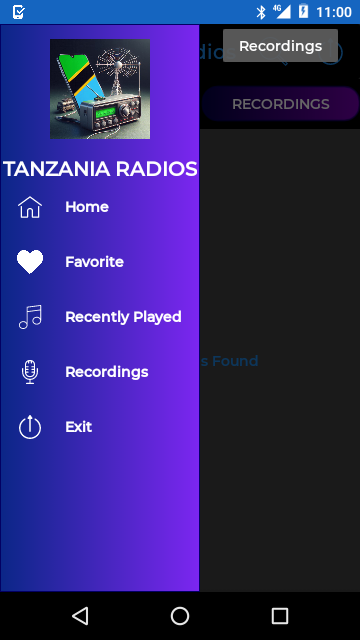
Tanzania Radios +Recorder is a Music&Audio application developed by PaTsh, but with the best Android emulator-LDPlayer, you can download and play Tanzania Radios +Recorder on your computer.
Running Tanzania Radios +Recorder on your computer allows you to browse clearly on a large screen, and controlling the application with a mouse and keyboard is much faster than using touchscreen, all while never having to worry about device battery issues.
With multi-instance and synchronization features, you can even run multiple applications and accounts on your PC.
And file sharing makes sharing images, videos, and files incredibly easy.
Download Tanzania Radios +Recorder and run it on your PC. Enjoy the large screen and high-definition quality on your PC!
Welcome to Tanzania Radio + Recorder, the Android app that lets you listen to radio stations from the Republic of Tanzania and record broadcasts. With this app, dive into the richness of Tanzania's culture through a variety of radio stations offering music, entertainment, news, and educational programs.Features:
Live listening: Access a wide selection of radio stations from Tanzania.
Recording: Record your favorite shows to listen to at any time.
Legal notice: The images used, radio station names, and links are the property of their respective owners. Except for its logo, this app does NOT own ANY images or stations unless otherwise stated. This app is NOT intentionally designed to offend or infringe on the copyright or intellectual property of any entity. The images, content, and radio station names are considered public domain and are used under the fair use doctrine (Copyright Act of 1976, 17 U.S.C. § 107).
Radio stations are provided solely for listening, music, entertainment, news, reporting, and educational purposes. If any content used in the app violates copyright law, please contact us, and we will take immediate action.
Important: Some radio stations may be missing due to a lack of current streams. If you need to update, add, or remove a station, please contact us.
Please also note that we are available for any technical questions. For example:
If you would like your radio or TV station to be broadcast internationally via our apps.
If you need customized apps for your entity, etc.
For any questions or requests, you can reach us at: patshpatsh1@gmail.com.
Thank you for using Tanzania Radio + Recorder, and enjoy listening!
Among the available radio stations: Clouds FM, Bethel Radio, Upendo FM, Radio Safina, Sauti ya Injili, Boresha Radio, Radio Kwizera, Radio One, Times FM, Kiss FM, Victory Radio, Uhuru FM, Radio Uhai, Banana FM, Wapo Radio etc