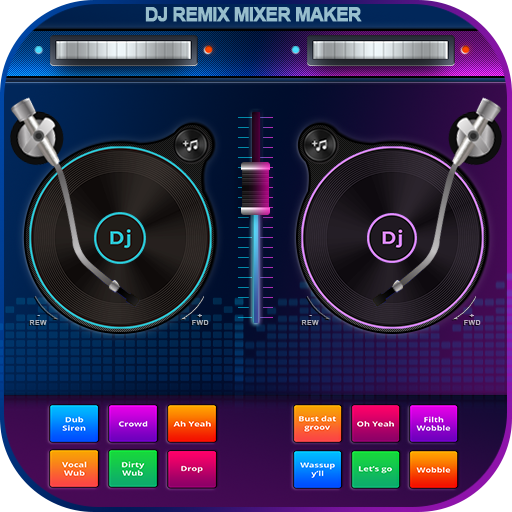
DJ Music Mixer - DJ Remix is a Music&Audio application developed by ToolUp, but with the best Android emulator-LDPlayer, you can download and play DJ Music Mixer - DJ Remix on your computer.
Running DJ Music Mixer - DJ Remix on your computer allows you to browse clearly on a large screen, and controlling the application with a mouse and keyboard is much faster than using touchscreen, all while never having to worry about device battery issues.
With multi-instance and synchronization features, you can even run multiple applications and accounts on your PC.
And file sharing makes sharing images, videos, and files incredibly easy.
Download DJ Music Mixer - DJ Remix and run it on your PC. Enjoy the large screen and high-definition quality on your PC!
DJ Music Mixer - DJ Remix is a DJ mixing app that turns your phone into a virtual DJ console. With an equalizer, bass booster, and sound effects, it allows you to create flawless beat mixes like a pro. Whether you're a hobbyist or an experienced DJ, DJ Music Mixer lets you perform like a professional, transforming your smartphone into a full-featured DJ setup.- Passionate about DJing but lack the necessary equipment? 📯📯
- Want to professionally mix your favorite tracks? 📯
Get started now with DJ Music Mixer - DJ Remix to explore professional features that elevate your DJ game.
Why choose the DJ Music Mixer - DJ Remix?
🎵 Create your own beats for parties or fun.
🎉 Practice anywhere without expensive equipment.
🎵 Beginner-friendly yet packed with pro features.
🎉 Realistic DJ console for an authentic mixing experience.
With DJ Music Mixer - DJ Remix, you can practice, experiment, and perform just like a pro!
🔑 Key Features of DJ Music Mixer for an Unmatched Music Experience:
💃 Powerful EQ Control: Customize your sound with precise adjustments to bass, mid, and treble, letting you shape your music exactly how you want.
💃Pro-Level Cues: Set and trigger cue points for precise transitions.
💃Smooth Crossfade: Effortlessly blend between songs using the intuitive crossfade feature, perfect for seamless mixes and live sets.
💃Advanced Looping Options: Select loop modes from 1/64, 1/32, 1/16, 1/8, 1/4, 1/2, up to 8 beats for creative effects.
💃Sample Integration: Add custom samples and sound effects to your mix.
💃One-Touch Recording: Record your DJ sets in high quality with a single tap and share your mixes instantly with friends or fans.
💃 Effortless Music Import: Import tracks easily to create seamless mixes.
💿 Virtual Turntables
DJ Music Mixer - DJ Remix brings the authentic feel of traditional DJing right to your fingertips. With virtual turntables, you can scratch, mix, remix, and seamlessly blend tracks like a pro DJ.
🎹 DJ Music Mixer: 3D Remix Sound Effects
📯 Integrated Sounds: Access built-in sounds on music remix pads for instant creativity.
🥁 Diverse Sample Packs: Enjoy 34 free sample packs, including Drum Kit, Pluck, and Synth for endless remixing possibilities.
💃 Five-Band EQ: Fine-tune your sound with a five-band equalizer and powerful bass boost for an enhanced audio experience.
🎶 Adjustable Mix Volume & Pitch: Control the mix volume and pitch to tailor your tracks precisely to your style.
👉 How to use? 👈
1. 🎼 Open the app and get familiar with the DJ Mixer interface
After opening the DJ mixer app, you will see two decks (turntables), a crossfader in the middle, and tools like EQ, Sync, Loop, and Effects.
2. 🎼 Select songs to mix
- Step 1: Tap the music note icon to load songs from your device.
- Step 2: Select a song to load into Deck A or Deck B. You can do the same with another song for the other deck.
3. 🎶 Adjust and sync the speed (BPM)
4. 🧑🎤Use the Crossfader for smooth transitions
5. 🎶 Adjust the sound with Equalizer (EQ)
6. 🎶 Create a loop
7. 🎶 Apply effects (FX)
8. 🎶 Use the Sampler
9. 🎶 Record your mixer
DJ Music Mixer - DJ Remix is the ultimate virtual DJing tool that makes mixing music and songs effortless. Download DJ Music Mixer - DJ Remix for FREE and start remixing tracks like a professional! Simply choose your favorite genres and use the pads to create your own beats and songs.