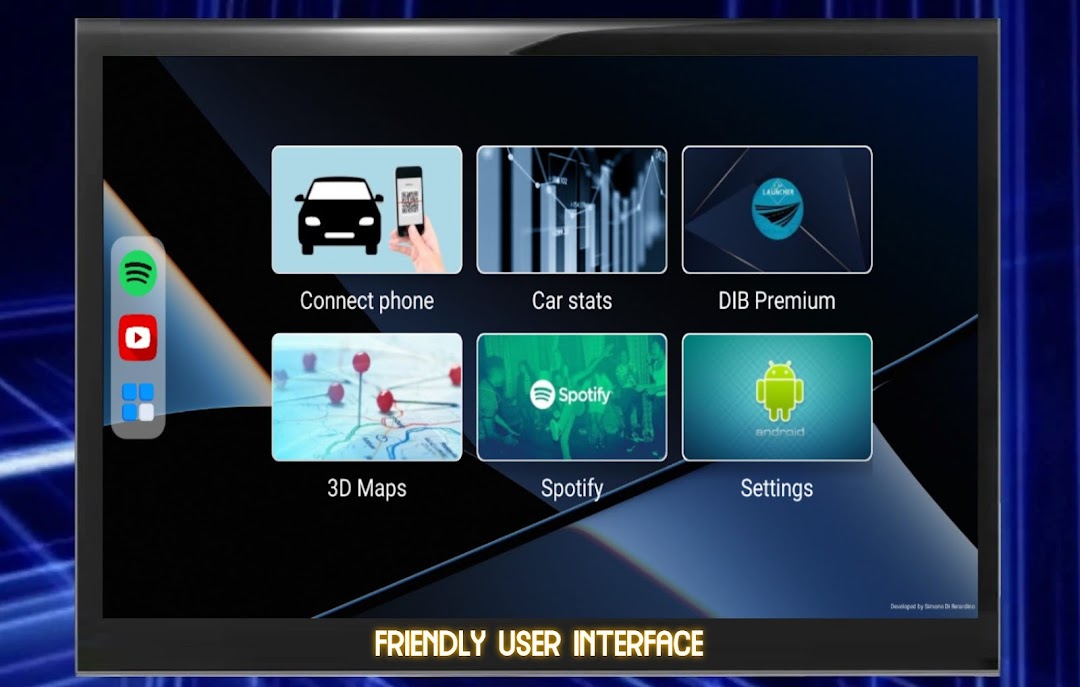
DIB Car Launcher is a Auto&Vehicles application developed by Simone Di Berardino, but with the best Android emulator-LDPlayer, you can download and play DIB Car Launcher on your computer.
Running DIB Car Launcher on your computer allows you to browse clearly on a large screen, and controlling the application with a mouse and keyboard is much faster than using touchscreen, all while never having to worry about device battery issues.
With multi-instance and synchronization features, you can even run multiple applications and accounts on your PC.
And file sharing makes sharing images, videos, and files incredibly easy.
Download DIB Car Launcher and run it on your PC. Enjoy the large screen and high-definition quality on your PC!
DIB Car Launcher is the ultimate companion for your Android car radio, packed with a suite of powerful and convenient features to elevate your driving experience. Stay connected with your world without taking your eyes off the road with its intelligent voice integration, allowing you to receive and reply to messages hands-free. Real-time maps provide an accurate and up-to-date view of your surroundings, while the digital speedometer and car stats keep you informed of your vehicle's performance.Never lose track of your car with the real-time location tracking feature, accessible from your smartphone. The 3D maps give you a detailed, immersive view of your route, while the media control lets you easily manage your music and entertainment on the go.
Personalize your driving experience with custom wallpapers and logos, and explore the wide range of additional features to suit your needs. Download the companion app for a complete experience, connect your phone, and start driving with confidence and convenience today!
- Smartphone integration (notifications, messaging and more);
- Realtime maps on your screen;
- Digitaal speedometer;
- Stats of your car;
- Real-time location of your car on your smartphone;
- 3D maps;
- Media control;
- Custom wallpapers and logos;
- And so much more!