DJ PADS - Become a DJ is a Music&Audio application developed by Bilkon, but with the best Android emulator-LDPlayer, you can download and play DJ PADS - Become a DJ on your computer.
Running DJ PADS - Become a DJ on your computer allows you to browse clearly on a large screen, and controlling the application with a mouse and keyboard is much faster than using touchscreen, all while never having to worry about device battery issues.
With multi-instance and synchronization features, you can even run multiple applications and accounts on your PC.
And file sharing makes sharing images, videos, and files incredibly easy.
Download DJ PADS - Become a DJ and run it on your PC. Enjoy the large screen and high-definition quality on your PC!
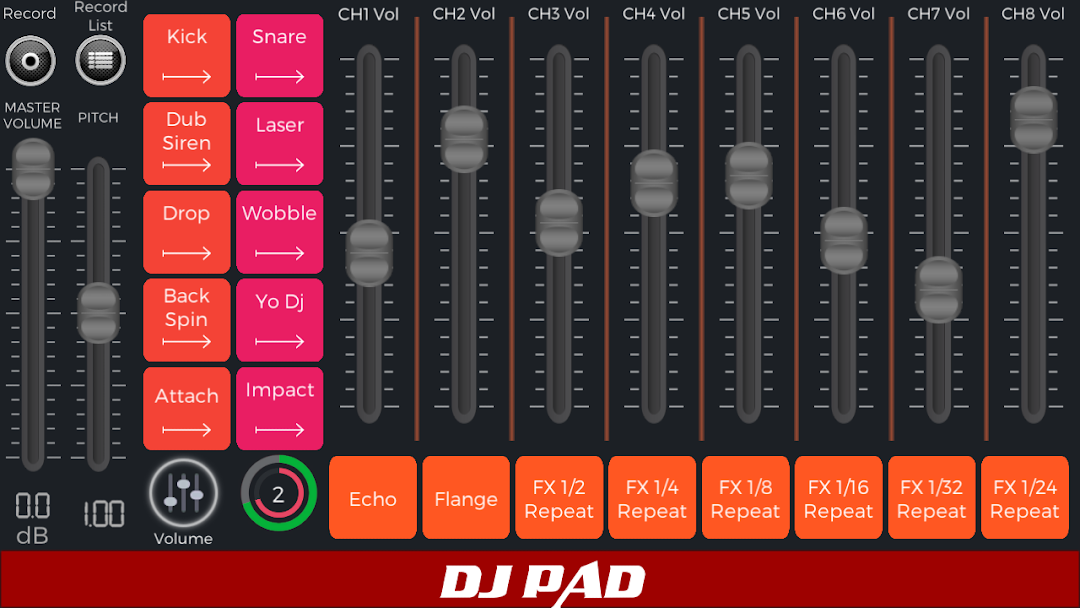
DJ PADS is a free Pads style ( Launchpad ) app of electronic music for Android. Lightweight application, fun and easy to play. With it you can create your electronic music. Try it now!Now you have the possibility to record music.You can save the music as mp3 and listen to it at any time. When you make your own music like a DJ, you will now be able to record it. You can also share your recorded music on social media.
The most complete DJ Pads app. There are pads with different beats, loops and vocals for you make the perfect beat!
An ideal app for electro DJs and music producers. But it serves well for amateurs - it is simple, intuitive and easy to play.
With it, besides create the beat, you can make your own voices and use it in the mixes. Never been easier and fun to make Electro Music.
Check out the details of DJ Pads:
* Record Feature
* Share your music on social media
* Multi Touch
* 90 realistic sounds
* Studio audio quality
* Like a real dj Pads
* Pitch slider bar
* Volume slider bar
* Easy to play
* For DJs and amateurs
* Works on all screen resolutions - Cell Phones and Tablets (HD Images)
* Free
The app is free. The best Electro Music app on Google Play! Ideal for DJs, Musicians, producers and artists!