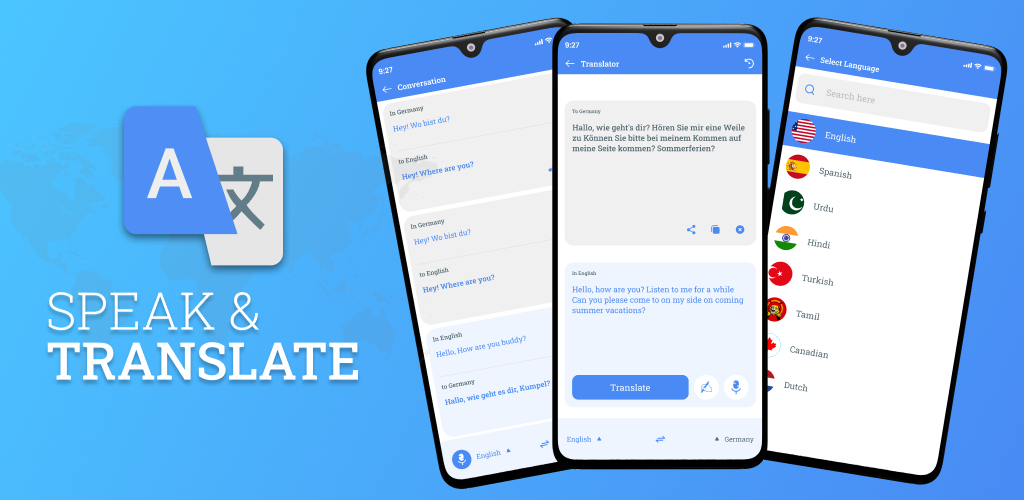
Live Speak & Translate is a Tools application developed by LovizaMobileApps, but with the best Android emulator-LDPlayer, you can download and play Live Speak & Translate on your computer.
Running Live Speak & Translate on your computer allows you to browse clearly on a large screen, and controlling the application with a mouse and keyboard is much faster than using touchscreen, all while never having to worry about device battery issues.
With multi-instance and synchronization features, you can even run multiple applications and accounts on your PC.
And file sharing makes sharing images, videos, and files incredibly easy.
Download Live Speak & Translate and run it on your PC. Enjoy the large screen and high-definition quality on your PC!
Live Speak and translate – Language Translator is voice to text and text translator for your translation needs. This speech translator can help you to translate from any language into your native language. Speak & translate – Translator can support you to solve all your language and interpretation needs. Simply Speak & Translate Languages will convert your voice into text and also used as a text to speech converter.Live Speak and translate all languages also provide a feature of text translator, so the translation is also available through text input. User can easily select the desired languages and write text by typing or type text by voice input then click on the translation button & get the result in the chosen language. You can translate your text into 100+ languages instantly.
Features of Speak & translate- Language Translator 🔥
• Dual mics for all languages translator with speech to text Translator.
• High end voice recognition for speech Translator.
• Dictionary for all language to search words with complete meanings.
• Support 100+ languages in Language translator.
• All languages translator support Voice to Text and Text to speech modules.
• Speech to Text feature gives translation of voice into text typing.
• Speak & translate by just tap on dual mics
We all know that English is a global language and people from all over the world want to understand it and also want to communicate with English language speakers either they are native or they are using English as another Language in their daily life communication.
English to Chinese
English to Spanish
English to Arabic
English to Hindi
English to Bengali
English to Portuguese
English to Russian
English to Japanese
English to Korean
English to Punjabi
English to French
English to Urdu
and 100+ Languages.
Speak to Translate all languages voice translator it allows you to translate from any language into any language. All languages speech translator is an instant language translator with voice that can be available to you all the times for language translation. Download it now to make your conversations easier.