Live Transcribe & Notification is a Communication application developed by Research at Google, but with the best Android emulator-LDPlayer, you can download and play Live Transcribe & Notification on your computer.
Running Live Transcribe & Notification on your computer allows you to browse clearly on a large screen, and controlling the application with a mouse and keyboard is much faster than using touchscreen, all while never having to worry about device battery issues.
With multi-instance and synchronization features, you can even run multiple applications and accounts on your PC.
And file sharing makes sharing images, videos, and files incredibly easy.
Download Live Transcribe & Notification and run it on your PC. Enjoy the large screen and high-definition quality on your PC!
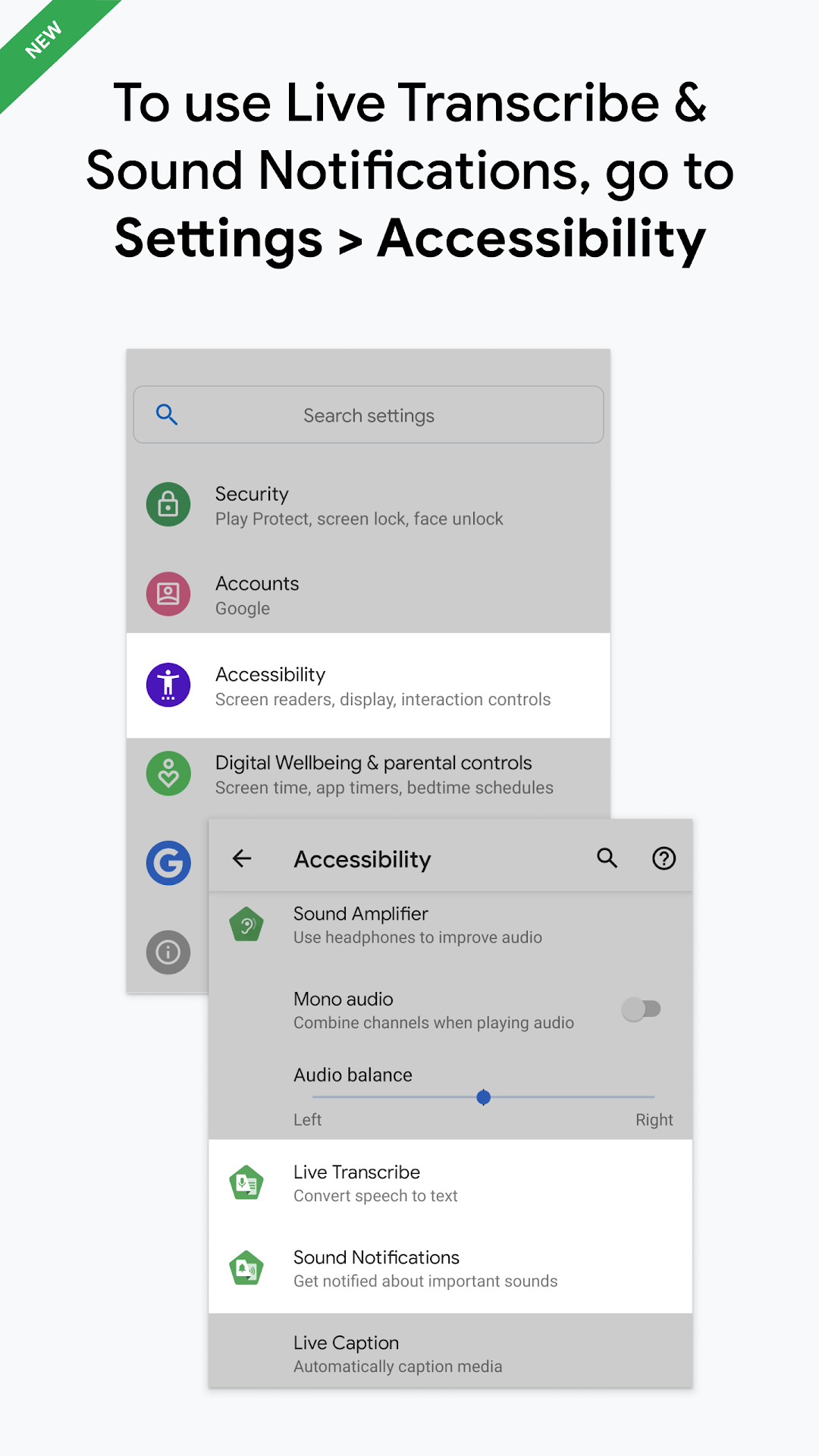
Live Transcribe & Sound Notifications makes everyday conversations and surrounding sounds more accessible among people who are deaf and hard of hearing, using just your Android phone.On most devices, you can open Live Transcribe & Sound Notifications with these steps:
1. Open your device's Settings app
2. Tap Accessibility
3. Depending on which feature you'd like to use, tap Live Transcribe or Sound Notifications
You can also use the accessibility button, gesture, or Quick Settings to start Live Transcribe or Sound Notifications (https://g.co/a11y/shortcutsFAQ).
Real-time transcriptions
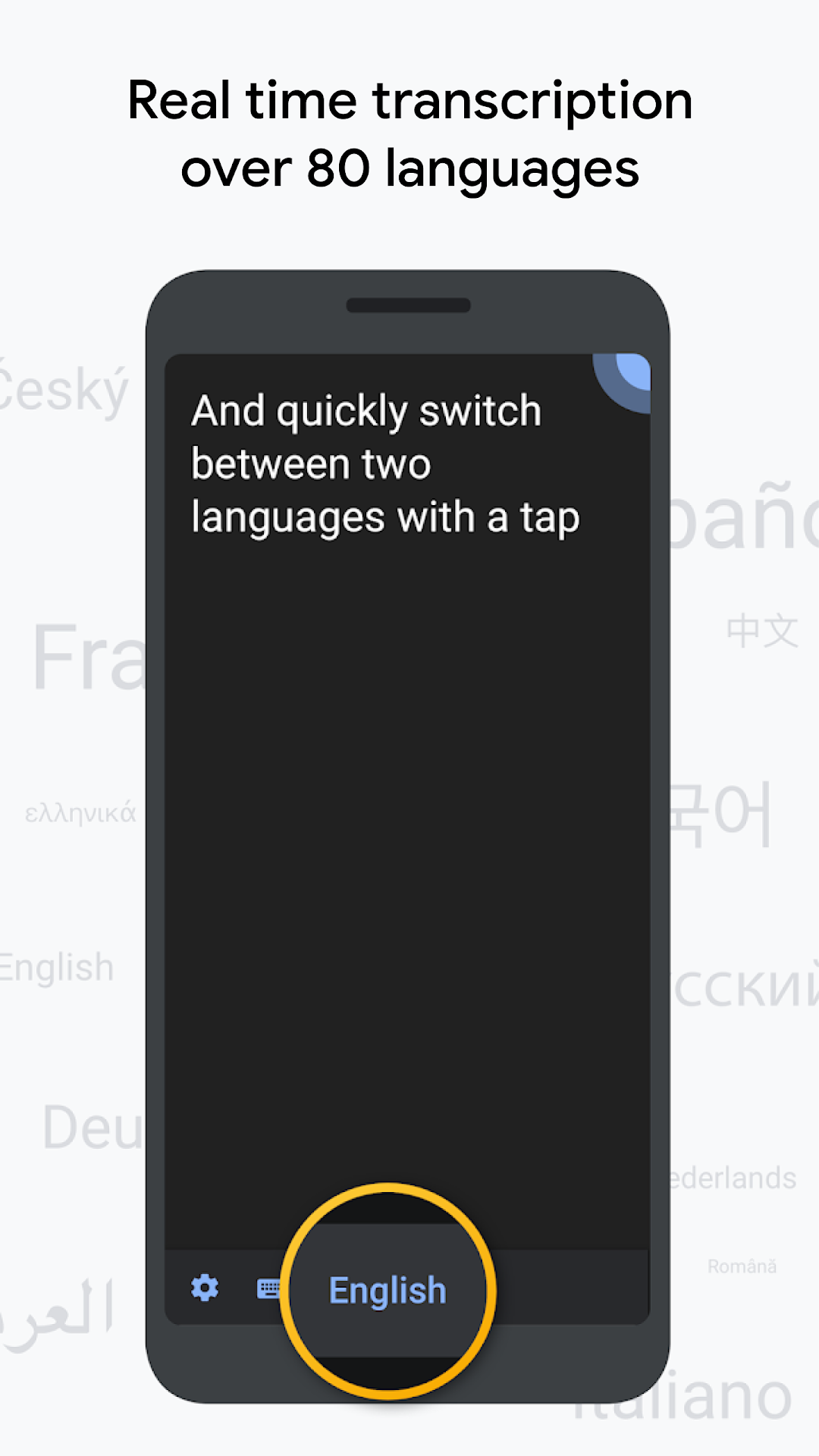
• Get transcriptions in real-time in over 120 languages and dialects. Add custom words that you use frequently, like names or household items.
• Set your phone to vibrate when someone says your name.
• Type responses in your conversation.
• Use external microphones found in wired headsets, Bluetooth headsets, and USB mics for better audio reception.
• On foldable phones, show transcriptions and typed responses on the outside screen so it's easier to communicate with others.
• Choose to save transcriptions for 3 days. Saved transcriptions will stay on your device for 3 days so you can copy and paste them elsewhere. By default, transcriptions are not saved.
Sound Notifications
• Get notified about important sounds around you, like when a smoke alarm beeps or baby cries.
• Add custom sounds to get notified when your appliances beep.
• Review sounds from the past 12 hours to check what was happening around you.
Requirements:
• Android 12 and up
Live Transcribe & Sound Notifications was made in collaboration with Gallaudet University, the premier Deaf and hard of hearing university in the US.
Help & feedback
• To provide feedback and get product updates, join the Accessible Google Group at https://g.co/a11y/forum
• For help using Live Transcribe & Sound Notifications, connect with us at https://g.co/disabilitysupport
Permissions notice
Microphone: Live Transcribe and Sound Notifications needs microphone access to transcribe the speech and sounds around you. The audio is not stored after transcriptions or recognized sounds are processed.
Notifications: Sound Notifications features require notifications access in order to notify you of sounds.
Nearby devices: Live Transcribe needs access to nearby devices to connect with your Bluetooth microphones.