Run Mac OS Style Launcher 2021 – De on PC
If you want to enjoy a layout for a desktop computer style for your android phone, the Launchers World brings you a new theme style launched as Mac OS Style Launcher 2021 – De. Here you can have whole new settings for your layout for the mobile, and you will have a MAC OS style here with so many color themes to grab with. LDPlayer 9 is the best emulator to run Mac OS Style Launcher 2021 – De on PC.
Mac OS Style Launcher 2021 – De Features
-
Unlimited color themes
-
You will have a start menu here, just like you have on a Desktop computer.
-
As a user, you are allowed to have a Mac-style themed tile look with this app for your phone.
-
Ability to create shortcuts for the frequently used apps
-
A file manager is there to explore and search all your apps.
-
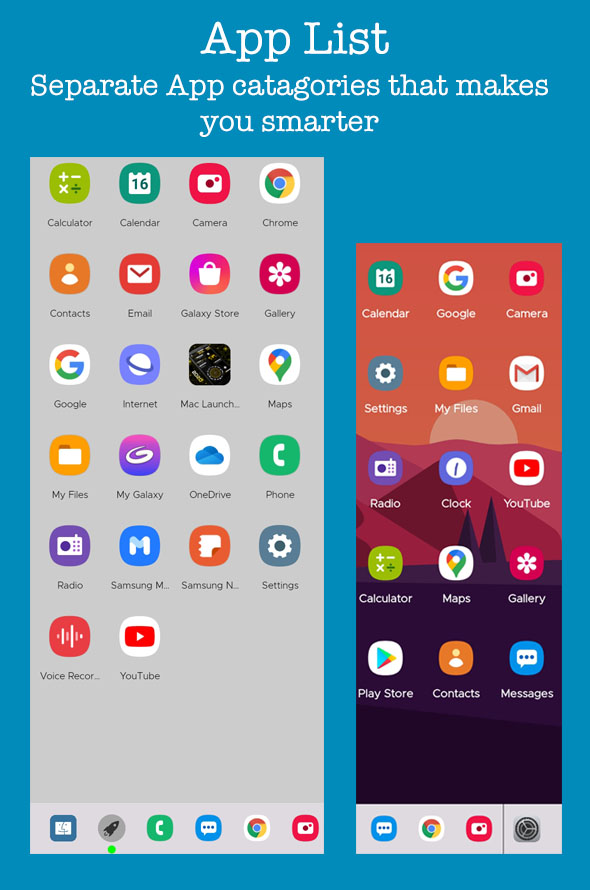
A smarter app list made for the app categorization
-
Can customize fonts, wallpapers, language and even the icon pack
-
Easy to search all your apps
-
Drag and drop options.
-
You can have the details from your SD card, your drives, audio, storage, pictures, as well as the video files here through a style of a Desktop Computer.
-
Can place widgets
-
Allows users to change the taskbar applications
The Best Customizations from Everywhere You Are
If you want a launcher theme provided by the Mac OS Style Launcher 2021 – De and need to get engaged with it everywhere you go, please go ahead with LDPlayer 9. Even if you are now working on your PC, launch the Mac OS Style Launcher 2021 – De there with LDPlayer 9 and enjoy your best feelings.
Can I change the wallpaper and theme of the launcher?
Yes, Mac OS Style Launcher 2021 -De offers premium wallpapers and themes that you can use to customize the appearance of your launcher.
Can I place widgets on the desktop?
Yes, you can add widgets to the desktop of the launcher for quick access to information and functions.