
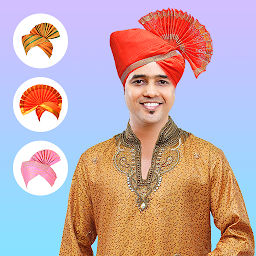


Marathi Traditional Pheta Edit is a Photography application developed by GD Techlab, but with the best Android emulator-LDPlayer, you can download and play Marathi Traditional Pheta Edit on your computer.
Running Marathi Traditional Pheta Edit on your computer allows you to browse clearly on a large screen, and controlling the application with a mouse and keyboard is much faster than using touchscreen, all while never having to worry about device battery issues.
With multi-instance and synchronization features, you can even run multiple applications and accounts on your PC.
And file sharing makes sharing images, videos, and files incredibly easy.
Download Marathi Traditional Pheta Edit and run it on your PC. Enjoy the large screen and high-definition quality on your PC!
Want to see yourself in the traditional Marathi pheta? Using Marathi Traditional Pheta Editor app you can do it in just a few easy steps.Steps to wear Marathi turban on your photos:
- Import a photo into this turban photo editor from camera or gallery.
- From our varieties of Marathi pheta, select the one of your choice.
- The app will automatically detect your head and it will place the Marathi turban on it.
- Tap on the Marathi pheta to adjust it perfectly on your head.
- Click on the tick button and your photo will be ready with the Marathi turban.
Along with turban, you can also add sunglasses, emoji stickers, and stylish text on your photos using this Marathi turban photo editor.
Features:
- 15+ traditional Marathi pheta designs.
- 15+ font styles.
- 20 emoji stickers.
- 10+ sunglasses.
So download Marathi Traditional Pheta Editor app and check how you look wearing different Marathi phetas.


