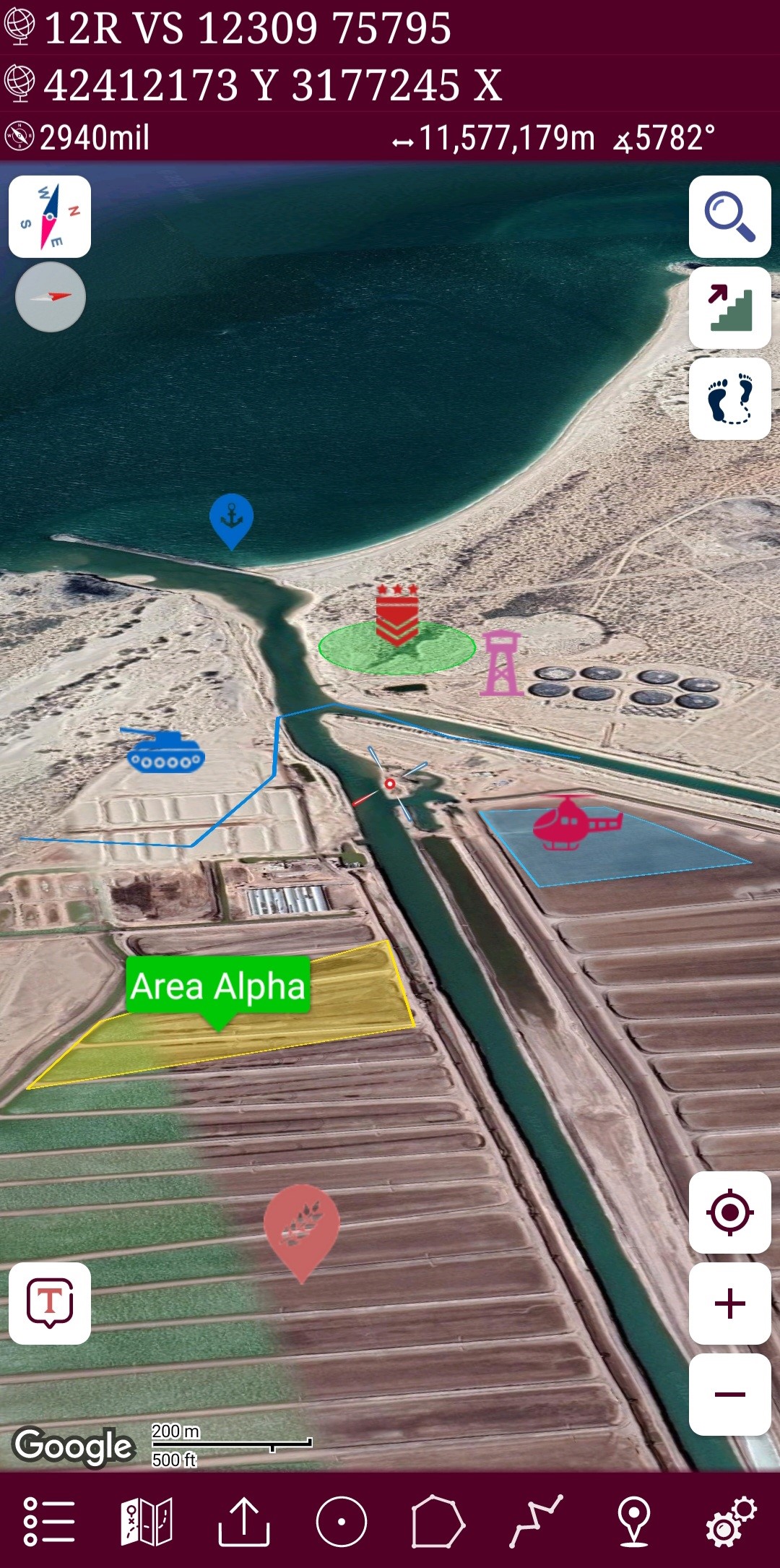
Mgrs & Utm Map Pro is a Maps&Navigation application developed by DakikTech, but with the best Android emulator-LDPlayer, you can download and play Mgrs & Utm Map Pro on your computer.
Running Mgrs & Utm Map Pro on your computer allows you to browse clearly on a large screen, and controlling the application with a mouse and keyboard is much faster than using touchscreen, all while never having to worry about device battery issues.
With multi-instance and synchronization features, you can even run multiple applications and accounts on your PC.
And file sharing makes sharing images, videos, and files incredibly easy.
Download Mgrs & Utm Map Pro and run it on your PC. Enjoy the large screen and high-definition quality on your PC!
Special features at pro version:👉 More maps (Bicycle, Topographic, Neighborhood, Atlas etc.)
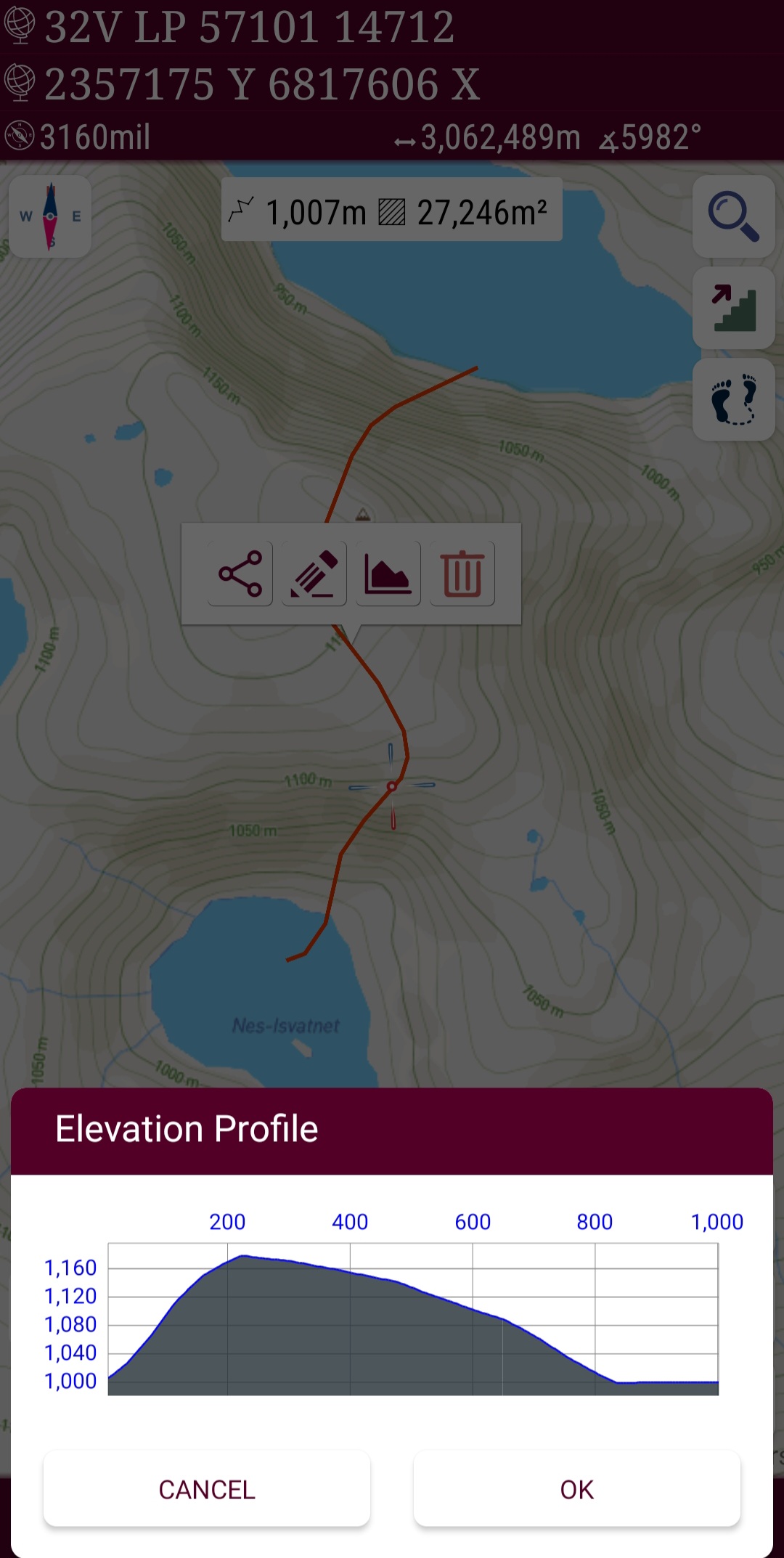
👉 You can see the altitude profile of your route on the chart
👉 You can search for locations by address
👉 You can create different layers for your different activities
👉 List view for markers, routes, areas and KML
👉 You can draw multiple routes and areas, and change their colors
👉 More and colorful pointer icons
👉 Name or icon display options for markers
👉 Multiple routes can be recorded with the GPS recorder
👉 And no ads
This application is GPS and coordinate systems helper especially for military personnel.
It is also a complete helper for mountaineering, trekking and hiking, cross running, scouting, hunting, fishing, geocaching, off-road navigation and all other outdoor activities and sports.
With satellite navigation systems such as GPS, GALILEO and GLONASS (GNSS) supported by your device and your sensors, you can see your most accurate position on different map layers.
Features:
* Easy and Faster
* Compass.
=> Compass on map (on the map that shows your direction)
=> Compass only (shows physical directions)
=> Angular units for compass (degrees, grad and mil)
* Follow Mode
=> The center of the map follows your location while on the move.
* You can add and removing markers.
* Distance measure. (You can add custom route and calculate total distance)
* Area measure.(You can select an area on the map and calculate the area in square meters)
* You can see the altitude of your location.
* You can find the location according to Address, Degree/Minute/Second , MGRS, UTM or Latitude/Longitude formats.
* Location (Coordinate) unit options.
=> MGRS / U.S. National Grid (USNG) (WGS84/NAD83)
=> D°M'S" (WGS84)
=> Latitude/Longitude (WGS84)
=> UTM (WGS84/NAD83)
=> SK42(Gauss Kruger)
=> British National Grid(OSNG)
=> Irish Grid Reference
=> ED50
=> ITRF
* Map type options (Road,Terrain,Satellite,Night Mode,Hybrid)
* You can share location coordinate.
* Distance unit options. (meter and feet).
* KML viewer. (Export and import KML layers).