
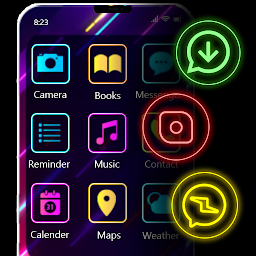


Neon Icon Designer & Changer is a Personalization application developed by MaveenLabStudio, but with the best Android emulator-LDPlayer, you can download and play Neon Icon Designer & Changer on your computer.
Running Neon Icon Designer & Changer on your computer allows you to browse clearly on a large screen, and controlling the application with a mouse and keyboard is much faster than using touchscreen, all while never having to worry about device battery issues.
With multi-instance and synchronization features, you can even run multiple applications and accounts on your PC.
And file sharing makes sharing images, videos, and files incredibly easy.
Download Neon Icon Designer & Changer and run it on your PC. Enjoy the large screen and high-definition quality on your PC!
Neon icon changer app designs plenty of icons for mobile apps with neon effects. If you are getting bored with default apps icons, neon icon designer app provides great opportunity to create special icons. Neon icon maker adds glowing neon effects, filters and colors while creating new icons for your apps. Neon icon styles & neon effects enhance the beauty of the apps displaying on the screen. In order to personalize your phone the neon icon changer app has plenty of attractive icons which hide the default icons of apps.Neon icon changer app has two possibilities to replace original apps icons with new neon designed icons for your apps. Neon icon designer has plenty of readymade icons with neon effects and also you can create unique neon icons of your choice.
Neon icon designer personalize your phone as it hides the particular app you want through setting self-generated neon icon. Replacing icon of an app with neon icon adds glowing neon effects through color filters and stickers.
Neon app icon creator has fabulous features to decorate your screen:
✔️App icon changer have great collection of attractive readymade neon icons for the apps you want.
✔️Create your own neon icons for mobile apps with certain available features to replace icons which are old.
✔️Color icon maker changes the icons’ style to make your mobile screen attractive.
✔️You can select the frame of your choice to create neon icon.
✔️Neon creator has stickers to add on your neon icon.
✔️App icon creator adds neon glow with neon effects on the icon of your app.
✔️Icon maker have colorful neon filters to enhance the display of apps’ icons.
✔️While creating neon icon for mobile apps you can change the shape of newly generated neon icon.
✔️Neon icon changer app will customize app icons.
✔️Neon icon style changes the apps icons you want with various neon effects.
✔️Color icon maker can decorate your screen with neon glow and effects.
✔️App icon creator neither affects the functionality of your mobile app nor does it replace its name.
Thank-You!


