Easy Piano: Learn Key & Notes is a Music&Audio application developed by CEM SOFTWARE LTD, but with the best Android emulator-LDPlayer, you can download and play Easy Piano: Learn Key & Notes on your computer.
Running Easy Piano: Learn Key & Notes on your computer allows you to browse clearly on a large screen, and controlling the application with a mouse and keyboard is much faster than using touchscreen, all while never having to worry about device battery issues.
With multi-instance and synchronization features, you can even run multiple applications and accounts on your PC.
And file sharing makes sharing images, videos, and files incredibly easy.
Download Easy Piano: Learn Key & Notes and run it on your PC. Enjoy the large screen and high-definition quality on your PC!
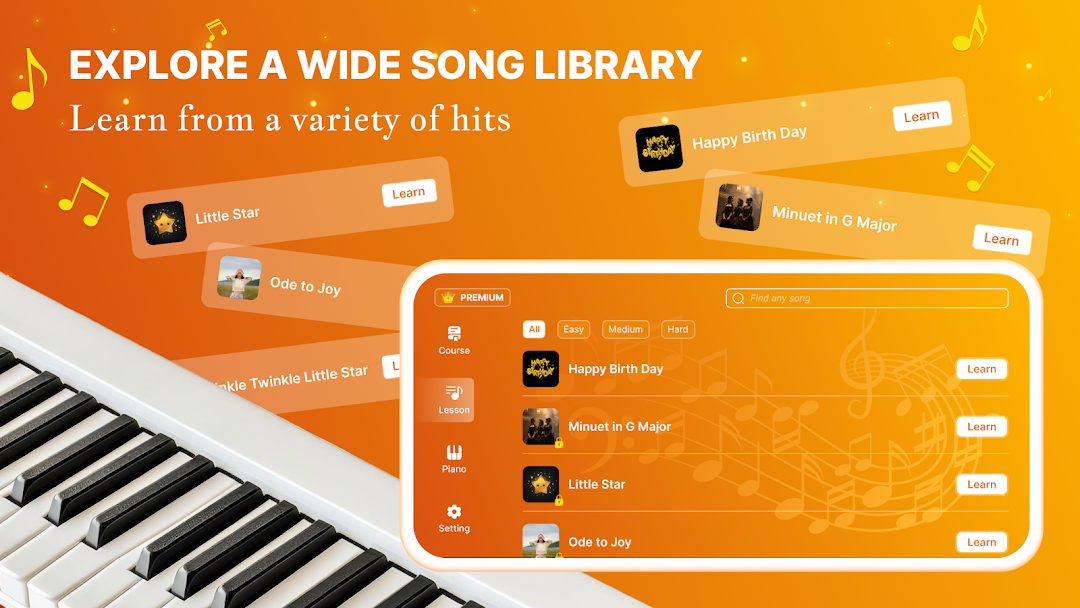
Discover the ultimate Piano Learn app, perfect for both beginners and enthusiasts who want to enjoy playing piano with ease.🎹 Easy Piano courses includes step-by-step tutorials with cute little songs. Let’s saving your money and time by this mini virtual piano keyboards.🎹 Play Along with Preloaded Songs:
Choose from a diverse selection of preloaded songs and play along by following the on-screen keys.
Each song is designed to provide a smooth and engaging experience, making it easy to play your favorite tunes.
🎶 Realistic Piano Sound:
Enjoy high-quality piano sounds that closely mimic a real piano, enhancing your practice and playtime.
The authentic sound adds to the immersive experience, making each session more enjoyable.
✨Virtual Screen for Notes:
Our unique virtual screen displays musical notes, helping you follow along and keep track of the melody.
This feature is ideal for quickly learning new songs and memorizing notes, making your practice more efficient.
🔄 User-Friendly Interface:
The intuitive design ensures you can start playing immediately, even with no prior piano experience.
Easily customize the keyboard and settings to suit your personal preferences and enhance your playing experience.
Download Easy Piano: Learn Key & Notes now and experience the joy of playing your favorite songs with an interactive and user-friendly app. Ideal for quick practice or casual play!
INFORMATION
Privacy Policy: https://cemsoftwareltd.com/privacyPolicy.html
Terms of Use: https://cemsoftwareltd.com/term.html
Support: https://cemsoftwareltd.com/contact.html