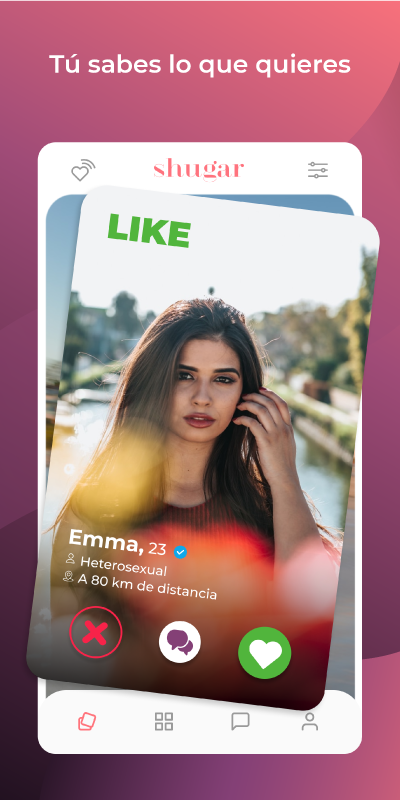
Shugar - Elite dating app is a Dating application developed by Shugar App S.A. de C.V., but with the best Android emulator-LDPlayer, you can download and play Shugar - Elite dating app on your computer.
Running Shugar - Elite dating app on your computer allows you to browse clearly on a large screen, and controlling the application with a mouse and keyboard is much faster than using touchscreen, all while never having to worry about device battery issues.
With multi-instance and synchronization features, you can even run multiple applications and accounts on your PC.
And file sharing makes sharing images, videos, and files incredibly easy.
Download Shugar - Elite dating app and run it on your PC. Enjoy the large screen and high-definition quality on your PC!
Shugar App is ideal for those who seek to find a simple relationship, without drama.
Redefine the concept of your perfect relationship! ✨🥰
Shugar broadens your social circle so that you can live new experienceswith people close to your or internationally. 🌎🌍🌏
⬇️ Download Shugar App today
Find the person you are looking for.💑
Sexual Orientations
Shugar is a dating app without distinction of gender and preferences.
✔️ Heterosexuals
✔️ Homosexuals
✔️ Bisexuales
✔️ Pansexualidad
Characteristics
Members can see their connections with others, filter users by preferences, send and receive messages. 📱
✔️ List mode: With it you can see all the profiles and likewise you can visit them and see if you like it or not.
✔️ Filters: You can put different ages, your nearby location or others countries.
✔️ Chat: You can talk to whoever you want and visit their profile from the chat.
✔️ Premium membership: Have some benefits to be able to meet more people.
✔️ VIP membership: With many advantages, more benefits and visiting many profiles,
download, discover and see what Shugar App has prepared for you.
Tips
1️⃣ Enjoy: don't live with pain and take risks. 😊
2️⃣ Known: expand your social world. 💬🌍
3️⃣ Protect yourself: don't give your personal data to third parties. 🔐
4️⃣ Respect: the secret of a happy life is respect, respect for oneself and for others.✅
Term of Service and Privacy Policy
https://shugar.app/terms
https://shugar.app/privacy
Contact
If at any time you have any questions, suggestions, problems or clarifications, you can find us on our social networks.
E-mail: info@shugarapp.com
Tiktok: https://www.tiktok.com/@shugarapp
Instagram: https://www.instagram.com/shugarapp
Facebook: https://www.facebook.com/shugarapp