TV file transfer & TV Remote is a Tools application developed by SM Infotech, but with the best Android emulator-LDPlayer, you can download and play TV file transfer & TV Remote on your computer.
Running TV file transfer & TV Remote on your computer allows you to browse clearly on a large screen, and controlling the application with a mouse and keyboard is much faster than using touchscreen, all while never having to worry about device battery issues.
With multi-instance and synchronization features, you can even run multiple applications and accounts on your PC.
And file sharing makes sharing images, videos, and files incredibly easy.
Download TV file transfer & TV Remote and run it on your PC. Enjoy the large screen and high-definition quality on your PC!
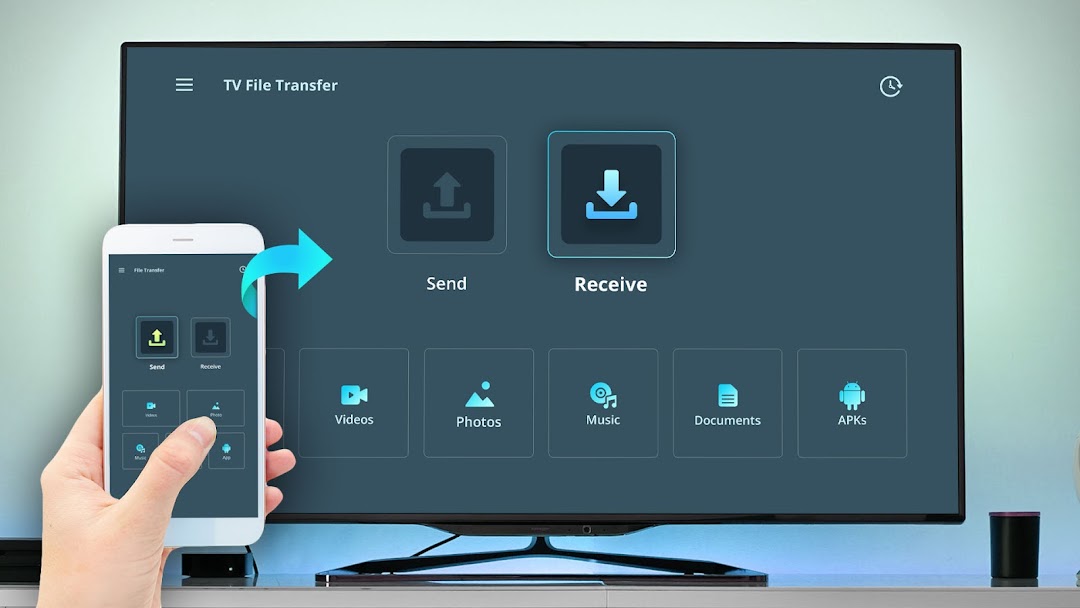
TV File Transfer is simple application to connect mobile with TV or other devices. Also it allows you to send/receive data like movies, photos, apk, music, documents from one device to another in a faster and simple way.------------------------------------------------------------
✨ NEW FEATURE: TV Remote For Android TV
------------------------------------------------------------
Now you can use your mobile as a TV Remote.
• Tap on the TV Remote button → Nearby TVs will appear on the same WiFi → Select your TV → Enter the pairing code shown on TV → Start controlling.
• Use phone as remote to change channels, control volume, navigation, mute, power and more.
• Multiple Remote Themes choose from different remote designs based on your style and preference.
• Home Screen Remote Control Widget
Access remote controls directly from your device’s home screen.
App Features :
1. Transfer Photos, Videos, Music, Documents, apk with unlimited size from one device to TV with ease.
Enjoy fast TV file transfer, smooth media sharing, and reliable connection for all your important files.
2. App discovers automatically other devices connected in Same WiFi with "TV File Transfer" app installed.
Making the connection quick and simple. Just select the device and start sharing instantly — no manual setup or complicated pairing required.
3. Transfer data with speed using Local WiFi network - works much faster that Bluetooth.
Offering speeds far better than traditional Bluetooth. Transfer movies, large videos with wireless connection.
4. Storage Manager allows view and easy access of data on TV or other devices.
It use to browse, organize, and manage all your files directly on your TV or devices. Quickly view media, check folders, and access phone data in the app.
To able to use TV Transfer Files you must install app on both devices your TV & phone to able transfer files.