Assistive Touch is a Tools application developed by CREA Software Systems, but with the best Android emulator-LDPlayer, you can download and play Assistive Touch on your computer.
Running Assistive Touch on your computer allows you to browse clearly on a large screen, and controlling the application with a mouse and keyboard is much faster than using touchscreen, all while never having to worry about device battery issues.
With multi-instance and synchronization features, you can even run multiple applications and accounts on your PC.
And file sharing makes sharing images, videos, and files incredibly easy.
Download Assistive Touch and run it on your PC. Enjoy the large screen and high-definition quality on your PC!
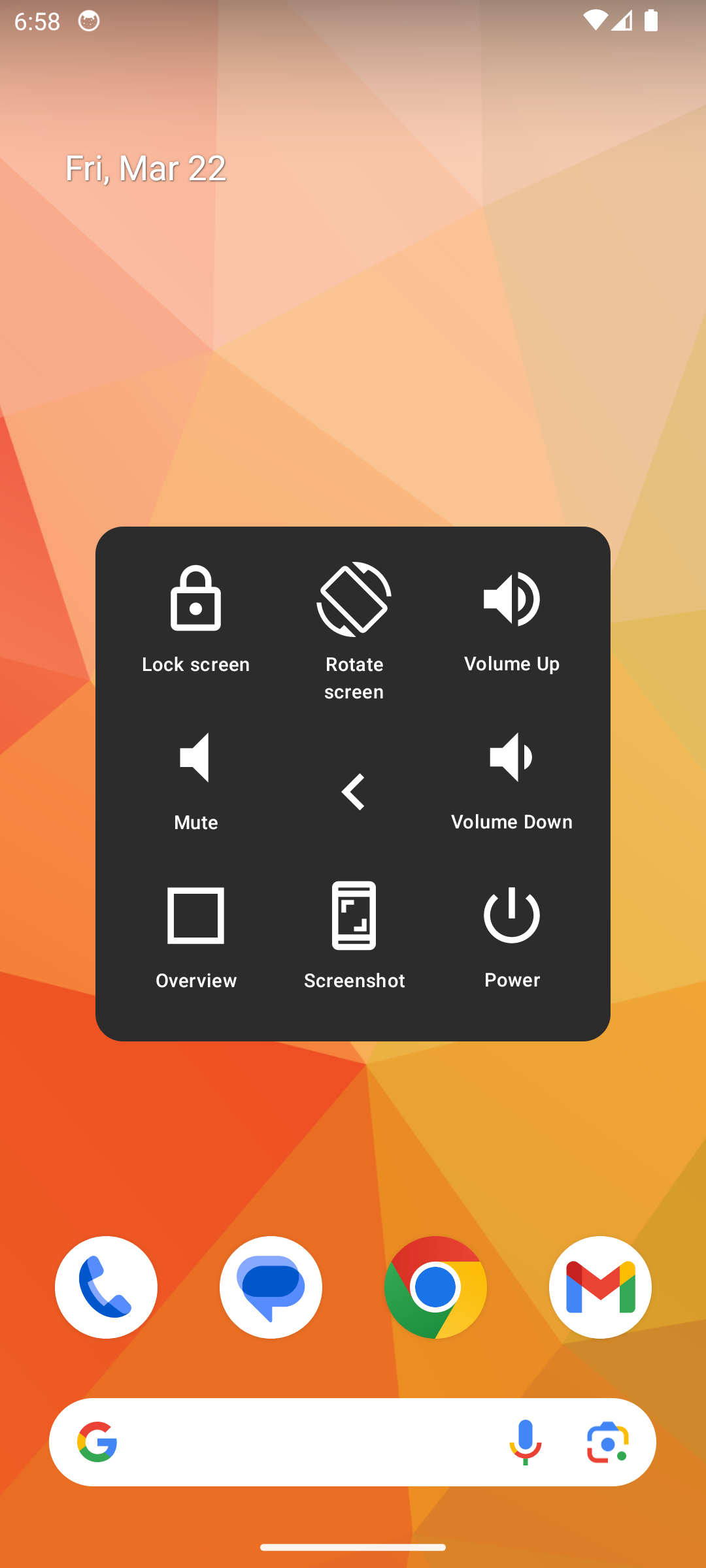
Assistive Touch is an easy touch tool for Android. It's fast, lightweight, and FREE.Experience enhanced Android navigation with Assistive Touch, a seamlessly intuitive app designed to simplify your smartphone interactions. This versatile tool provides a customizable floating button for quick access to your favorite functions, from managing volume to capturing screenshots and more. With Assistive Touch, you can effortlessly navigate your Android device, accessing settings, gestures, and quick toggles with ease. Plus, it serves as an ideal solution for safeguarding physical buttons, making it a must-have for users seeking both accessibility and protection. Discover the convenience and versatility of Assistive Touch today for an effortless mobile experience
Assistive Touch menu settings include:
- Advanced gestures (scroll, swipe, zoom)
- Navigating home, back
- Open recent applications
- Take screenshot
- Open the power dialog
- Open notifications
- Lock screen
- Auto-rotate
- Change screen rotation
- Volume
- Quick settings
This app uses the Device Administrator permission.
This app uses Accessibility services for below functions:
- Advanced gestures
- Navigating home, back
- Open recent applications
- Take screenshot
- Open the power dialog
- Open notifications
- Lock screen
- Auto-rotate
- Change screen rotation
- Quick settings
We do NOT gather any personal information and all actions are performed strictly with the user's consent.