Zorox - Stream Anime Anytime is a Entertainment application developed by OMK, but with the best Android emulator-LDPlayer, you can download and play Zorox - Stream Anime Anytime on your computer.
Running Zorox - Stream Anime Anytime on your computer allows you to browse clearly on a large screen, and controlling the application with a mouse and keyboard is much faster than using touchscreen, all while never having to worry about device battery issues.
With multi-instance and synchronization features, you can even run multiple applications and accounts on your PC.
And file sharing makes sharing images, videos, and files incredibly easy.
Download Zorox - Stream Anime Anytime and run it on your PC. Enjoy the large screen and high-definition quality on your PC!
Welcome to Zorox, the premier app for anime enthusiasts! Dive into a world of endless anime content with Zorox, the ultimate streaming app designed to bring you the best of Japanese animation, all in one place. Whether you’re a die-hard fan or a casual viewer, Zorox has something for everyone. Download now from the Play Store and start your anime adventure today!Key Features:
1. Vast Anime Library:
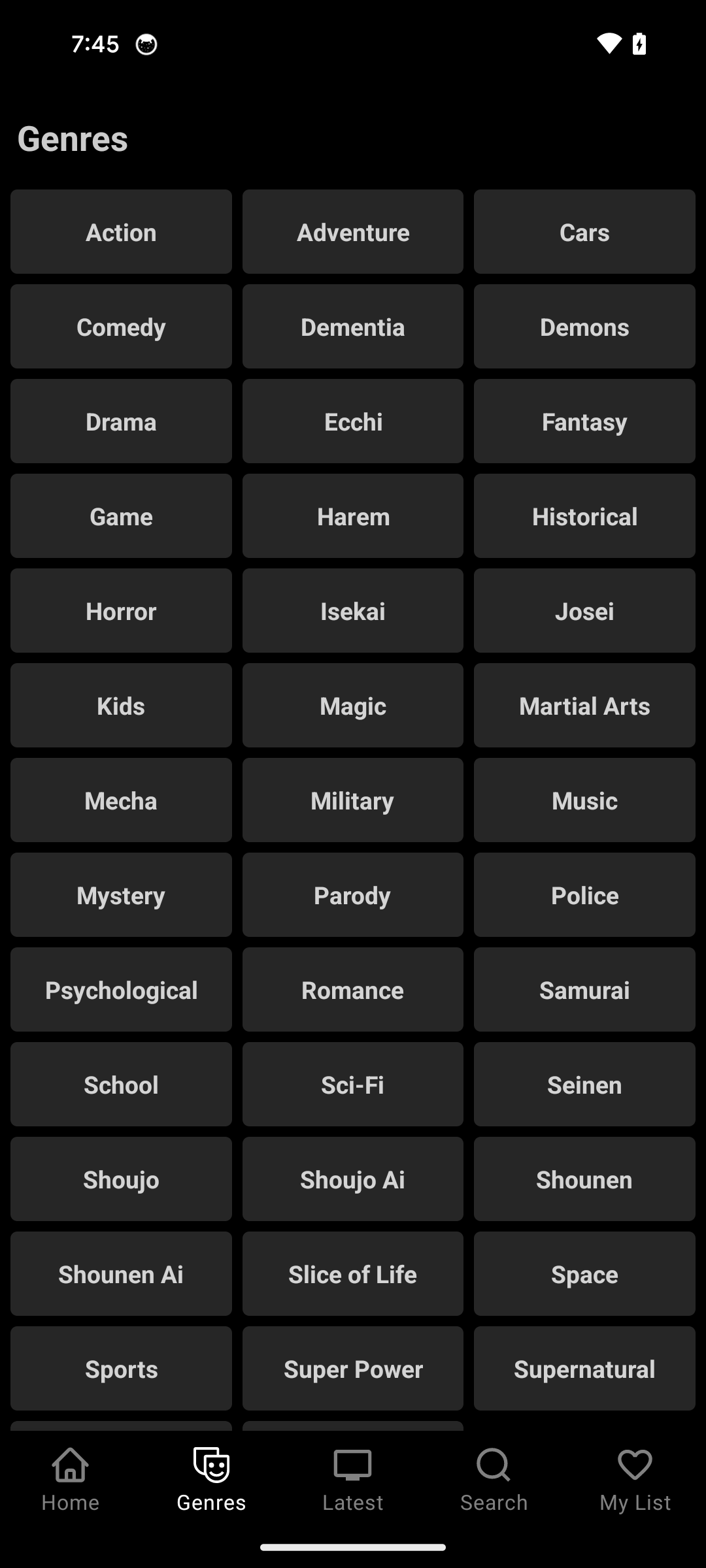
Explore a comprehensive collection of anime series and movies across various genres. From classic hits to the latest releases, Zorox offers an extensive library that caters to all tastes.
2. High-Quality Streaming:
Enjoy anime in stunning HD quality. Zorox ensures a seamless streaming experience with minimal buffering, so you can immerse yourself in the action without interruption.
3. Personalized Recommendations:
Discover new anime based on your viewing history and preferences. Zorox’s intelligent recommendation system helps you find shows that match your interests, ensuring you never run out of options.
4. User-Friendly Interface:
Navigate effortlessly through the app with our intuitive and user-friendly interface. Easily find your favorite anime, manage your watchlist, and track your viewing progress with just a few taps.
5. Regular Updates:
Stay up-to-date with the latest episodes and new releases. Zorox is regularly updated to bring you the freshest content as soon as it’s available.
6. Community and Reviews:
Join a vibrant community of anime lovers. Read and write reviews, rate your favorite series, and share recommendations with fellow fans.
7. Subtitles and Dubbing:
Choose between subtitles and dubbing to enjoy anime in your preferred language. Zorox offers a wide range of subtitle and dubbing options to enhance your viewing experience.
8. Safe and Secure:
Your privacy and security are our top priorities. Zorox is designed with robust security features to protect your data and ensure a safe streaming environment.
Why Choose Zorox?
Zorox stands out as the ultimate anime streaming app, providing a rich and immersive experience for anime fans around the world. Our commitment to high-quality content, user satisfaction, and continuous improvement makes Zorox the go-to app for all your anime needs. Download Zorox from the Play Store today and join millions of users who have made Zorox their trusted source for anime entertainment.
Download Zorox now and start your anime journey!