home page
Games
Pre-RegisterRPGStrategyAdventureCasualArcadeRacingActionSimulation
Support
LDPlayer 9 IntroductionEnable VTStartup Stuck at 50%/94%Fix Invalid Virtual DiskUpdate Graphics DriverKeyboard MappingEnable LDMultiplayerFPS Setting
Blogs
Updates
LDGame
Affiliate
LDGame Community
download ldplayer
Download LDPlayer
English
繁體中文한국어Tiếng ViệtภาษาไทยPусскийPortuguêsEspañolFrançaisDeutsch日本語Indonesiaالعربية

LDPlayer Support

EmailFacebookDiscordLDGame Customer Service(For LDPlayer account & recharge problem)

Products

LDCloudOSLinkEasyFunLDShop

About

About UsBusiness InquiryDMCA Takedown

Follow Us

©2025 LDPLAYER.NET , ALL RIGHTS RESERVED.JUST OKAY LIMITED , OFFICE F, 12/F, YHC TOWER , 1 SHEUNG YUET RD, KOWLOON BAY KLN, HONG KONG
Games and applications on this site are collected from the internet. If there is any infringement, please contact the email: support@ldplayer.net
Privacy Policy|GDPR Privacy Notice|Help Translate
English
繁體中文한국어Tiếng ViệtภาษาไทยPусскийPortuguêsEspañolFrançaisDeutsch日本語Indonesiaالعربية

Blogs/

Game Guides/

News and Guides for Rise of Kingdoms: Lost Crusade

How to enhance perforamce of Rise of Kingdoms on PC with LDPlayer

2021-07-01

Rise of Kingdoms is a management strategy game developed by Lilith Games where you get to guide a civilization from the Stone Age to feudal times, while fighting against endless enemies and expanding the borders of your budding empire. The following tutorial is meant to help you to enjoy the best gaming experience while playing Rise of Kingdoms on LDPLayer.


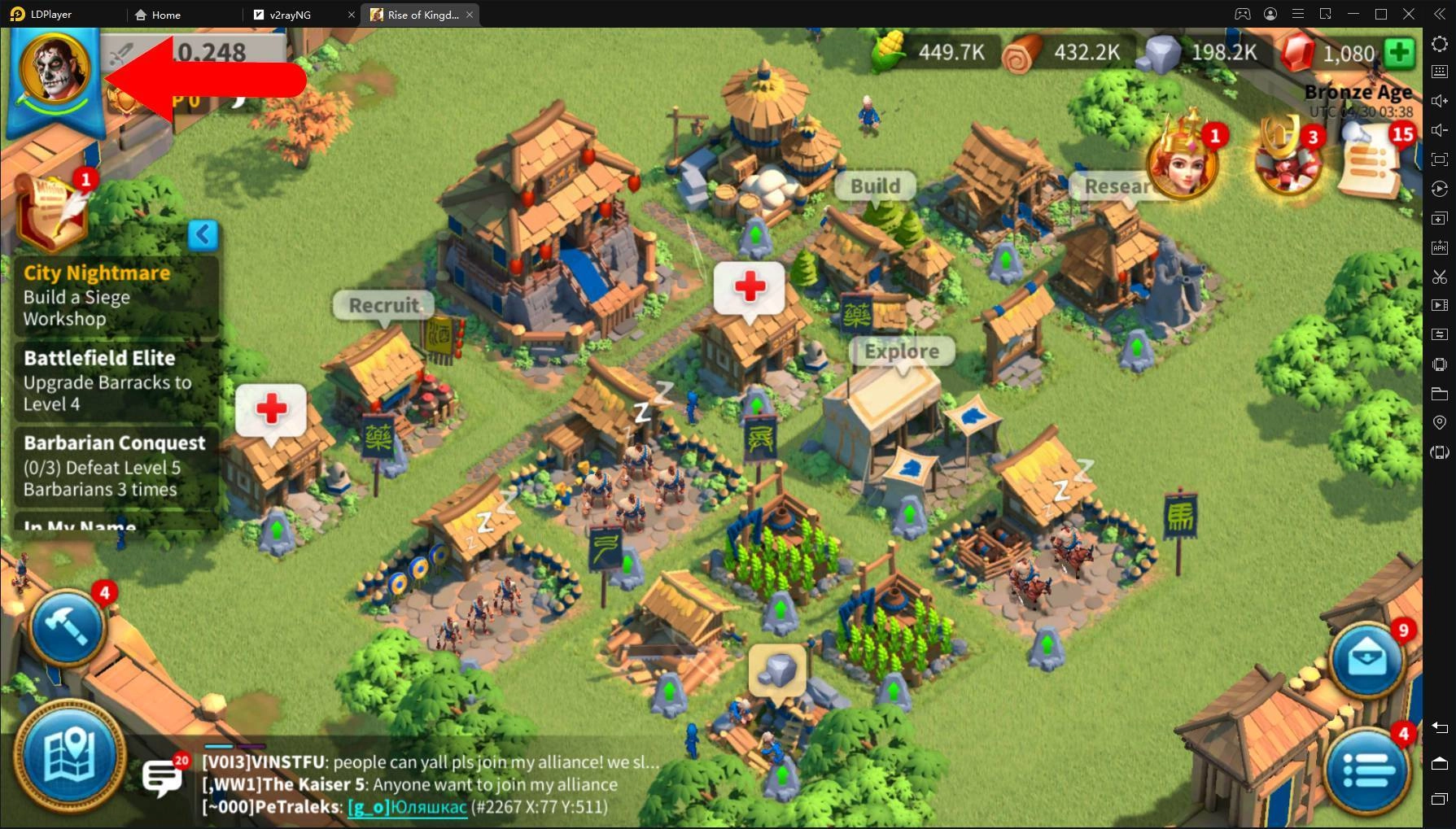
1.Launch Rise of Kingdoms on LDPlayer and click on your character avatar in the left upper corner .
How to enhance perforamce of Rise of Kingdoms on PC with LDPlayer


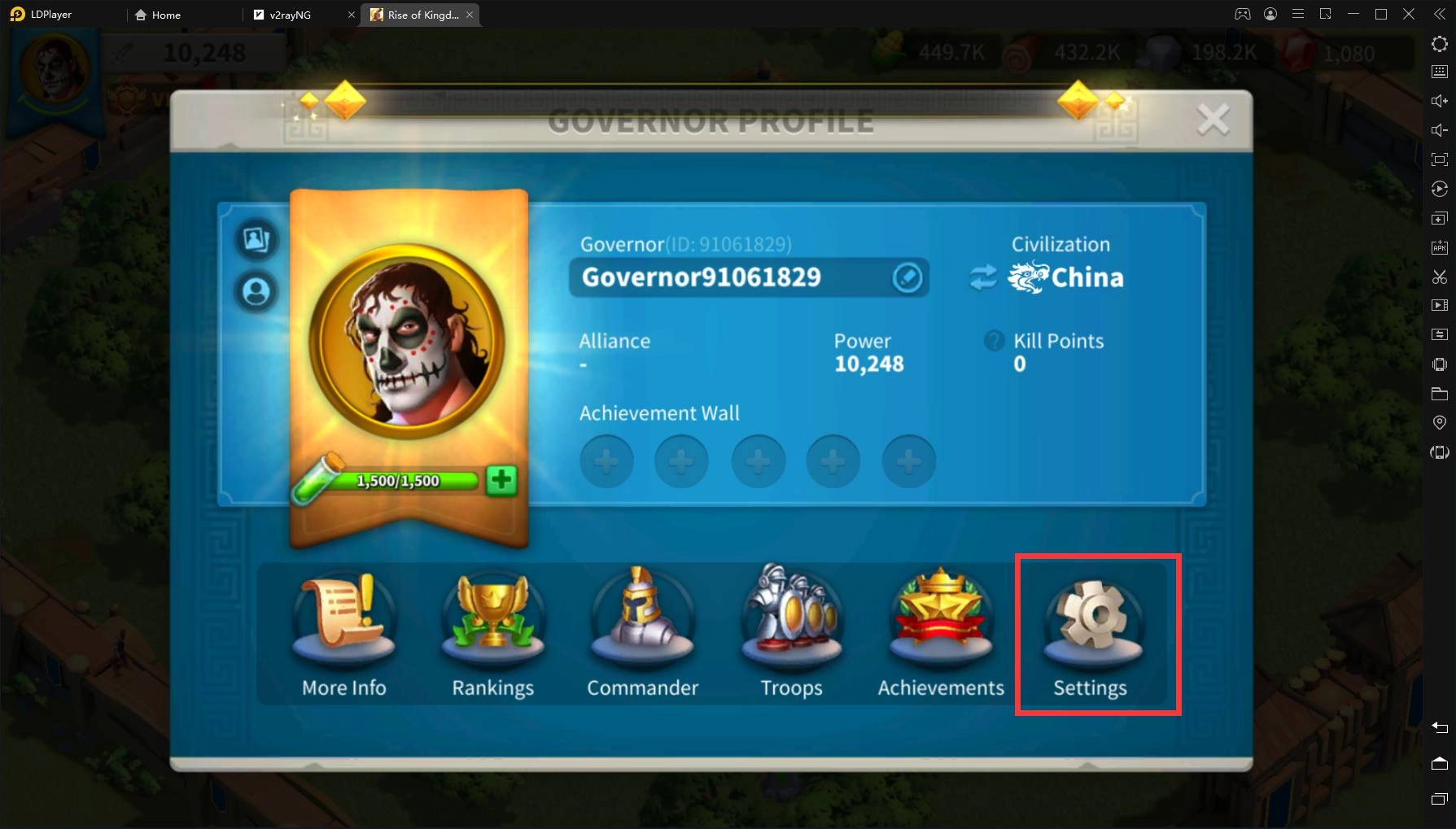
2.Click on ‘Settings’.

How to enhance perforamce of Rise of Kingdoms on PC with LDPlayer


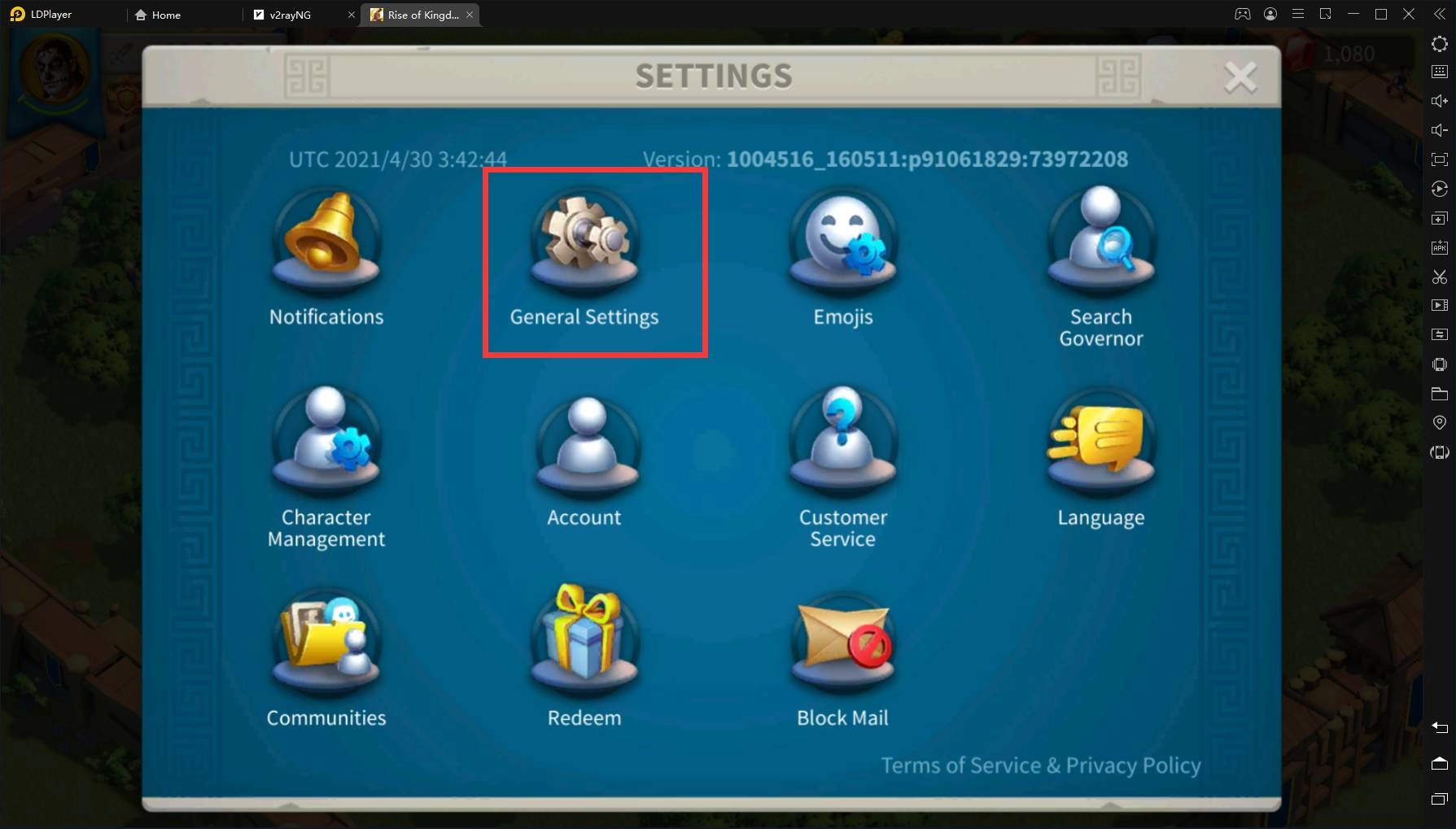
3.Choose ‘General Settings’.

How to enhance perforamce of Rise of Kingdoms on PC with LDPlayer


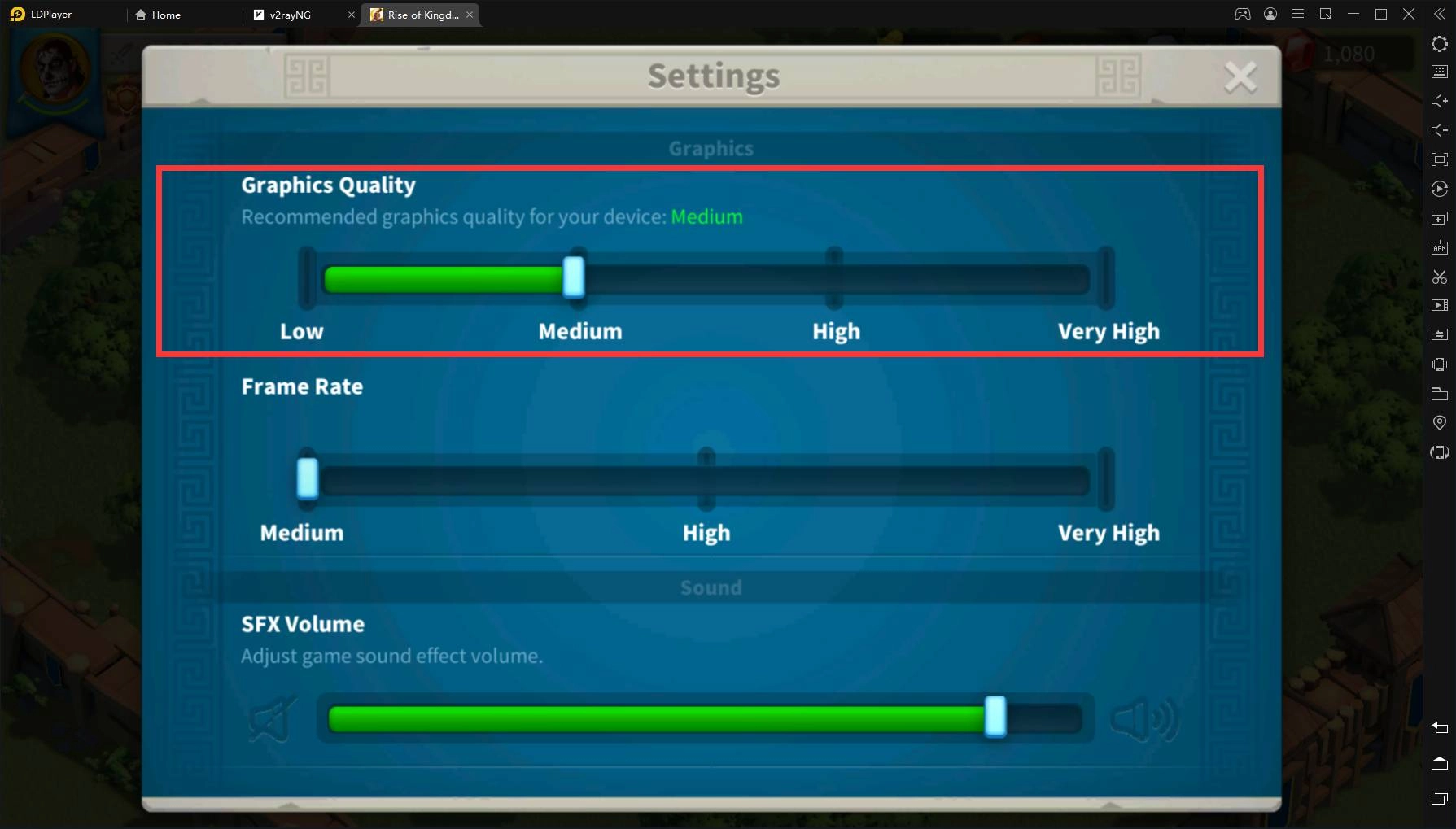
4.Choose the optimal Graphics Quality, you can also use graphics quality recommended by the game.
How to enhance perforamce of Rise of Kingdoms on PC with LDPlayer


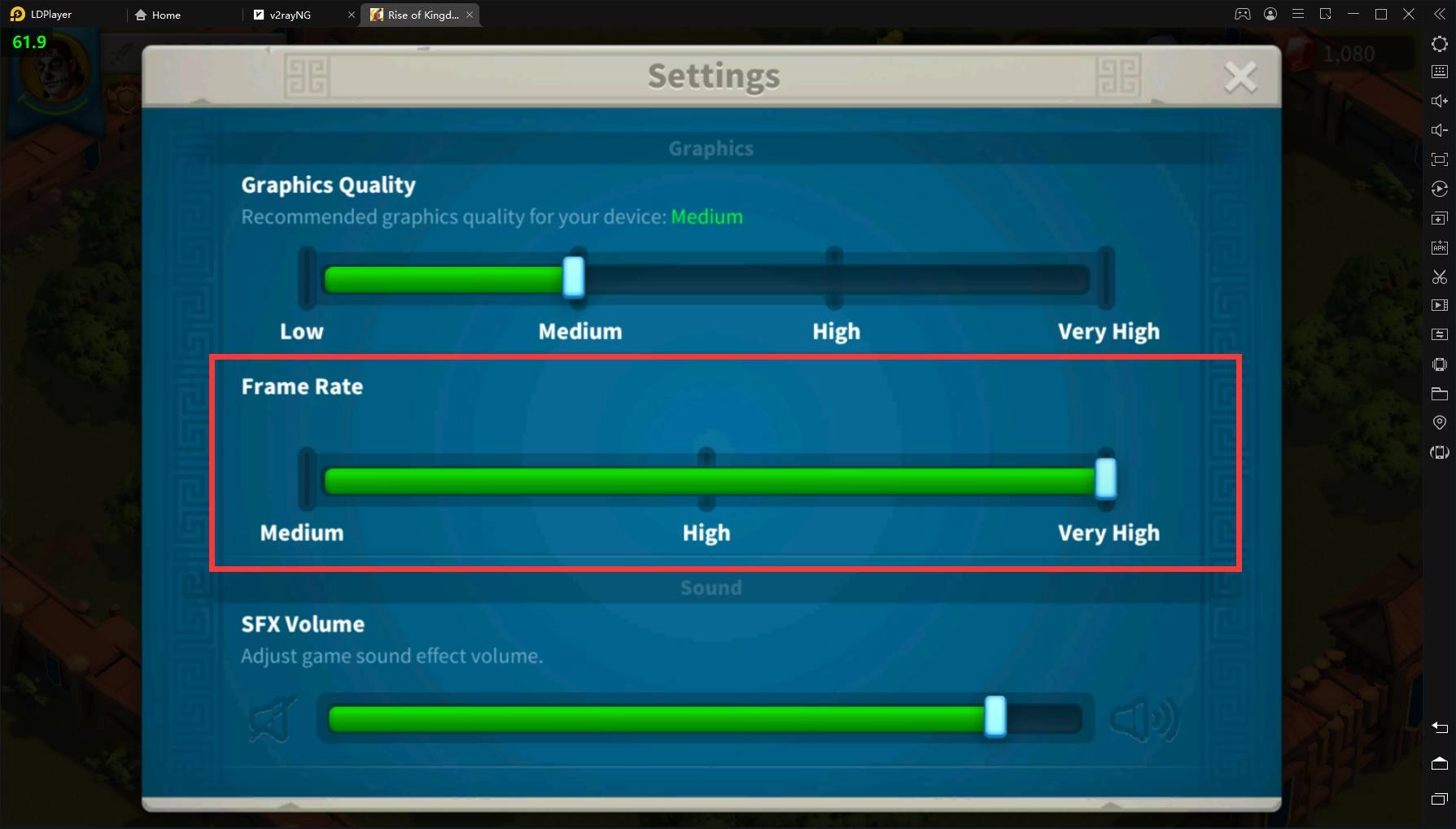
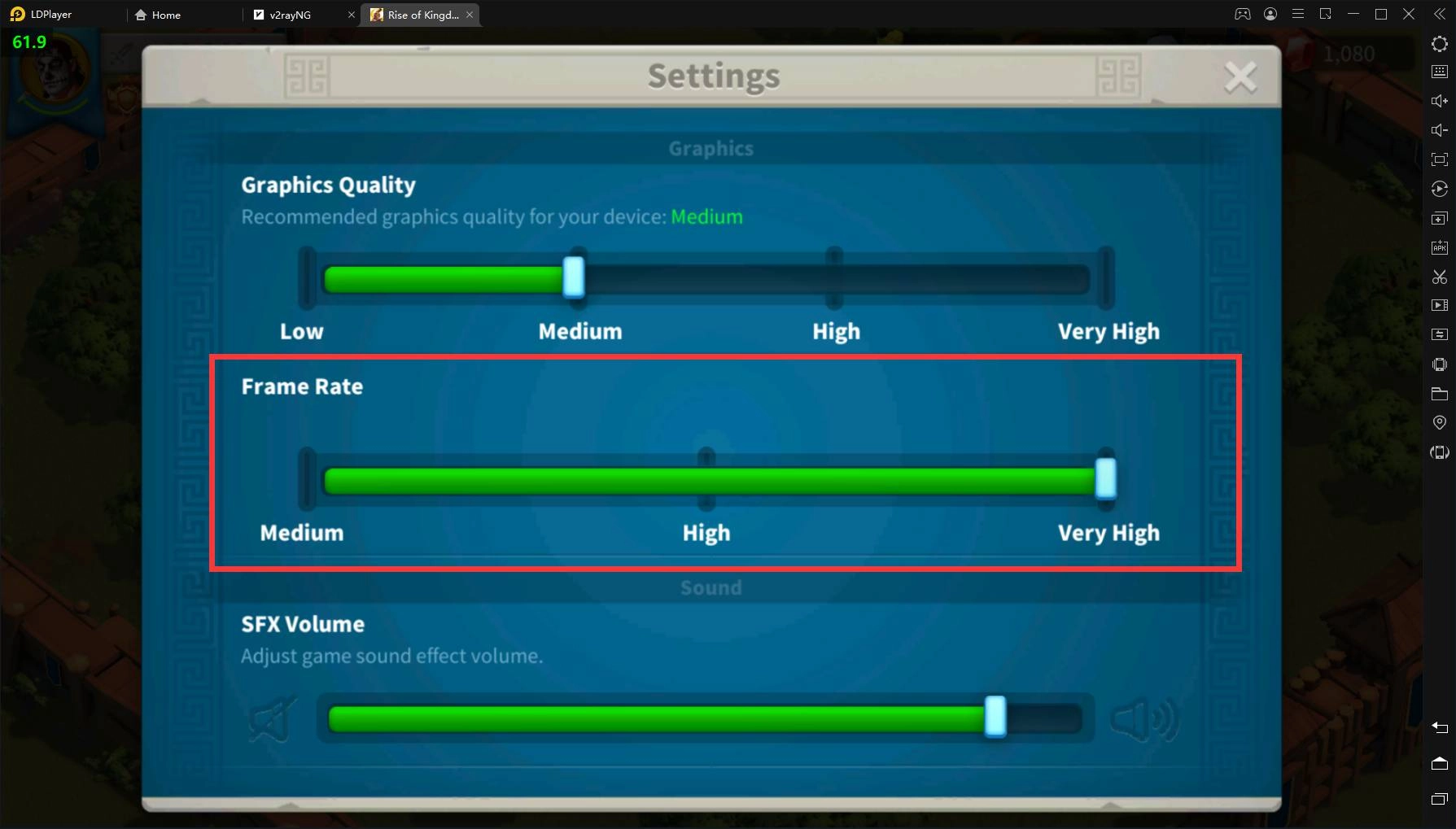
5.Adjust the ‘Frame Rate’ to ‘Very High’ and you can enjoy a stable FPS at 60 FPS within the game.
How to enhance perforamce of Rise of Kingdoms on PC with LDPlayer


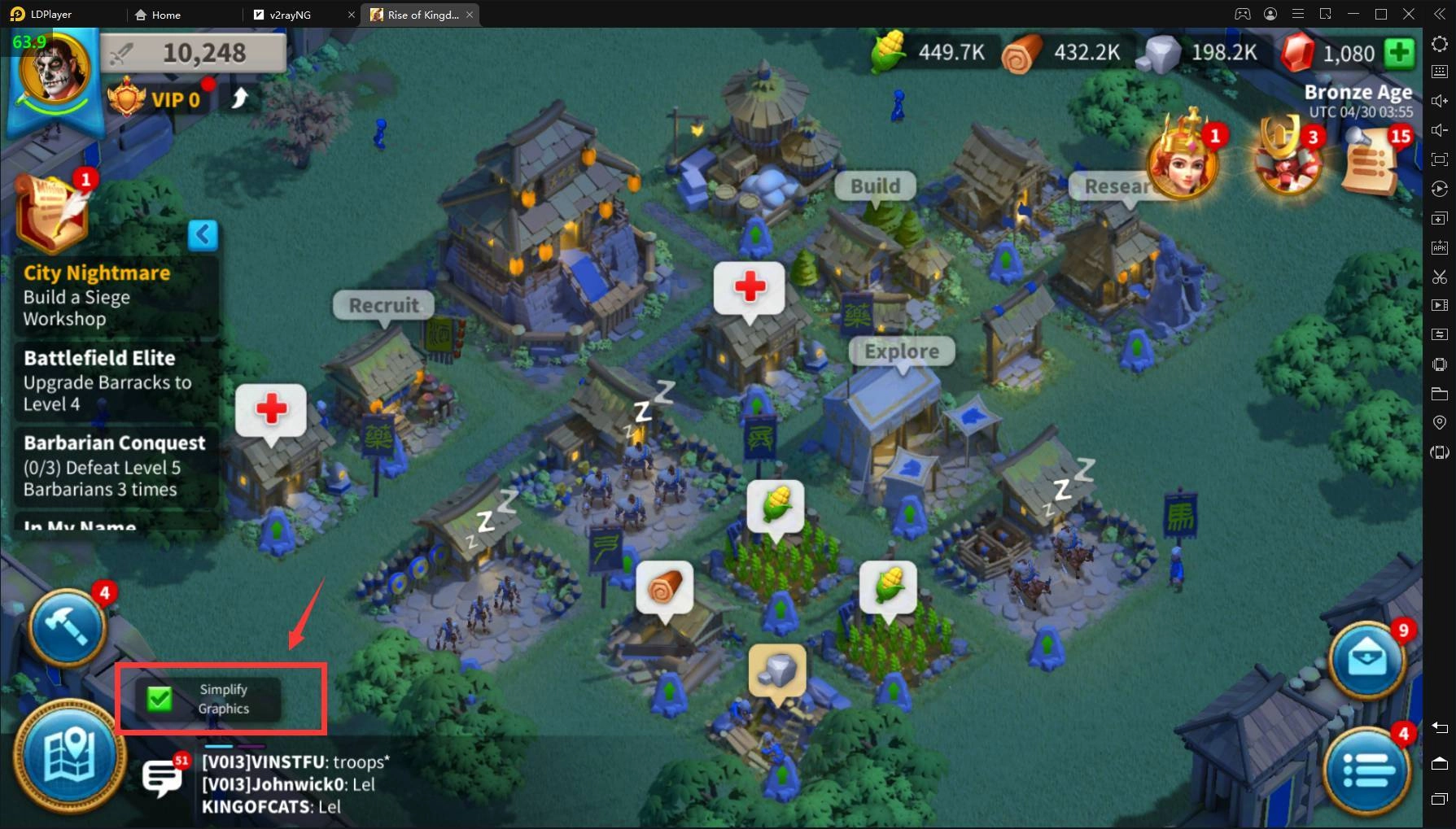
6.Scroll down and enable ‘Simplify Graphics Mode’, make sure that the indicator box is ticked when back to the main map.
How to enhance perforamce of Rise of Kingdoms on PC with LDPlayerHow to enhance perforamce of Rise of Kingdoms on PC with LDPlayer


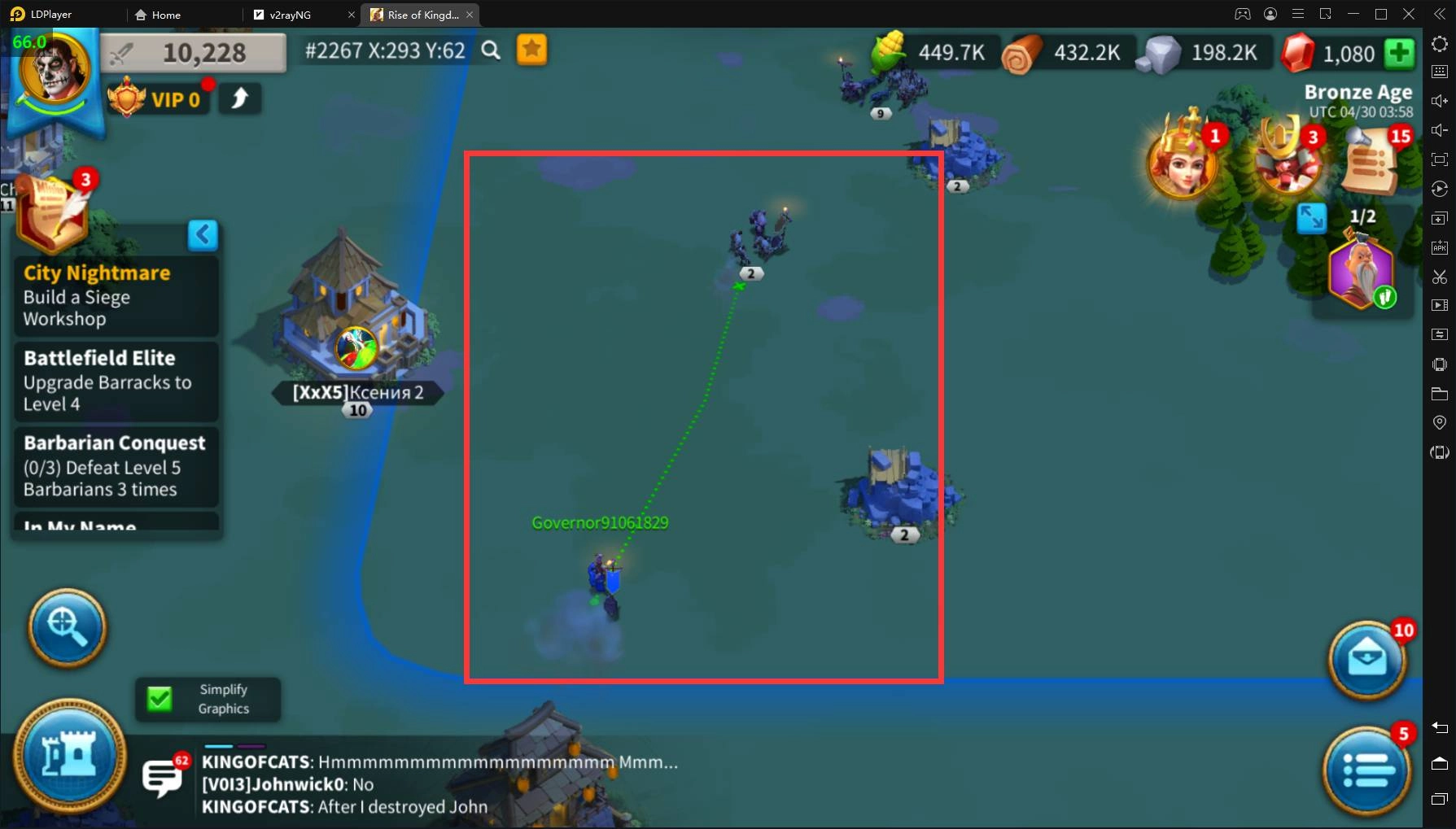
7.When you enable the ‘Simplify Graphics Mode’, the animation of your troops will be simplified as shown below.
How to enhance perforamce of Rise of Kingdoms on PC with LDPlayer


8.When you disable the mode, the animation will show more details of your troop.
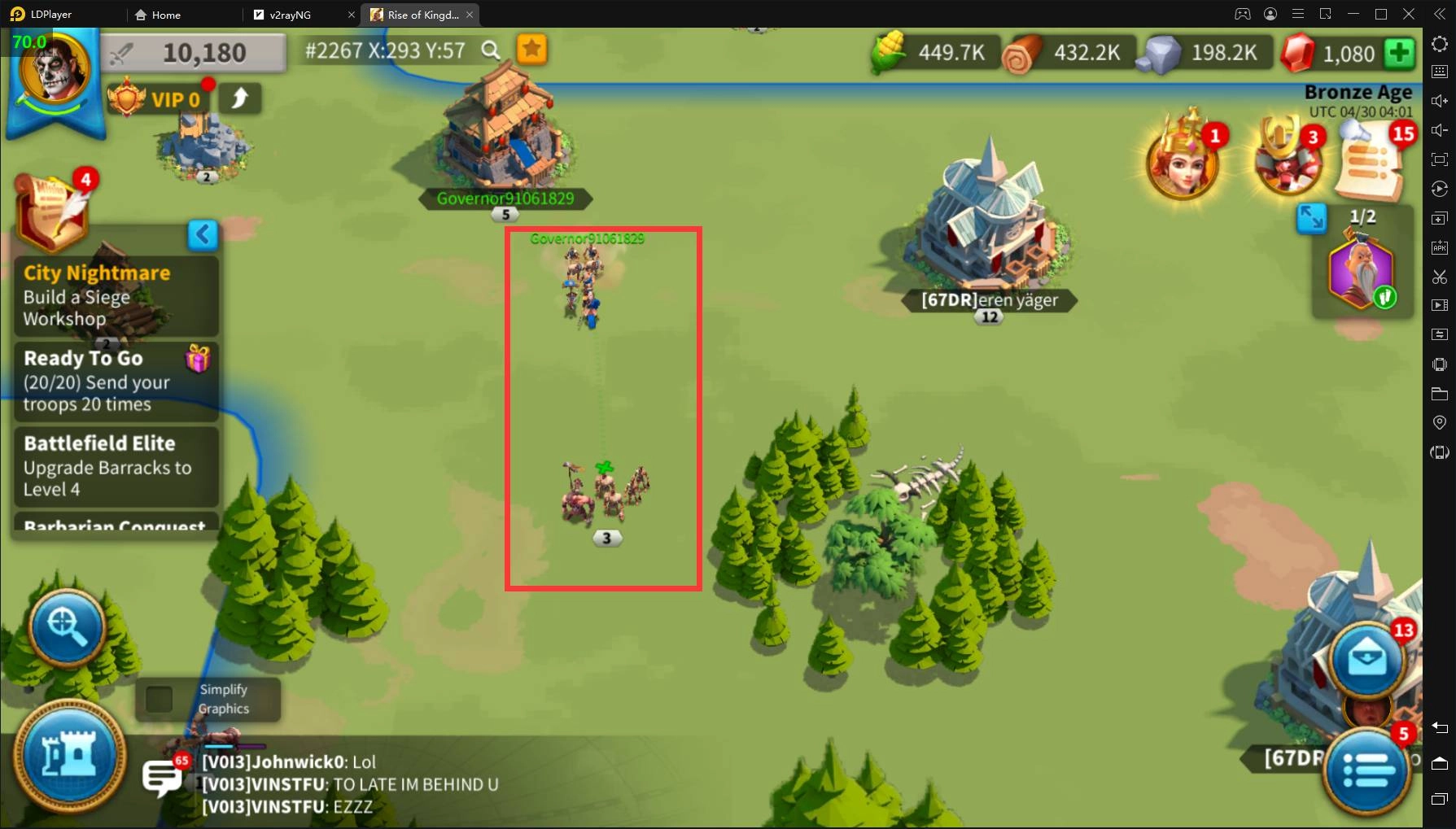
How to enhance perforamce of Rise of Kingdoms on PC with LDPlayer


Enjoy your enhanced gaming experience of Rise of Kingdoms with LDPlayer!

Summoners War Lost Centuria Reroll Guide & Reroll Tier List | Who To Pick
|
League of Legends: Wild Rift Seraphine Build Guide, Skills Counters, and More!

Rise of Kingdoms: Lost Crusade

You May Also Like
Top Game Guides
Rise of Kingdoms Commander Tier List 2025 September: Best Commanders
Rise of Kingdoms 7th Anniversary Event is Live Now.
Rise of Kingdoms Codes - March 2026 *LATEST*
What is the Best Civilization in Rise of Kingdoms – 2025
Rise Of Kingdoms Update 1.0.42 Happy Spring Festival Patch Notes & Details
Rise of Kingdoms: Ultimate Tips and Tricks Guide