How to Play Seven Knights Re:Birth on PC

Jack Graham
|2025-09-17Seven Knights Re:Birth is a turn-based RPG game produced by Netmarble. How to play it on PC? In this article, we will provide you with step-by-step introductions on how to play Seven Knights Re:Birth on PC by using an Android emulator and will provide practical tips for optimizing your gameplay and starting your big-screen gaming journey.
Contents
-
- Step 1: Download and install LDPlayer 9 on your desktop
- Step 2: Open LDPlayer and sign in Google Play Store
- Step 3: Search Seven Knights Re:Birth mobile game from LD Store
- Step 4: Install Seven Knights Re:Birth on your LDPlayer Android emulator
- Step 5: Open LDPlayer's setting and set up your to optimize gameplay
- Step 6: Open playing Seven Knights Re:Birth and enjoy the game on PC with LDPlayer
- Conclusion
How to Download Seven Knights Re:Birth on PC
LDPlayer is the best emulator where brings you distinctive and convenient functions to optimize your gameplay. Don't worry. It is easy to download Seven Knights Re:Birth on PC. Following our steps, you will quickly master LDPlayer 9 to enjoy the game on PC.
Step 1: Download and install LDPlayer 9 on your desktop
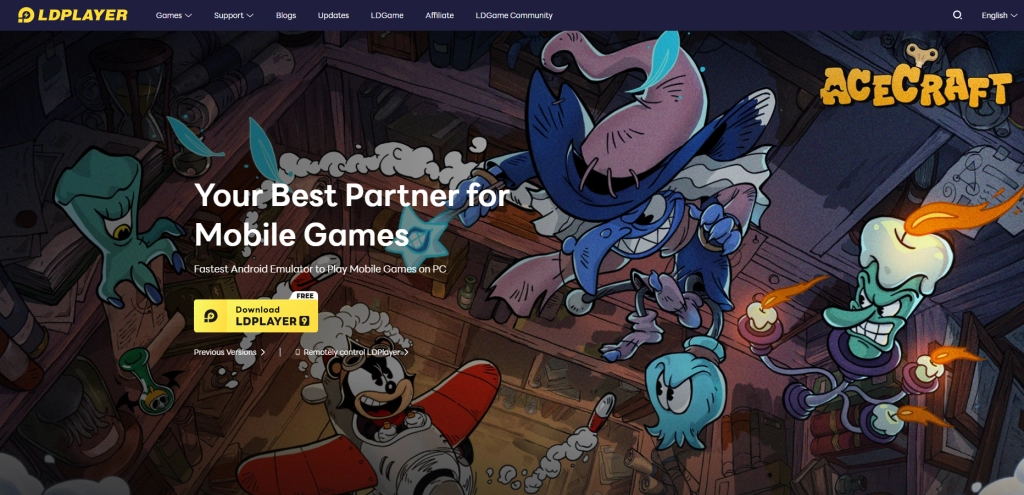
Before playing Seven Knights Re:Birth on PC, you should download and install LDPlayer from the official website. Click the button to Download LDPlayer 9.
Step 2: Open LDPlayer and sign in Google Play Store
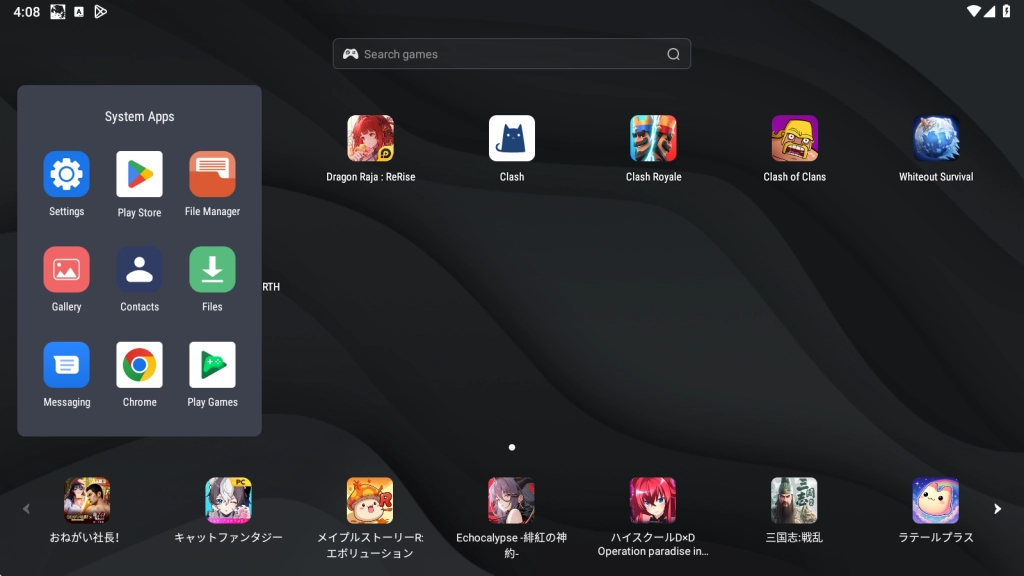
Launch LDPlayer and complete the initial setup, including signing into your Google account to access the Play Store. You can find Google Play Store in system apps on home page.
Step 3: Search Seven Knights Re:Birth mobile game from LD Store
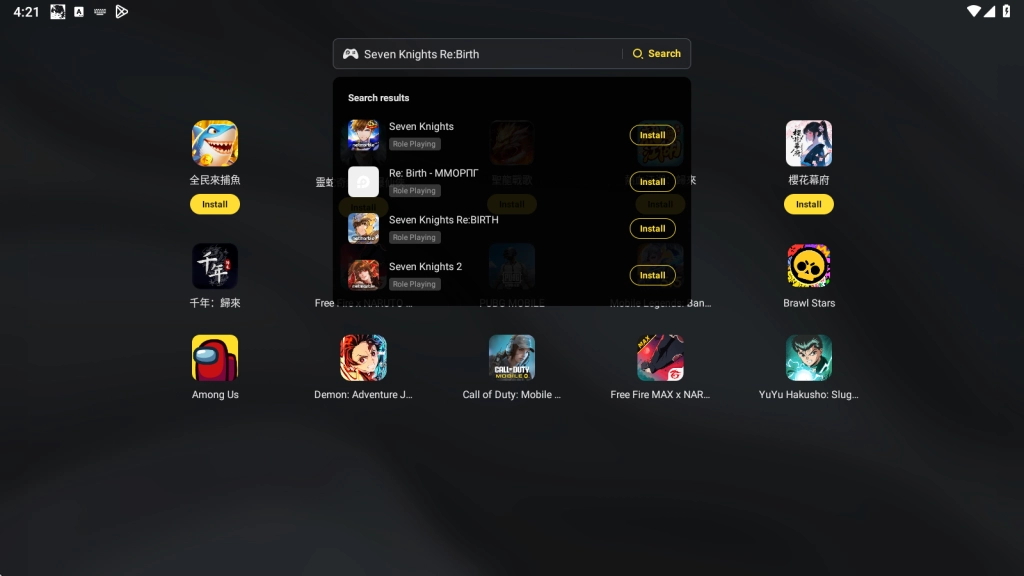
You are able to enter Seven Knights Re:Birth in searching bar in the middle.
Step 4: Install Seven Knights Re:Birth on your LDPlayer Android emulator
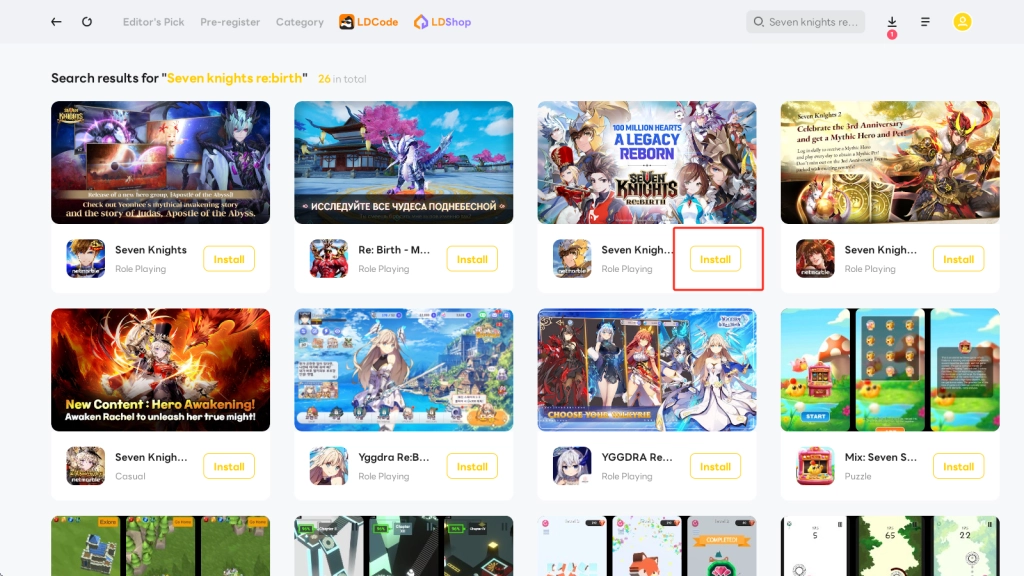
The third search result is the game you intend to install. The Install tap will navigate you to Google Play Store to download it.
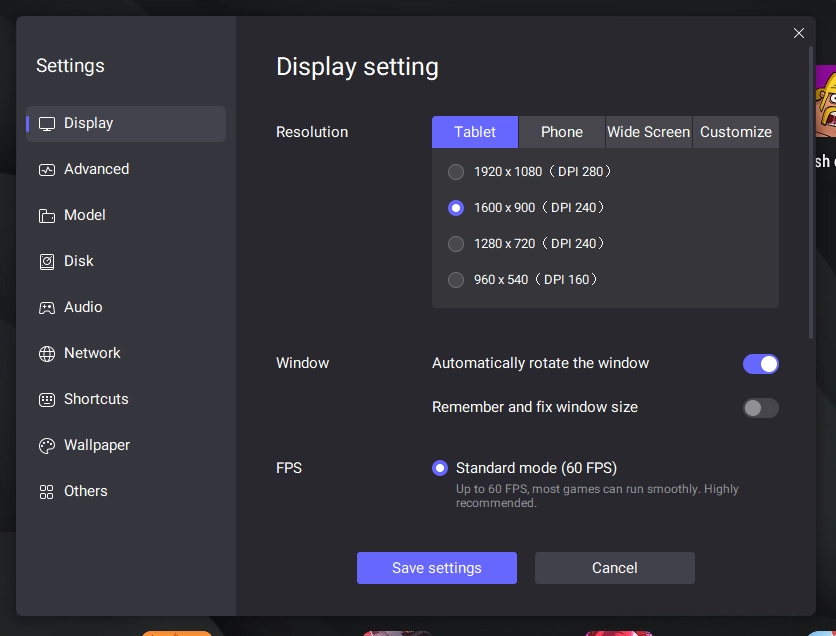
Step 5: Open LDPlayer's setting and set up your to optimize gameplay
You can adjust display setting and advanced setting to optimize gameplay. The setting button is on right toolbar.
Step 6: Open playing Seven Knights Re:Birth and enjoy the game on PC with LDPlayer
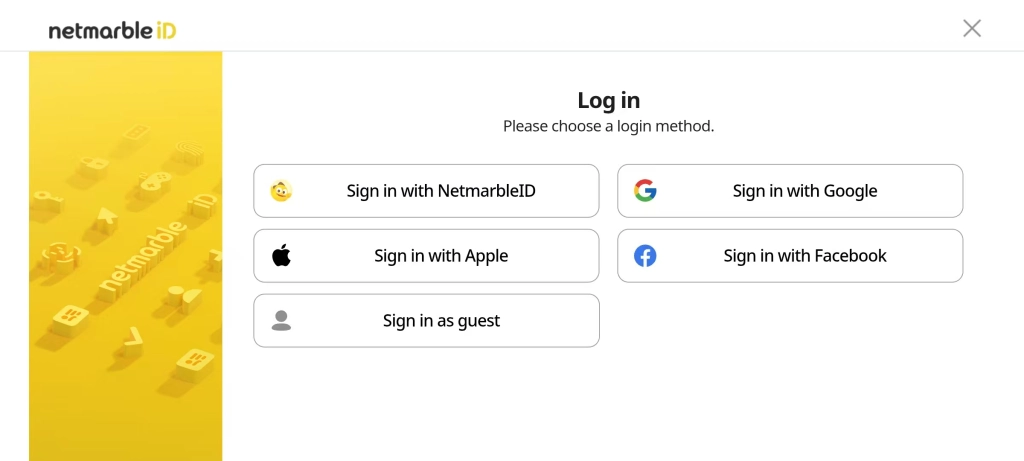
When opening the game, you will choose a login method which we recommend you sign in as guest. After linking your account, the game data will be saved and seamlessly transition among devices. So, linking your account once you obtain satisfactory character cards. In addition, we offer Seven Knights Re:Birth Reroll Guide that allows you to reroll with efficiency.
Official PC Version V.S Android Emulator
Using the official PC version to enjoy Seven Knights Re:Birth is totally different from using an android emulator. We have listed detailed information for you to compare the official PC version with android emulator and explained why you should try an emulator.
Why Should You Play Seven Knights Re:Birth on PC with an Emulator Rather Than the Official PC Version
The official PC version pursues high definition and fluent gameplay with higher specifications, but the mobile version has been optimized and compressed. Therefore, playing Seven Knights Re:Birth on LDPlayer enables you to enjoy the smoothest gameplay with the highest configurations and the lowest specifications.
Minimum System Requirement
You can clearly understand the difference between the official PC version and LDPlayer 9 by comparing. LDPlayer 9 allows you to enjoy Seven Knights Re:Birth by lower specifications, while the game only require Android 8.0 at least.
Official PC Version
- System: Recommended Win10 and above 64-bit systems, including OpenGL 4.x
- CPU: 8th Gen Intel Core i3-8100 4-core or higher, with VT option enabled
- Graphics Card: NVIDIA GeForce GTX1050 Ti 2GB or higher
- Memory: 8GB or more
- Storage Space: 10GB or more available space for installation disk, 2GB or more available space for system disk
Android Emulator
- Intel or AMD CPU Processor x86 / x86_64
- Windows XP XP3 / Win7 / Win8 / Win8.1 / Win10 / Win 11
- Windows DirectX 11 / Graphic driver with OpenGL 2.0
- Minimum 2GB of system memory (RAM)
- Minimum 36GB of free hard disk space
- Hardware Virtualization Technology (Intel VT-x/AMD-V) enabled in BIOS
- The game demands Android 8.0 or higher.
How to Maximize Your Gameplay Experience with Unique Emulator Features
If you are looking for a powerful android emulator, LDPlayer is the best one. You can enjoy the Seven Knights Re:Birth on PC with LDPlayer which provides unique emulator features to max out your gameplay experience, such as keyboard mapping, multi-instance&sync, macro&scripts, and high FPS.
Keyboard Mapping Tool for Easy Control
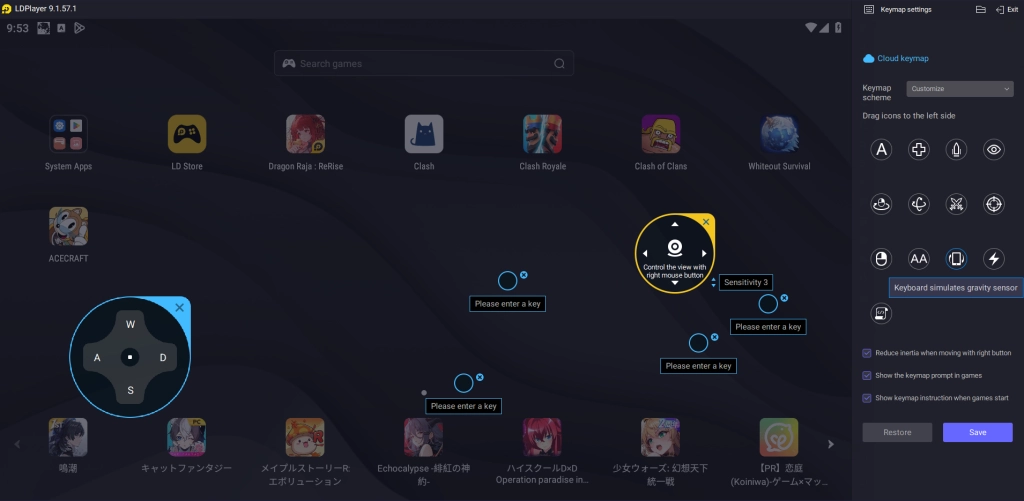
Using LDPlayer Android Emulator with keyboard mapping, you can enjoy Seven Knights Re:Birth by keyboard and mouse. After entering the game, click the keyboard mapping tap on the right toolbar to set up your key. You will allocate corresponding icons to accurately operate.
Get the Most Cards with Multi-Instance&Sync
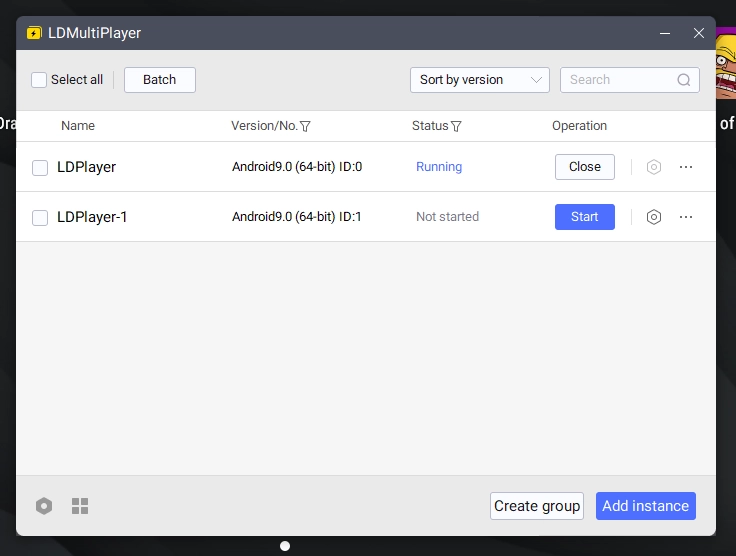
LDPlayer support multi-instance to play games simultaneously. There is a LDMultiPlayer tool which helps your running multiple LDPlayer instances, so you can log in various accounts to play Seven Knights Re:Birth at the same time. It is vital for RPG game that needs to gacha, because you are able to reroll for more materials and better character cards. In addition, the Synchronizer tool enables you to sync the instances' control.
One-click Macro
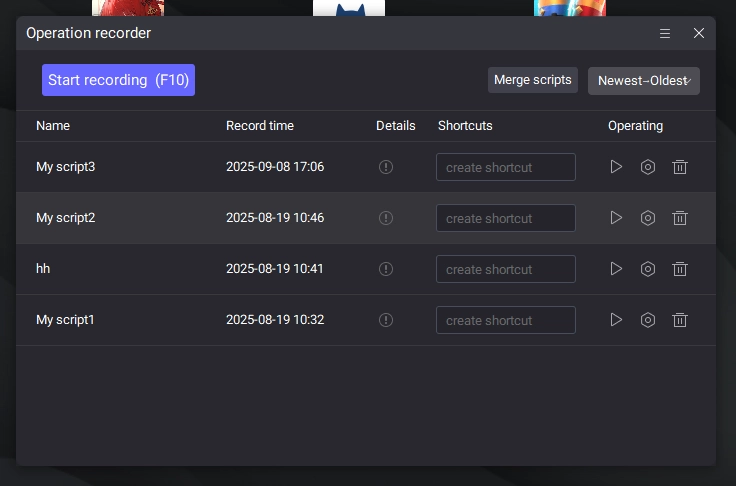
LDPlayer's macro can accurately execute complicated action. Therefore, you can use one-click macro in ideal situation to relax yourself and escape from grinding or farming. However, to achieve one-click macro, you should start recording scripts while playing Seven Knights Re:Birth. According to the script, your computer will repeat a series of operations. It excels in situations that require frequently clicking or repeatitively action.
More Powerful than Your Mobile Device
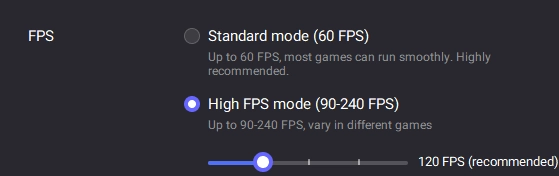
For most players, high definition and smooth operation determine their gameplay experience to an extent, that is why they pursue higher FPS. Playing Seven Knights Re:Birth on PC is more powerful than your mobile device, making ultimate combos. To be important, we feature customizable FPS that includes standard mode and high FPS mode
.
Conclusion
Play Seven Knights Re:Birth on PC to experience wide screen, emulator features and highest configurations. Embark on Seven Knights Re:Birth with the best Android Emulator - LDPlayer - which brings you brisk visuals and smoothest gameplay.
More from Seven Knights Re:Birth