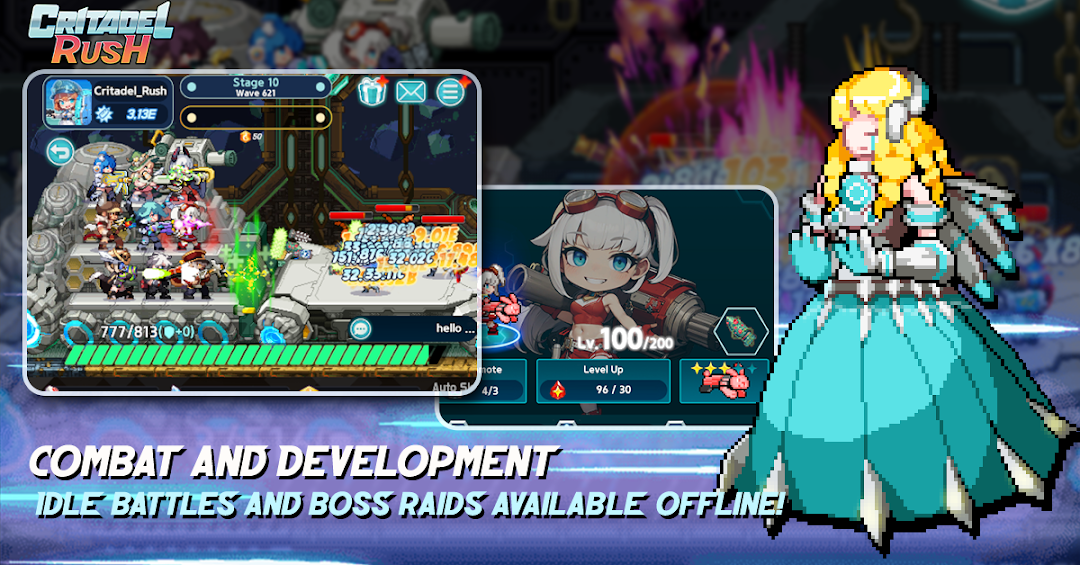
3KDS : Critadel Rush is a Adventure application developed by 3KDS PTE. LTD., but with the best Android emulator-LDPlayer, you can download and play 3KDS : Critadel Rush on your computer.
Running 3KDS : Critadel Rush on your computer allows you to browse clearly on a large screen, and controlling the application with a mouse and keyboard is much faster than using touchscreen, all while never having to worry about device battery issues.
With multi-instance and synchronization features, you can even run multiple applications and accounts on your PC.
And file sharing makes sharing images, videos, and files incredibly easy.
Download 3KDS : Critadel Rush and run it on your PC. Enjoy the large screen and high-definition quality on your PC!
■ Story SummaryIn the soul world, an ancient, mysterious figure erected a mechanical tower called "Babel." Hidden within were secrets coveted by the sinister Noah Sect, who seized control of the tower, sparking a war with heroes striving to reclaim it. However, when void rifts suddenly appear throughout Babel, spawning corrupted monsters, both sides must unite to combat this new threat.
As the war naturally transitions to a ceasefire, the Noah Sect and heroes join forces to repel the monsters and venture to the top of Babel to rescue it from peril.
Heroes, amidst the onslaught of countless monsters, ascend to the top floor of Babel and risk their lives to save it. We eagerly await news of your exploits.
■ Game Introduction
① Grow Heroes through Idle Play!
Enjoy easy and fast battles and nurturing even offline! Heroic characters who gather loot even when offline!
② Cute Yet Powerful!
Combine various heroes and deploy them on ships to repel monsters emerging from the rift!
③ Confront High-Level Bosses!
Prepare weapons and bullets to combat bosses with immense health and attack power!
④ Exciting Rare Loot Opens!
Strengthen your arsenal with artifacts and ship parts obtained from loot crates for continued battle success!
⑤ Desire Stronger Heroes and Weapons?
Recruit and draw heroes and weapons from the shop for even more power and advanced weaponry!
⑥ Trial of Ascension: Compete with Other Players!
Prove your strength through daily changing trials of ascension, competing with other players!
⑦ More Heroes, More Benefits!
Explore to obtain necessary loot! Dispatch unused heroes to the void exploration!
⑧ Feeling Slow Progress? Take on Missions!
Complete daily or weekly missions to earn resources! Don't forget about achievements guiding your growth direction!