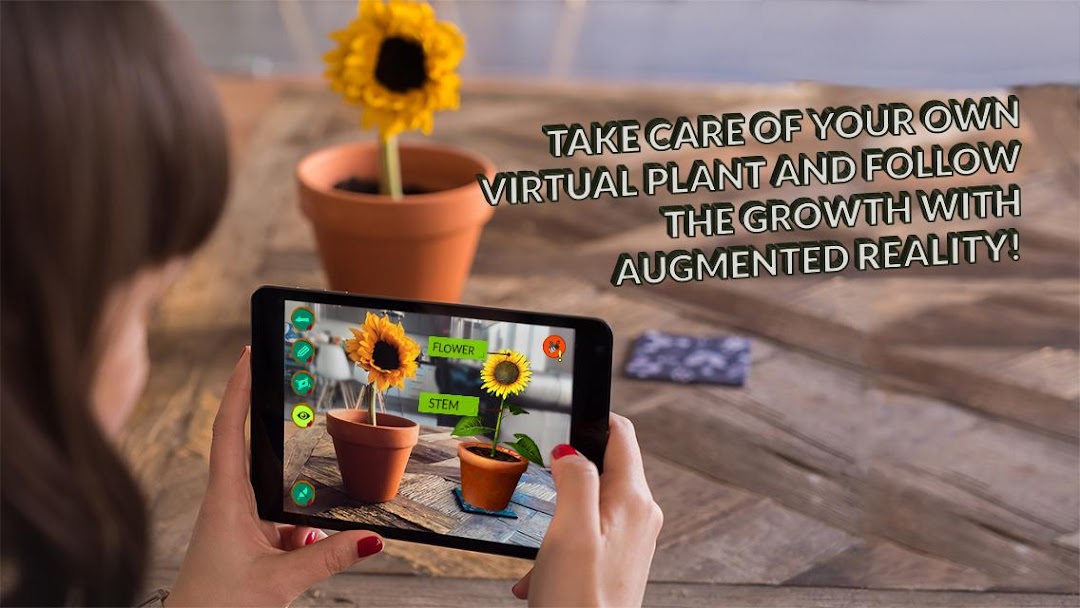
Arloon Plants is a Educational application developed by Arloon, but with the best Android emulator-LDPlayer, you can download and play Arloon Plants on your computer.
Running Arloon Plants on your computer allows you to browse clearly on a large screen, and controlling the application with a mouse and keyboard is much faster than using touchscreen, all while never having to worry about device battery issues.
With multi-instance and synchronization features, you can even run multiple applications and accounts on your PC.
And file sharing makes sharing images, videos, and files incredibly easy.
Download Arloon Plants and run it on your PC. Enjoy the large screen and high-definition quality on your PC!
Find out all about plants: their parts, their life cycles and their different species. Delve into the way they adapt to ecosystems and the seasons to survive and discover a host of curious facts that will amaze you.★ LOOK AFTER YOUR OWN PLANT!
Choose a seed and plant it in moist potting soil. If you’re patient and take good care of it, you’ll see your plant grow day after day. Choose a shrub, grass or tree- every plant is unique!
★ ADD TO YOUR GARDEN!
As you progress through the application, you'll get new plants to turn your garden into a lush one bursting with life. Tackle all the challenges to become a real expert!
★ SHOW HOW MUCH YOU KNOW WITH FUN AND GAMES!
Each of the application’s sections has mini games to help you study and improve your skills. Adapt the content to your level to learn in a stimulating way. Keep making headway till you master all the subjects.
★ HOW WOULD YOUR PLANT LOOK IN YOUR ROOM?
With augmented reality, you can bring plants, flowers, fruit, leaves and roots into the real world. Go outdoors and study plants in the natural world, taking photographs to compare with the application’s 3D models and make a field notebook.
The ARLOON Plants application is designed to meet the aims and content of the primary education syllabus, tailored to students as of 8 years of age. To do so, it includes the following syllabus content:
■ The classification of plants: grasses, shrubs and trees.
■ The parts and their functions: root, stem, leaf, flower and fruit.
■ Classification and examples of each part of the plant.
■ The plant’s growth process.
■ The processes of nutrition, photosynthesis and respiration.
■ The process of sexual reproduction (flowering or non-flowering) and asexual reproduction.
■ Plant adaptation to different ecosystems.
■ How plants change throughout the seasons.
Plants is also designed to develop the skills and abilities of students in the 21st century. With the Plants application, different skills are developed:
■ Scientific: learning the terminology specific to plant science and biology.
■ Digital: learning to study with new technologies.
■ Knowledge and interaction with the physical world: using augmented reality.
■ Learning to learn: experimentation and active searches for answers with the possibility of self-learning.
■ Linguistics: extending vocabulary in different languages (Spanish and English).