
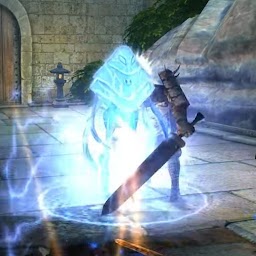


Ben Alien Cosmic Fight is a Action game developed by ritesh_dxy, and LDPlayer is the best platform for playing Ben Alien Cosmic Fight on PC, offering powerful features to immerse you in the game.
When playing Ben Alien Cosmic Fight on computer, you can adjust frame rate settings for smooth gameplay and stunning visuals.
LDPlayer also provides pre-configured keyboard mapping for convenient control of the entire game. Continuous optimization of keyboard mapping enhances key sensitivity and skill accuracy. Additionally, LDPlayer offers special buttons like shoot, hide mouse, and continuous key press for an enhanced gaming experience.
If you prefer using a gamepad, the automatic gamepad detection allows you to customize controls with just a few clicks, enabling you to freely maneuver your hero. Start downloading and playing Ben Alien Cosmic Fight on your computer now!
IN THIS GAME THE PLAYER HAS TO FIGHT WITH ENEMIES AND HAS TO CROSS THE DIFFERENT TYPE OF OBSTACLES THAT COME ON HIS WAY . I HAVE NOT ADDED MUCH LEVELS IN THIS GAME . IF POSITIVE REVIEWS WILL BE THERE THEN I WILL ADD MORE LEVELS IN THE GAME . IF YOU WANT TO GIVE ME ANY SUGGESTIONS REGARDING THE GAME THEN YOU CAN EMAIL ME .THAT COME ON HIS WAY . I HAVE NOT ADDED MUCH LEVELS IN THIS GAME . IF POSITIVE REVIEWS WILL BE THERE THEN I WILL ADD MORE LEVELS IN THE GAME . IF YOU WANT TO GIVE ME ANY SUGGESTIONS REGARDING THE GAME THEN YOU CAN EMAIL ME AND ALSO IF YOU HAVE ANY PROBLEMS REGARDING MY GAME SO THE PLEASE EMAIL SO I WILL TRY TO SOLVE YOUR PROBLEMS.DISCLAIMER:
-------------------
This is NOT an Official App but simply made by a fan for fans. No copyright infringement is intended, and any request to remove one of the images,logos,names,audio,characters will be honored.
All images used in this app are believed to be in public domain. If you own rights to any of the images or models and do not wish them to appear here, please contact us directly and they will be removed it from the application. If you feel there's a copyright infringement or direct trademark that doesn't follow the "Fair Use" guidelines, contact us directly.







