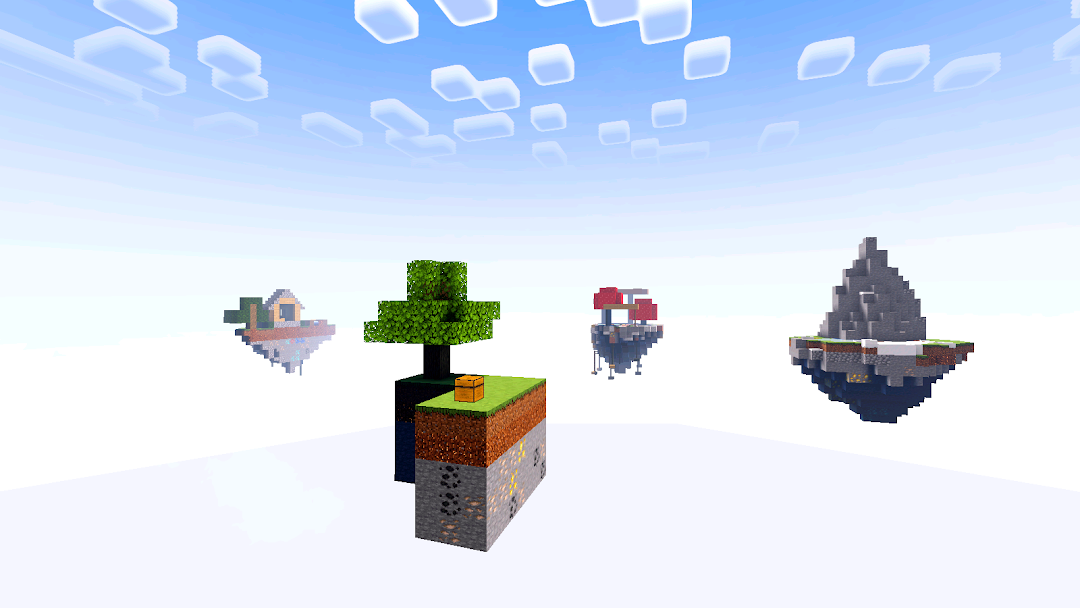
Craftsman: Ultimate World is a Adventure application developed by app montage, but with the best Android emulator-LDPlayer, you can download and play Craftsman: Ultimate World on your computer.
Running Craftsman: Ultimate World on your computer allows you to browse clearly on a large screen, and controlling the application with a mouse and keyboard is much faster than using touchscreen, all while never having to worry about device battery issues.
With multi-instance and synchronization features, you can even run multiple applications and accounts on your PC.
And file sharing makes sharing images, videos, and files incredibly easy.
Download Craftsman: Ultimate World and run it on your PC. Enjoy the large screen and high-definition quality on your PC!
Embark on an extraordinary journey in Craftsman: Ultimate World, a game that redefines the sandbox crafting genre. Immerse yourself in a world teeming with boundless creativity, where you shape your destiny amidst stunning shaders, mystical fog, captivating textures brainrot crafting exploring and building.Key Features:
1. Dynamic Environments:
Explore diverse landscapes,. Every corner of the world holds surprises, challenges, and opportunities for your unique story.
2. Immersive Visuals:
Dive into the beauty of meticulously crafted shaders that bring the game to life. Marvel at the intricate details, vibrant colors, and atmospheric effects that enhance your gaming experience.
3. Mystical Fog and Ambiance:
Traverse through ethereal fog that adds an extra layer of mystery to your journey. Feel the ambiance change as you move through different biomes, each with its own distinct charm and challenges.
4. Texture Mastery:
Enjoy a visual feast with carefully curated textures that elevate your building and crafting experience. From realistic structures to fantastical creations, the textures add depth and personality to every element.
5. Challenge:
Test your skills with the thrilling One Block Challenge, Skyblock or Bedwars is unique gameplay that presents intense crafting puzzles. Can you overcome the obstacles and conquer realm?
7. Endless Possibilities:
The only limit is your imagination. Craft, build, and shape the world around you. Whether you seek grandeur in city planning or tranquility in rural landscapes, "Craftsman's Realm" is your canvas.
Unleash your inner craftsman, embrace the challenge of creation, and write your own tale in "Craftsman's Realm: Cityscapes & Adventures." Craft your destiny, leave your mark, and build a legacy in this limitless sandbox world.