Brainrot Battle is a Simulation application developed by WolBong, but with the best Android emulator-LDPlayer, you can download and play Brainrot Battle on your computer.
Running Brainrot Battle on your computer allows you to browse clearly on a large screen, and controlling the application with a mouse and keyboard is much faster than using touchscreen, all while never having to worry about device battery issues.
With multi-instance and synchronization features, you can even run multiple applications and accounts on your PC.
And file sharing makes sharing images, videos, and files incredibly easy.
Download Brainrot Battle and run it on your PC. Enjoy the large screen and high-definition quality on your PC!
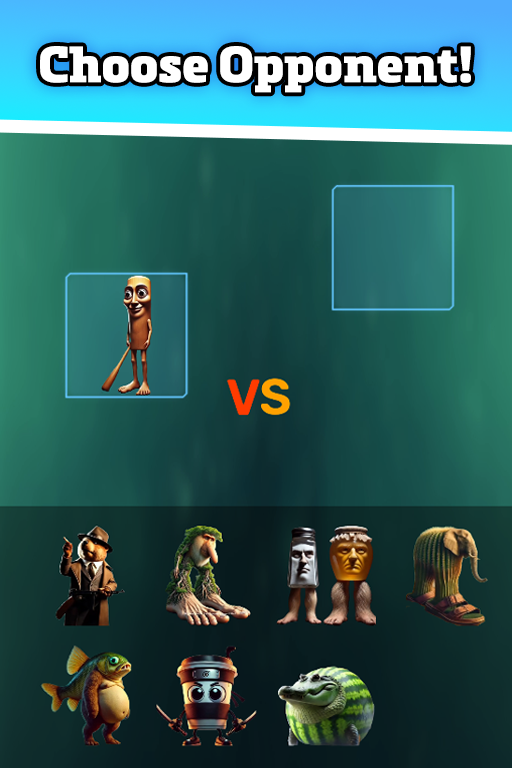
Brainrot BattleStep into the arena and pit your favorite Italian Brainrot characters against each other! Choose two fighters, simulate their clash, and see who comes out on top. Save and replay memorable matchups to relive the excitement—can you predict the ultimate Brainrot champion?
Key Features:
Choose Your Champions: Select from a diverse roster of quirky Brainrot characters.
Simulate Epic Clashes: Watch two Brainrots battle in real time to determine the victor.
Save & Replay: Record your favorite matchups and revisit them anytime.
Predict the Winner: Test your instincts and see if you can call the outcome.
Share the Excitement: Challenge friends and compare your battle predictions.Brainrot Battle
Step into the arena and pit your favorite Italian Brainrot characters against each other! Choose two fighters, simulate their clash, and see who comes out on top. Save and replay memorable matchups to relive the excitement—can you predict the ultimate Brainrot champion?
Key Features:
Choose Your Champions: Select from a diverse roster of quirky Brainrot characters.
Simulate Epic Clashes: Watch two Brainrots battle in real time to determine the victor.
Save & Replay: Record your favorite matchups and revisit them anytime.
Predict the Winner: Test your instincts and see if you can call the outcome.
Share the Excitement: Challenge friends and compare your battle predictions.