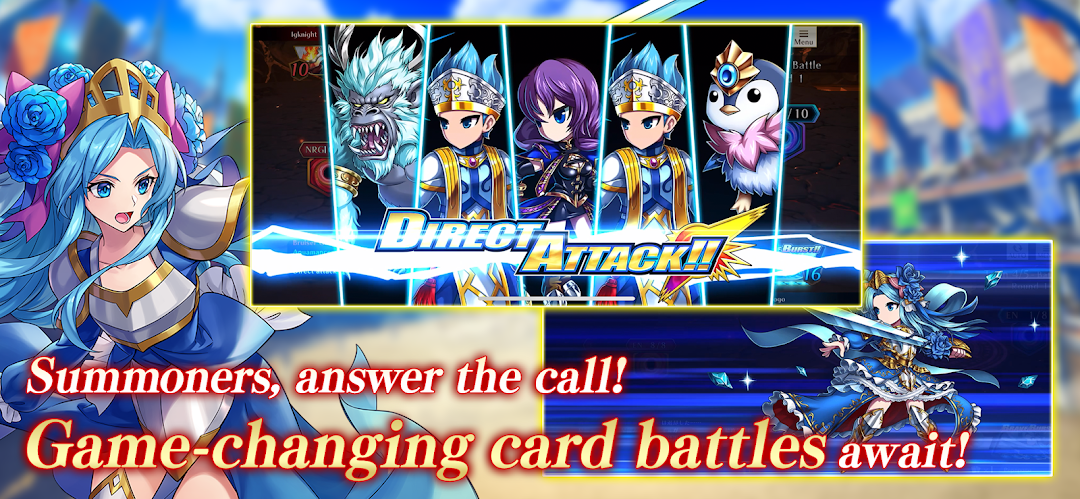
Brave Frontier Versus is a Role Playing game developed by gC Games Inc., and LDPlayer is the best platform for playing Brave Frontier Versus on Windows PC, offering powerful features for an immersive experience.
When playing Brave Frontier Versus on PC, as a new player looking to start with a fresh account, the multi-instance and sync features are extremely useful for rerolls. You can use them to run multiple instances and begin the synchronization process. Bind your account until you draw the desired heroes.
In addition, operation recorder is great for games that require you to level up and complete tasks! Run the sync and record your actions, then repeat the main instance's actions in real-time. By doing so, you can run 2 or more accounts simultaneously. You can always get the heroes you want before others by faster rerolls and more efficient summoning! Start downloading and playing Brave Frontier Versus on your computer now!
Brave Frontier Versus features an innovative system unique to digital trading card games that allows anyone from card game beginners to veterans to engage in exhilarating, high-paced battles!Download Brave Frontier Versus now to enjoy an all-new world of quick and strategic card battles!
◆ Experience Pocket-Sized Battles and Spectacular Victories in an All-New Battle System!
Brave Frontier Versus features five-turn battles that don't require you to wait for your opponent. Battles are lively and quick, allowing players to experience fierce matches without the heavy commitment!
Hit the ground running by playing multiple units even on the very first turn! No time is wasted as each exciting round unfolds. Create synergy with up to six units on the field for a thrilling offensive and defensive battle. As cards revive each turn, you can build strategies effectively as you strive for victory!
◆ Build an Exhilarating Deck and Unleash Your Dream Team!
No need to worry over complexities. Decks can be comprised of only character cards, so even card game beginners can get started easily. Build your own party, devise your own strategy, and enjoy the excitement of battle!
◆ Manifest Your Victory and Deliver Devastating and Exhilarating Brave Bursts!
Seize your destiny with Manifestation Cards! Draw Manifestation Cards on the third and fifth turns and vie for the advantage in battle with their enhanced stats and powerful skills!
A signature of the Brave Frontier series, Brave Bursts are back in this trading card game! Unleash these killer moves and turn the tide of battle!
◆ Brave Frontier Versus is the game for people who...
・Like trading card games
・Enjoy strategy and tactics
・Want to test their skills in PvP
・Prefer games that can be played quickly and easily
・Want to enjoy collecting and trading cards
・Want to form guilds and work together with other players
・Want to have fun in the in-game chat
・Want to interact and play with people from around the world
・Love the Brave Frontier series
・Enjoy the nostalgic feel of pixel-art graphics
・Want to enjoy single-player game content
・Favor games with simple rules but complex gameplay
・Thrive playing intense card battles that are quick and easy to get into
■ Price
Base App: Free
*Some in-game items are available to purchase
■ System Requirements
Android 10 (API level 29) or above
4GB or more memory (RAM)
*It is not guaranteed that the application will run on all devices that meet the above requirements.