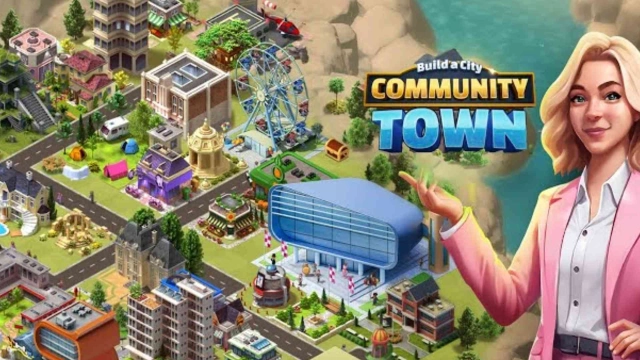
Build a City: Community Town is a Simulation application developed by Sparkling Society - Build a Town, City, Village, but with the best Android emulator-LDPlayer, you can download and play Build a City: Community Town on your computer.
Running Build a City: Community Town on your computer allows you to browse clearly on a large screen, and controlling the application with a mouse and keyboard is much faster than using touchscreen, all while never having to worry about device battery issues.
With multi-instance and synchronization features, you can even run multiple applications and accounts on your PC.
And file sharing makes sharing images, videos, and files incredibly easy.
Download Build a City: Community Town and run it on your PC. Enjoy the large screen and high-definition quality on your PC!
Build a City: Community Town – City BuilderWelcome to Build a City: Community Town, the ultimate city building simulation game that lets you build, manage, expand, and connect!
Community Town – Build Grand Cities and Play With Friends!
Build your city, expand to islands, play offline & grow to a metropolis. Take on the role of mayor in this city builder where you build your town, grow into a sprawling metropolis, and expand across neighbouring islands. Build your city, visit friends, unlock islands, manage resources offline. Build your city, manage its resources, and grow it into a thriving metropolis! And even expand your success to neigbouring islands and continue building your dream skylines there.
Step into the shoes of a mayor in a constantly evolving town and set off on a worldwide journey to explore exceptional islands and lively cities, each with its own unique and bustling character. Community Town elevates your city-building adventures to new levels with its enhanced features, enabling you to build across varied landscapes and themes. Enjoy uninterrupted gameplay on your mobile phone, complete with offline capabilities and cloud saving to safeguard your progress on multiple devices.
As the mayor, your journey begins in a small village — a blank canvas ripe for transformation into a bustling, vibrant metropolis. The expansive world of the game features a multitude of unique islands, each presenting different landscapes and surfaces for you to discover and incorporate into your island portfolio. The game offers hundreds of different buildings and decorations, ensuring each playthrough is unique and captivating. These buildings play a crucial role, significantly shaping your island's development and economic landscape, making every decision impactful.
📊 Manage Resources & Strategy
Balance budgets, manage resources, traffic, power, amenities — play a true city management game. Every decision matters in your city simulation.
🌐 Play Offline & Sync Across Devices
No internet? No worries — play offline anytime. Use cloud saves to protect your progress and pick up where you left off on any device.
👥 Connect & Share with Friends
Visit other players’ cities, help friends during events, earn rewards from community gameplay, and compete in city challenges — social features that add life to your town.
🎯 Quests, Rewards & Growth
Complete missions, earn bonuses, unlock new buildings and features, and gradually transform your town into a buzzing metropolis filled with life.
Why you'll love Build a City: Community Town:
Intuitive controls for all ages
Stunning visuals & smooth performance
Strong replayability with evolving islands
Perfect mix of simulation, strategy, and social fun
Download now and start your journey to build the ultimate city simulator with friends — your community town awaits!
The citizens of your city are lively, engaging with friends and their environment, which adds a unique character to your cities that reflects your decisions as mayor. Managing your city is a dynamic endeavor involving traffic, resources, and urban planning. You're not just building structures; you're fostering a living, dynamic city.
▶ Build, collect, earn, expand and explore!
▶ No internet required; totally offline
▶ Cloud saves; enable cross-device playing
▶ Many unique islands with different surfaces and layouts
▶ Visit friends and other players
▶ Play fun events and help our your friends
▶ Earn special rewards from other players
▶ Your feedback helps us so much to improve; so rate and guide us to perfection!