
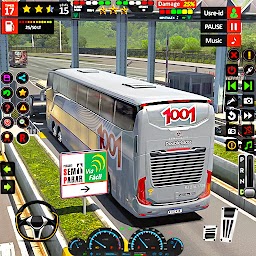


Bus Simulator - Bus Parking 3D is a Role Playing game developed by Identive, and LDPlayer is the best platform for playing Bus Simulator - Bus Parking 3D on Windows PC, offering powerful features for an immersive experience.
When playing Bus Simulator - Bus Parking 3D on PC, as a new player looking to start with a fresh account, the multi-instance and sync features are extremely useful for rerolls. You can use them to run multiple instances and begin the synchronization process. Bind your account until you draw the desired heroes.
In addition, operation recorder is great for games that require you to level up and complete tasks! Run the sync and record your actions, then repeat the main instance's actions in real-time. By doing so, you can run 2 or more accounts simultaneously. You can always get the heroes you want before others by faster rerolls and more efficient summoning! Start downloading and playing Bus Simulator - Bus Parking 3D on your computer now!
Start Your Journey in Bus Simulator Bus Parking 3DBus Simulator Bus Parking 3D brings the ultimate bus driving game adventure with real routes and stunning views. In this coach driving game take control of modern buses in both city and offroad bus game missions. Experience thrilling rides in the offroad bus driving while completing realistic passenger bus game tasks. Conquer sharp hills in this intense bus driving 3D game. Explore exciting roads in the mountain bus game with easy controls and challenging paths. Play now and enjoy a full bus game offline experience in a bus driving simulator journey.
Explore Real Roads in the Bus Simulator Bus Parking 3D
Step into the world of Bus Simulator Bus Parking 3D and explore every turn of this exciting city bus coach sim. Enjoy steep hills and realistic paths in the hill bus driving environment. Drive through tough roads in offroad bus game levels filled with traffic and sharp turns. Explore new missions in the real bus simulator where every drive is a thrilling test of skills. This bus simulator game includes day and night drives with dynamic weather. Conquer tracks in the city bus sim coach 3d and become a pro in the bus wala game experience. Feel the intensity of an uphill bus drive 3D with smooth gameplay.
Smooth Controls in Coach Simulator Gameplay
In the bus driving simulator enjoy full control with different driving options in the 3D bus gameplay. Use tilt, steering, or buttons to master the bus game 3D roads. Manage every tool from hand brake to seat buckle in this detailed offroad bus game 3D. Start your journey with the start button and enjoy the amazing Coach 3D game ride. Adjust the AC control, use the light and wiper controls, and change music during long drives in this bus gameplay. Navigate with a map and an arrow in the coach bus driving world. From fuel stops to smooth brakes, everything in this city bus driver is built for realism.
Immersive Views in Offroad Bus Driving
Feel every move in the bus simulator with multiple views and smooth camera transitions in the bus wala offline game. Coach Game 3D uses the 360-degree camera angle to monitor surroundings in the offroad 3D bus driving adventure. Get inside the cabin with an inside camera angle or use the front camera for a better road view in the bus game. Switch to reverse driving camera while parking in tight spots in a 3D bus game. Use cinematic angles for amazing scenes in this realistic offroad bus game. Each 3D bus driving moment becomes more exciting with real-time visuals in the Coach driving sim. Watch every path clearly in this immersive bus driver simulator 3D.
Bus Drive Game Modes and Level Challenges
Enjoy multiple levels in the bus simulator Bus Parking 3D with various routes and challenges in offroad coach game. In this bus sim 3D game complete passenger tasks and explore the city and offroad roads. Play all 10 exciting levels filled with uphill bus driving 3D moments. Drive through rain, snow, night, and sun in this powerful offroad coach game. Pick and drop passengers in beautiful cities and hill paths. Refuel at fuel and patrol pumps and enjoy nonstop music on your drive in 3D bus gameplay. The bus simulator 3D world is filled with amazing roads and unique levels. Test your skills with each rising challenge in the bus simulator game.
Immersive Journey in Offroad Bus Driving
The visual world of the bus driving game comes alive in Bus Simulator Bus Parking 3D with high-quality graphics and sound. Hear the real 3D bus engine roar as you cross tricky routes in the offroad coach simulator. Enjoy relaxing or energetic music on the 3D bus game journey. Watch trees, rocks and traffic in beautiful HD scenes. The passenger bus game moments become more fun with smooth animations and realistic cities. From hills to highways, every ride in the amazing bus simulator.







