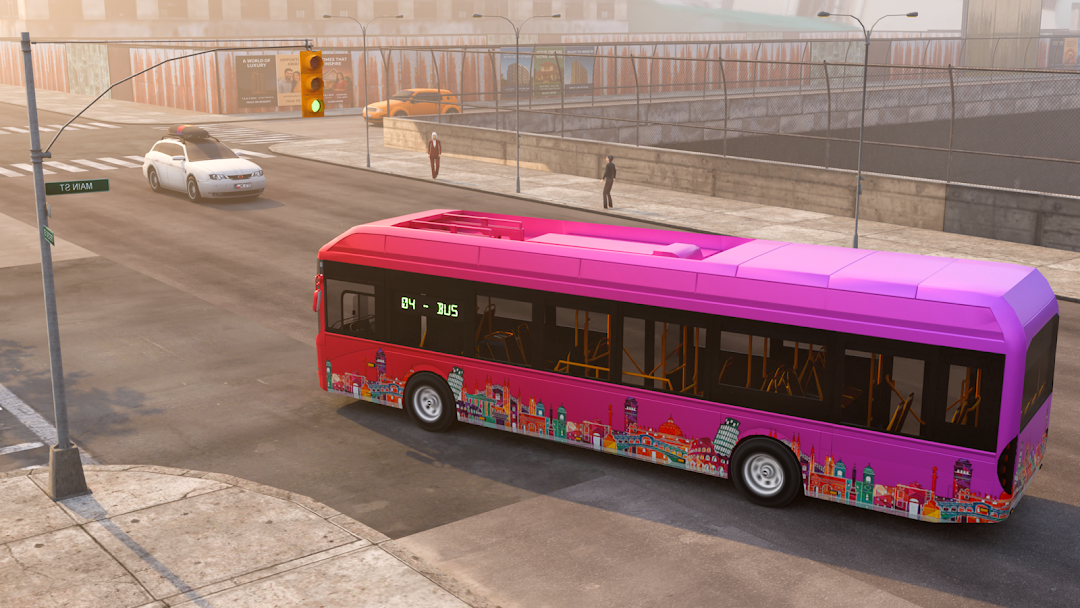
Bus Simulator City Bus Driving is a Simulation application developed by CDT Games Limited, but with the best Android emulator-LDPlayer, you can download and play Bus Simulator City Bus Driving on your computer.
Running Bus Simulator City Bus Driving on your computer allows you to browse clearly on a large screen, and controlling the application with a mouse and keyboard is much faster than using touchscreen, all while never having to worry about device battery issues.
With multi-instance and synchronization features, you can even run multiple applications and accounts on your PC.
And file sharing makes sharing images, videos, and files incredibly easy.
Download Bus Simulator City Bus Driving and run it on your PC. Enjoy the large screen and high-definition quality on your PC!
Bus Simulator City Bus Driving is get ready to hit the road and take control of the steering wheel and feel the ultimate mobile bus driving experience!You are good at driving car simulator, join this game.
Drive across a bustling city filled with life, passengers, and traffic. Whether you’re a careful city commuter or a fearless bus driving simulator, this game lets you live the life of a real bus driver with immersive gameplay, realistic physics, and endless driving fun.
🚦 Drive Bus Simulator, Explore, and Master Every Route
⚡Career Mode: Pick up and drop off passengers on various routes around the city. Plan your time, follow traffic rules, and complete each route with precision to earn rewards and unlock new challenges.
⚡Obstacle Mode: Prove your skills in tricky parking missions designed to test your control, timing, and accuracy behind the wheel.
⚡Open World Mode: Enjoy total freedom! Explore the entire city at your own pace, discover hidden corners, and collect coins to unlock even more exciting content.
⚡Realistic Bus Physics: Feel the authentic handling of each bus with smooth controls, dynamic weather, and realistic traffic systems that make every drive different.
🚍 Choose Your Ride, Rule the Road
Choose from various buses, each designed with realistic interiors and unique driving behavior. Whether it’s a city shuttle, double-decker, or long-distance coach — every bus brings a new driving challenge and style.
🌆You Will Experience bus simulation game:
✅ Pick up and drop off passengers in career mode.
✅ Take on challenging by obstacle mode.
✅ Explore the open-world city and collect coins.
✅ Choose from many buses with realistic physics.
✅ Smooth graphics, easy controls, and immersive sound.
So what are you waiting for?
Start join Bus Simulator City Bus Driving game , hit the road, and prove you have what it takes to be the good bus driver in the city!"