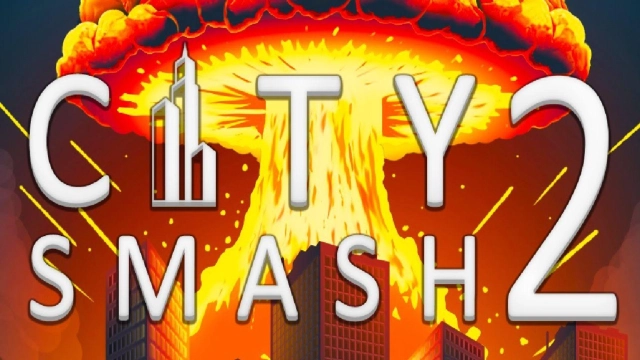
City Smash 2: Sandbox Game is a Simulation application developed by Paradyme Games, but with the best Android emulator-LDPlayer, you can download and play City Smash 2: Sandbox Game on your computer.
Running City Smash 2: Sandbox Game on your computer allows you to browse clearly on a large screen, and controlling the application with a mouse and keyboard is much faster than using touchscreen, all while never having to worry about device battery issues.
With multi-instance and synchronization features, you can even run multiple applications and accounts on your PC.
And file sharing makes sharing images, videos, and files incredibly easy.
Download City Smash 2: Sandbox Game and run it on your PC. Enjoy the large screen and high-definition quality on your PC!
Welcome to City Smash 2, the ultimate city destruction sandbox playground where you turn entire skylines into rubble. Tap to drop meteors, launch missiles, trigger earthquakes and more in a fully interactive physics sandbox packed with explosions, debris and chaos.This destruction sandbox lets you play your own demolition games. Blow up skyscrapers floor by floor, slice bridges in half, crush towers with giant objects or simply watch ragdoll citizens and vehicles fly through the air as everything collapses in real-time. Every impact, shockwave and explosion is simulated so you can destroy the world in the most satisfying way.
Experiment with different disaster tools and find new ways to smash each city. Chain together bombs for massive damage, fire orbital lasers, crash asteroids, place mines or send spinning blades through buildings. Mix and match tools to create your own explosion simulator scenarios and discover how much destruction you can cause.
City Smash 2 is built as a true sandbox game: no timers, no missions, just pure creative city destruction. Zoom in close to enjoy every slow-motion crumble, or zoom out to watch the entire metropolis fall at once. Reset instantly and try a new plan, a new angle or a new combo of weapons.
Key features:
- City destruction sandbox with realistic physics and detailed buildings
- Powerful tools: bombs, missiles, lasers, black holes, asteroids and more
- Ragdoll physics and dynamic debris for extra-satisfying collisions
- Endless demolition games with no time limits or energy systems
- Multiple city maps and environments to smash, crash and destroy
Download City Smash 2 now and start your ultimate destruction sandbox. Test crazy ideas, create your own explosion simulator setups and see how far you can push the limits of physics, damage and chaos.