Colors games Learning for kids is a Educational application developed by GoKids! publishing, but with the best Android emulator-LDPlayer, you can download and play Colors games Learning for kids on your computer.
Running Colors games Learning for kids on your computer allows you to browse clearly on a large screen, and controlling the application with a mouse and keyboard is much faster than using touchscreen, all while never having to worry about device battery issues.
With multi-instance and synchronization features, you can even run multiple applications and accounts on your PC.
And file sharing makes sharing images, videos, and files incredibly easy.
Download Colors games Learning for kids and run it on your PC. Enjoy the large screen and high-definition quality on your PC!
Children's educational game for kids - Learn colors. Our educational kids game will help kids learn colors easily. Learning colors for kids. Let's play our educational kids game! Professionals from our educational game will teach kids all the colors.An educational fable game City of Masters is a colorful world of lovely gnomes and their magical crafts.
The City of Masters is a home to fabulous gnome artisans whose crafts are tightly connected with colors and paints. Choose any Workshop-House for your child's education along a beautiful alley and start this development game!
Come in, get acquainted with the gnome-masters. Learn how to professionally mix paints, identify the colors of objects and animals, solve cool color riddles and ride the dwarf-bike up to the rainbow!
The game fosters kids imagination, fine motor skills and attentiveness. The Flower Fairy will always come to help if any difficulties arise, so kids will easily cope with the tasks.
Choose any of 8 characters to play with and enjoy learning colors!
Gnomes-professors and their crafts:
Professor Beamble will show you different colors and objects. Choose objects of the color indicated by the Professor. Be alert - defining an object with its contour only is very interesting!
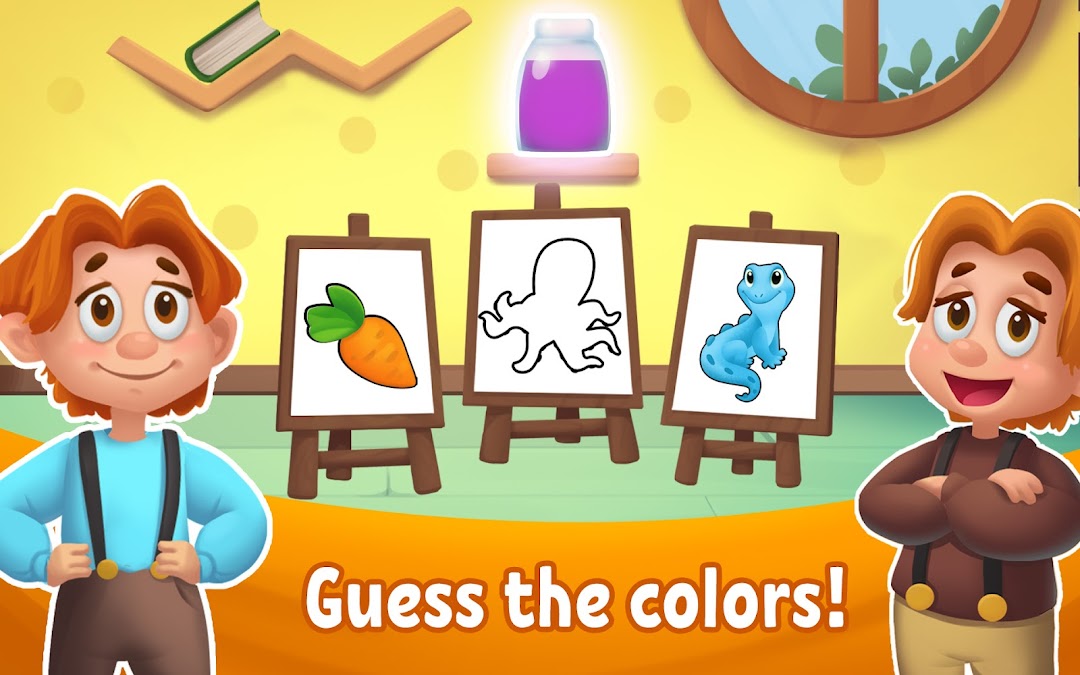
Twin brothers Tilly and Willy make color riddles. Determine objects and their color. You can choose which of the brothers to play with but it's better to play with both :)
Colored chemistry experiments with lovely Dory! Add a complement paint to the paint in a test tube to mix the colors and get a new one.
Charismatic and cheerful fisherman Finn is waiting for players by the river. We catch fish of a certain color which is indicated on the bucket. Cast your bait at the right moment! Patience and a keen eye are your friends now!
Meet Arti, the artist who painted a great bunch of paintings. To be honest, he only drew the outline. And children will color the pictures! Let your creativity out and choose any colors!
A zookeeper fun gnome Bob will show children an unusual trick with colors and zoo inhabitants. Paint animals and birds with the appropriate color and turn them to life!
Neat Betty is loading her washing machine. Choose clothes of the right color and put them inside the machine — Betty will be very pleased!
Little Chad rides a bike to add some color to the rainbow! Press the colored button to light the same flashlight on Chad's bike and collect phials with paint. At the end of the path you’ll fill the rainbow with them. Also do flips and bounce on the trampoline!
Soon new educational Workshops are opening in the colorful magical City of Masters, stay tuned!
We are happy to hear from you! Feel free to drop us a line with your feedback and suggestions.
Send us an email: support@gokidsmobile.com
We are on Fb: https://www.facebook.com/GoKidsMobile/
We are on Instagram: https://www.instagram.com/gokidsapps/
The game supports 20 languages with professional voice acting.
The interactive educational game City of Masters is designed for kids of preschool age and older. Bright graphics, responsive and nice characters and intuitive design make it easy to keep the focus on tasks and learning.
In the alley of the City each educational Workshop of learning colors for children can be selected in any order and you can play each game an unlimited number of times.
Welcome to the world of colors and magical gnomes! Welcome to the developing and educational children's world of paints and colors for children!