Chess is a Board application developed by Chandu korubilli, but with the best Android emulator-LDPlayer, you can download and play Chess on your computer.
Running Chess on your computer allows you to browse clearly on a large screen, and controlling the application with a mouse and keyboard is much faster than using touchscreen, all while never having to worry about device battery issues.
With multi-instance and synchronization features, you can even run multiple applications and accounts on your PC.
And file sharing makes sharing images, videos, and files incredibly easy.
Download Chess and run it on your PC. Enjoy the large screen and high-definition quality on your PC!
This is an offline chess game app that features player vs. player mode and player vs. bot mode. There are six levels of difficulty when playing against the bot. This chess game app offers cool board themes and piece themes that can be changed according to the user's preference. The app includes a visually appealing user interface (UI) with the above features, making it attractive to users.Login:
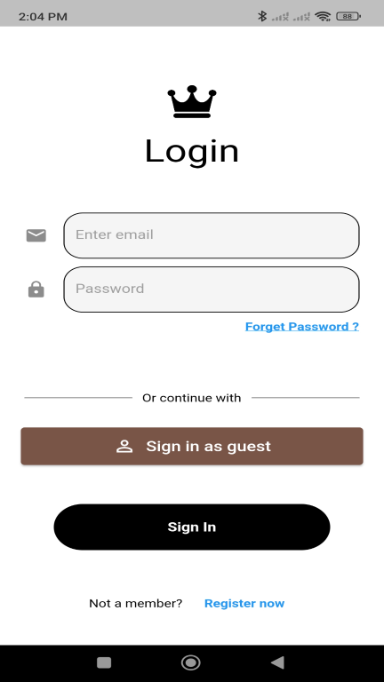
Users can register for the app using their email address and a password they create. They can log in using the credentials they have created, or they can sign in anonymously using the "Sign in as Guest" button on the login page.
Forgot your credentials?
If you've forgotten your account credentials, there's no need to worry. You can tap on the "Forgot Password" link on the login page, which will help you recover your password using your email address.
There's a lot more to come!
This app has been developed by a single person, that is me :). I've invested a lot of hard work and time in developing this app. I hope you guys like it.
There will be future updates to the app enabling online multiplayer mode, various 3D boards and pieces, premium membership to access rewarded matches, and much more!
Happy playing, y'all.
Thanks,
Chandu Korubilli