
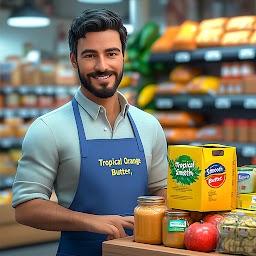


Supermarket Store Simulator 3D is a Role Playing game developed by Next-Gen Games, and LDPlayer is the best platform for playing Supermarket Store Simulator 3D on Windows PC, offering powerful features for an immersive experience.
When playing Supermarket Store Simulator 3D on PC, as a new player looking to start with a fresh account, the multi-instance and sync features are extremely useful for rerolls. You can use them to run multiple instances and begin the synchronization process. Bind your account until you draw the desired heroes.
In addition, operation recorder is great for games that require you to level up and complete tasks! Run the sync and record your actions, then repeat the main instance's actions in real-time. By doing so, you can run 2 or more accounts simultaneously. You can always get the heroes you want before others by faster rerolls and more efficient summoning! Start downloading and playing Supermarket Store Simulator 3D on your computer now!
Welcome to Supermarket Simulator Game, where you take on the exciting roles of a store cashier! Dive into the virtual world of supermarket management and use your skills to build a successful supermarket store. Virtually stock shelves, decorate, and manage your store like a pro. Serve customers, process their payments virtually, and meet their needs in 3D Cashier Simulator Games.Step into the grocery store and experience the excitement of managing a busy checkout counter. Head to the shopping mall, choose items from the food bars, load up the shopping cart, and enjoy the gameplay. Ensure every item is scanned correctly at the cashier counter, and count items efficiently to maintain a steady flow of customers. Virtually scan items quickly and accurately while providing excellent customer service. Each customer brings different challenges, from filling up groceries to handling payment transactions.
Supermarket Games offers an engaging grocery store experience that will keep you entertained. Ready to become the ultimate supermarket cashier? Grab your apron, carry your scanner, and get ready to scan some groceries in Supermarket Cashier Simulator Games. Perform demanding tasks and unlock new features to enhance your cashier skills in Supermarket 3D Manager Simulator.
Features of Supermarket Store Manager Game
Immersive sounds.
Realistic 3D open-world environment.
Multiple roles: cashier, customer, and store manager.







