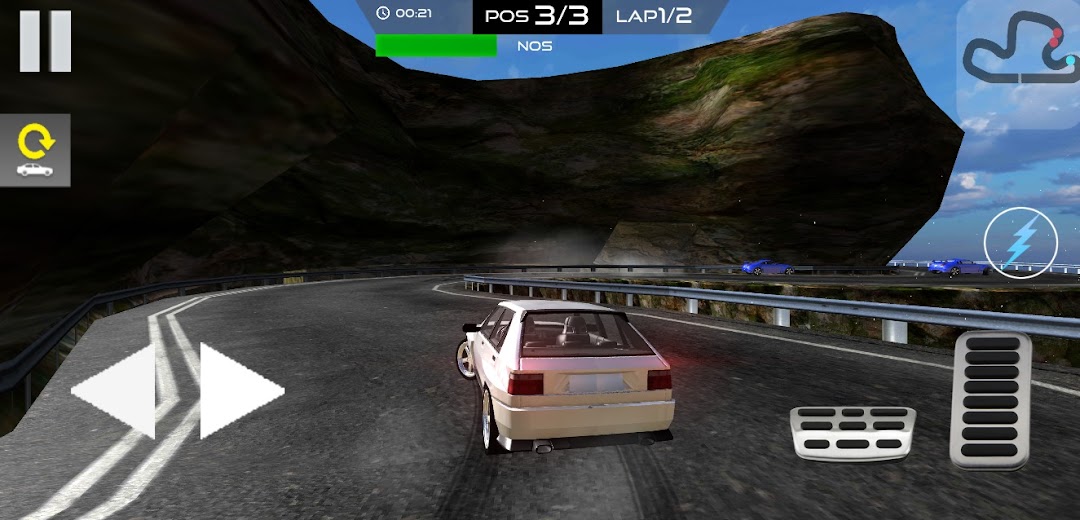
Car Racing 3D is a Racing game developed by Eka Bilişim Sistemleri. LDPlayer is the best platform for playing Car Racing 3D on Windows PC, providing robust features to help you achieve an immersive experience in Car Racing 3D.
When playing Car Racing 3D on your computer, if you prefer using your own gamepad to control the game, LDPlayer's automatic gamepad detection can assist you in customizing controls with just a few simple clicks, allowing you to enjoy more realistic racing scenes and challenges.
With support for high frame rates, the game's diverse track designs and rich terrain and environmental changes become even more lifelike and detailed.
Additionally, the video recording feature makes it easy for you to capture all the exciting and amusing races and game content, making it convenient to share with friends or create videos. Start downloading and playing Car Racing 3D on your computer now!
Car Racing 3D is an exciting standard car racing experience, offering a fun game that doesn't require an internet connection. The goal is simple: choose from 10 different cars and become the first by leaving your opponents behind in 50 challenging levels!🚗 Car Options:
Car Racing 3D features a total of 10 different car options, each with unique features and performance advantages. Select your favorite car and get ready to start the race!
🏁 50 Challenging Levels:
The game presents a racing arena consisting of 50 levels. As you progress, the races become even more challenging. Develop your skills, surpass your opponents, and strive for victory in each level!
🌐 Offline Play:
Car Racing 3D can be played without an internet connection. Enjoy fast and thrilling races anytime, anywhere.
🌟 Features:
10 different car options
50 challenging racing levels
Advanced physics engine
Offline playability
Upgradeable car features
Get ready for a speed and excitement-filled racing experience with Car Racing 3D! Choose your favorite car, hit the tracks, and race to become the best driver.