MU Origin 3: Necromancer is a Role Playing game developed by FingerFun Limited., and LDPlayer is the best platform for playing MU Origin 3: Necromancer on Windows PC, offering powerful features for an immersive experience.
When playing MU Origin 3: Necromancer on PC, as a new player looking to start with a fresh account, the multi-instance and sync features are extremely useful for rerolls. You can use them to run multiple instances and begin the synchronization process. Bind your account until you draw the desired heroes.
In addition, operation recorder is great for games that require you to level up and complete tasks! Run the sync and record your actions, then repeat the main instance's actions in real-time. By doing so, you can run 2 or more accounts simultaneously. You can always get the heroes you want before others by faster rerolls and more efficient summoning! Start downloading and playing MU Origin 3: Necromancer on your computer now!
■《MU Origin 3》Major Update: New "Necromancer" Class, New "Battle Spirit System" Gameplay, and the New Dungeon "Angel of War"The new Summoner class, "Necromancer," makes its grand debut! As darkness covers the land, the echoes of the underworld grow as armies of undead awaken to fight for you!
The new "Battle Spirit System" and "Angel of War" dungeons are now available. Forged by an indomitable will, the "Battle Spirit" empowers you to protect the "Angel of War" and confront the endless darkness!
Log in to [MU Origin 3] now and become the "Necromancer!" Command a legion of undead, awaken the will of the "Battle Spirit", protect the "Angel of War", and rise against the darkness!
———— Features ————
■ [Seamless Class Change and Dazzling Skills Unleashed]
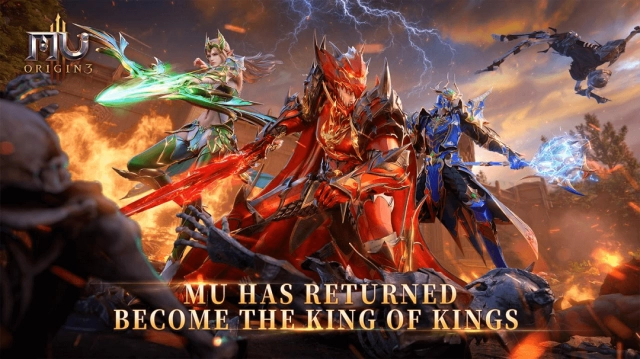
Legendary classes together once more—Swordsman, Mage, Archer, Magus, Summoner, and Paladin—each with unique skills creating thrilling combat. Breathtaking effects and fluid combat immerses players in the wonderful world of MU.
■ [Unreal Engine Movie Quality Graphics]
Utilizing a 3D engine to create breathtaking landscapess and a vast fantasy world. Soar through skies, dive underwater, and explore the continent in a a fully immersive adventure.
■ [Open World Exploration Across Land, Sky, and Sea]
A vast open-world awaits: explore the endless continent of MU, the mysterious realm of Atlantis, and the magnificent Sky City. Traverse land, sea, and sky with no limits. Uncover quests, hidden stories, lost ruins, untold treasures, and random events!
■ [Relive the Classic MU Adventure]
The story of MU starts once more—perfectly recreated with modern graphics. Return to the Continent of Warriors and relive the glory days of the MU world!
■ [Cross-Server Sieges for National Glory]
Join massive server wars where thousands of players clash. Guilds battle for control of the city, with every warrior capable of turning the tide. Fight for the honor of your nation!
■ [Competitive 3v3 PVP]
Experience intense real-time competitive combat with dazzling ultimates and heart-pounding action. Enjoy peak PVP experience—the true king rises.
■ [Unite Allies in The Battle for Lorencia]
Team up with friends to conquer dungeons, build the strongest guild, and participate in the Lorencia Battle. Defend your people, dominate the battlefield, and earn the ultimate glory!
■ [Legendary Gear Collection]
Challenge epic world bosses with high drop rates for rare loot. Gear upgrades, enhancements, and socketing fully transfer, so resources are never wasted when switching gear.
■ [Loot and Free Trade]
Rare equipment, gems, and mounts can drop anywhere. Trade freely in the auction house and share profits with your allies. Enjoy a fair and balanced loot system free from bots.
■ [Immersive Combat and Effects]
Utilizing cutting-edge PBR rendering and dynamic ray tracing, every skill shines with amazing cinematics. Immerse yourself in exhilarating battles and rediscover the land of MU—an epic fantasy masterpiece returns!
◆ Official Website ◆ https://sea-mu3.fingerfun.com/
◆ Official Facebook ◆ https://www.facebook.com/MUOrigin3Asia
◆ Discord ◆ https://discord.gg/PekqeCfdyk