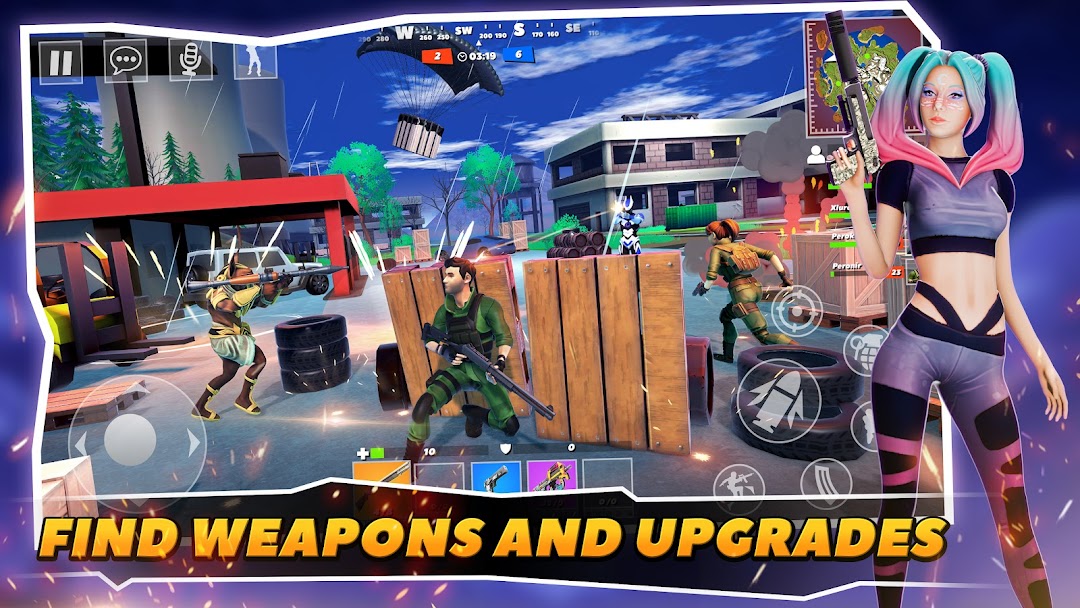
Grand Strike: Battle Royale is a Action game developed by NDK Games, and LDPlayer is the best platform for playing Grand Strike: Battle Royale on PC, offering powerful features to immerse you in the game.
When playing Grand Strike: Battle Royale on computer, you can adjust frame rate settings for smooth gameplay and stunning visuals.
LDPlayer also provides pre-configured keyboard mapping for convenient control of the entire game. Continuous optimization of keyboard mapping enhances key sensitivity and skill accuracy. Additionally, LDPlayer offers special buttons like shoot, hide mouse, and continuous key press for an enhanced gaming experience.
If you prefer using a gamepad, the automatic gamepad detection allows you to customize controls with just a few clicks, enabling you to freely maneuver your hero. Start downloading and playing Grand Strike: Battle Royale on your computer now!
"Grand Strike: Battle Royale" is a multiplayer online shooter where each fight becomes a test of your tactical and shooting skills. Discover a variety of game modes, customizable characters, and a wide selection of weapons in this thrilling game.GAMEPLAY
The gameplay is consistently dynamic and intense. As the battle heats up, you must make quick decisions, work as a team, and use the environment to your advantage to claim victory.
MODES
The game offers several modes: from classic "Team Match" to "Royal Battle". Squad modes with friends or random allies are also available.
CHARACTERS
Create a unique hero with extensive customization options for appearance—from eye and hair color to jackets and trousers. How you look on the battlefield is entirely up to you.
WEAPONS
The game's arsenal includes over 50 types of weapons, from simple pistols to sniper rifles. Each type of weapon has several modifications to enhance its characteristics.
MAPS
The game offers a variety of maps of different sizes and configurations. From tight city streets to vast open spaces—each map requires its own strategy and approach.
MULTIPLAYER
Battle players from around the world in multiplayer fights. Compete in ladder rankings and prove you're the best!
CROSS PLATFORM
Play with friends regardless of the platform, thanks to full cross-platform support between computers, consoles, and mobile devices.
Don't miss your chance to be part of this exciting world! Download "Grand Strike: Battle Royale" now and start your combat career!
Thus, "Grand Strike: Battle Royale" promises an unparalleled experience in the world of online shooters.
Download the game and join the battle today!