Home/

Games/

Sports/

EA SPORTS FC Online M

EA SPORTS FC Online M
2.02K+

EA SPORTS FC Online M

The world's best soccer game on mobile EA SPORTS FC Online M

Play on PC with LDPlayer
recommend
NEXON Company
How to Download&Play EA SPORTS FC Online M on PC?
Last Updated: 2026-03-21
com.nexon.fo4m
Share:
  • Overview

  • FAQ

Use LDPlayer to Play EA SPORTS FC Online M on PC

EA SPORTS FC Online M is a Sports game developed by NEXON Company. LDPlayer is the best platform for playing EA SPORTS FC Online M on Windows PC, offering powerful features to enhance your immersive experience in EA SPORTS FC Online M.

When playing EA SPORTS FC Online M on your computer, the larger screen and more powerful graphics performance enable you to enjoy clearer and smoother game visuals, enhancing the visual experience of the game.

The operation of peripherals such as gamepads is emulated to better mimic the feel of real sports, providing more precise control and richer operation options.

Furthermore, if you wish to execute a series of continuous key combinations, the one-click macro feature will be the functionality you've been dreaming of, allowing you to effortlessly stay one step ahead with one-touch operation. Start downloading and playing EA SPORTS FC Online M on your computer now!

■ 게임 특징
1. 전세계 최고의 리그와 유명 구단 및 월드클래스의 선수가 모바일로!
- 전세계 40여개의 리그, 600여개의 클럽, 18,000여명 실제 선수들을 모바일에서도 만나보세요!
- 이제 모바일에서도 구단주가 되어 나만의 구단을 만들어 세계 정상에 도전해보세요!

2. EA SPORTS FC Online 데이터 100% 연동!
- EA SPORTS FC Online과의 100% 데이터 연동으로 이제 언제 어디서든 EA SPORTS FC Online을 즐겨보세요!

3. 실시간으로 즐기는 PVP 모바일 감독모드!
- 나만의 대표팀으로 다른 구단주님들과 실시간으로 공식 감독 경기를 플레이하세요!
- 다양한 전술을 통해 매 시즌 최고에 도전하고, 푸짐한 보상도 받아가세요!

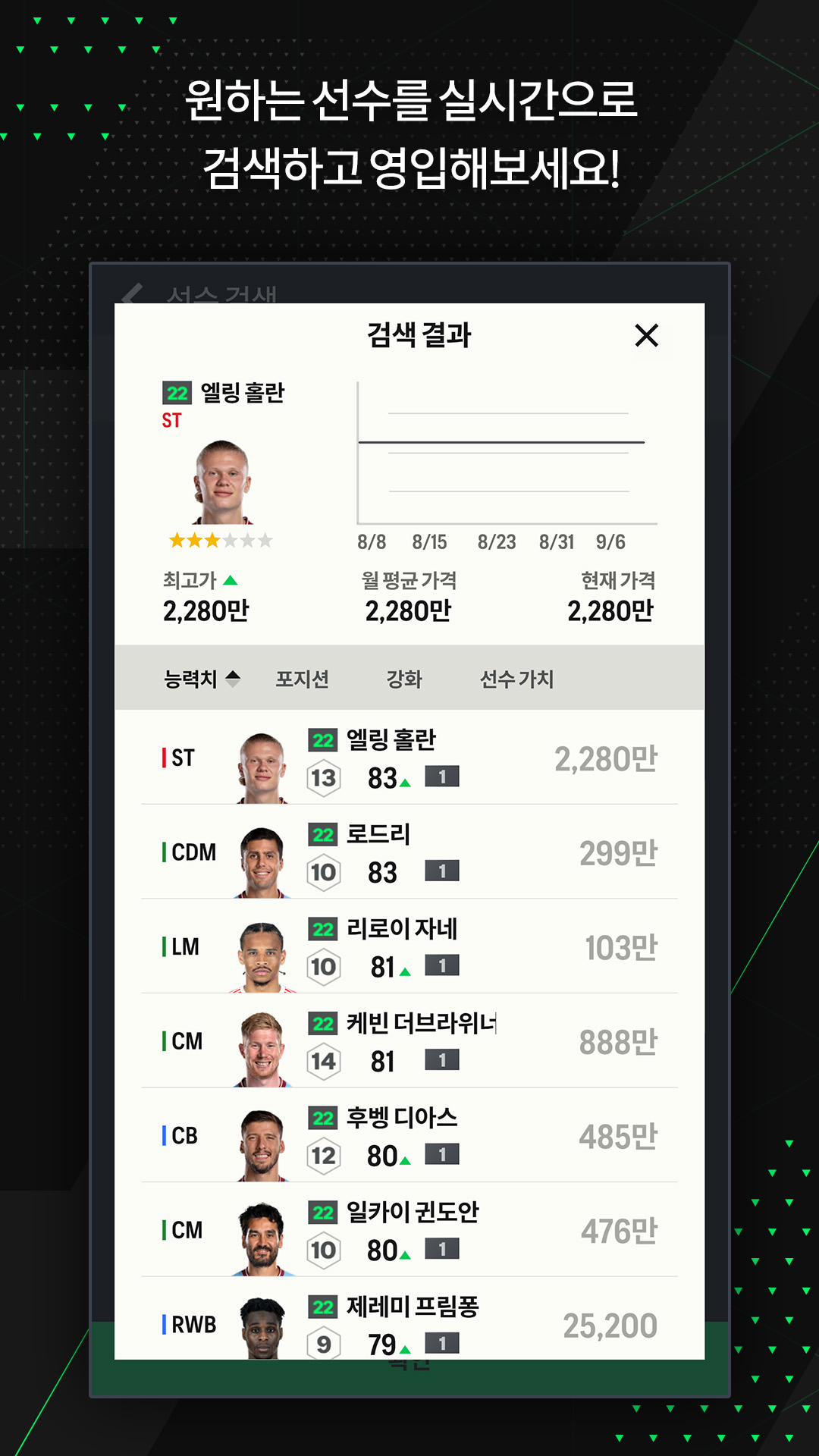
4. 실시간으로 진행되는 선수 영입!
- EA SPORTS FC Online M에서 실시간으로 원하는 선수를 영입하고 나만의 강력한 스쿼드를 구성해보세요!

■ 스마트폰 앱 접근권한 안내
앱 이용 시 아래와 같은 서비스를 제공하기 위해 접근 권한을 요청하고 있습니다.
[선택적 접근권한]
전화 : 광고성 문자 전송을 위한 휴대폰번호 수집에 필요합니다.
알림 : 앱이 서비스와 관련된 알림을 게시하도록 허용합니다.
* 선택적 접근권한 허용에 동의하지 않아도 서비스 이용이 가능합니다

[접근권한 철회 방법]
▶ 안드로이드 6.0 이상: 설정 > 앱 > 권한 항목 선택 > 권한 목록 > 접근권한 동의 또는 철회 선택
▶ 안드로이드 6.0 미만: 운영체제를 업그레이드하여 접근권한을 철회하거나, 앱을 삭제
※ 앱이 개별 동의 기능을 제공하지 않을 수 있으며 위의 방법으로 접근 권한을 철회할 수 있습니다.

----
개발자 연락처 :
1588-7701
----
개발자 연락처 :
Nexon Korea Corporation 판교로256번길 7 (삼평동)
분당구, 성남시, 경기도 13487
South Korea 220-87-17483 2013-경기성남-1659 성남시청
Open up

Screenshots and Videos of EA SPORTS FC Online M PC

Experience a wider field of view, exquisite game graphics, and cooler combat skills and effects by downloading and playing EA SPORTS FC Online M on PC with LDPlayer. Enjoy the ultimate gaming experience with LDPlayer.

Why Play EA SPORTS FC Online M on PC with LDPlayer?

LDPlayer offers unique emulator features including multi-instance support, macros, operation recorder, and other functions not available on mobile devices.

Gamepad

High FPS

One-Click Macro

GamepadHigh FPSOne-Click Macro

Emulate a more realistic driving experience in EA SPORTS FC Online M, allowing for full freedom of movement for your hero. This enhances comfort, precision, and flexibility in controls, empowering players to better control their vehicles and win races.

  • Large Screen

    Offering a high-definition experience for EA SPORTS FC Online M on a large screen, animations and images are smoother, allowing for more comfortable content browsing and video watching.
  • Extended Battery Life

    When running EA SPORTS FC Online M on your computer, you need not worry about low battery or device overheating issues. Enjoy playing for as long as you desire.

How to Download&Play EA SPORTS FC Online M on PC?

  • 1

    Download and install LDPlayer on your computer

  • 2

    Locate the Play Store in LDPlayer's system apps, launch it, and sign in to your Google account

  • 3

    Enter "EA SPORTS FC Online M" into the search bar and search for it

  • 4

    Choose and install EA SPORTS FC Online M from the search results

  • 5

    Once the download and installation are complete, return to the LDPlayer home screen

  • 6

    Click on the game icon on the LDPlayer home screen to start enjoying the exciting game