Death Road to Canada is a Adventure application developed by Noodlecake, but with the best Android emulator-LDPlayer, you can download and play Death Road to Canada on your computer.
Running Death Road to Canada on your computer allows you to browse clearly on a large screen, and controlling the application with a mouse and keyboard is much faster than using touchscreen, all while never having to worry about device battery issues.
With multi-instance and synchronization features, you can even run multiple applications and accounts on your PC.
And file sharing makes sharing images, videos, and files incredibly easy.
Download Death Road to Canada and run it on your PC. Enjoy the large screen and high-definition quality on your PC!
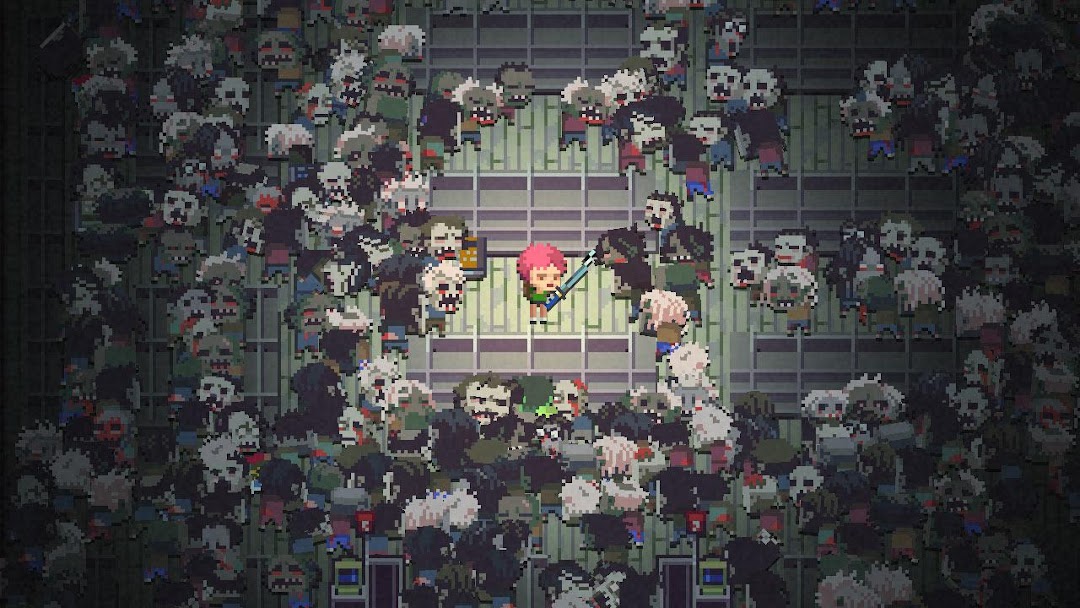
Death Road to Canada is a Randomly Generated Road Trip Action-RPG. You manage a group of jerks as they explore cities, find weird people, and face up to 500 zombies at once. Everything's randomized: locations, events, survivor personalities and skills. There's a different story every time you play.Travel the Death Road from Florida to Canada, the last nation on Earth. Find special events, rare encounters, and unique recruits. Recruit a grunting super-bodybuilder who's strong enough to pick up and throw the car. Try to teach a dog how to walk upright and shoot a minigun.
Most of all, get eaten by enormous hordes of slow, classic-style zombies.
*NOTE* A controller is required for the Android TV version.
++ This game is only available in English ++
DEATH ROAD FEATURES:
- Designed for massive amounts of replay value.
- Supports Bluetooth game pad controllers
- Character Maker lets you put friends and family into the game.
- Meet your custom characters during your travels. Get them eaten by mistake or on purpose.
- Make tough choices in text events that change depending on your group.
- Your team has different personalities, and someone may betray the others. Be careful!
- Lots and lots of secret events and unique characters with special abilities.
- Equip a wide variety of different weapons. Splat zombies with a flamethrower, battleaxe, hockey stick, wizard staff (lightning bolt), Mjolnir, boomerang, and much more.
- Canada jokes written by a real Canadian so they're 100% accurate.
- Get rid of all humans and make an entire team composed of dogs driving the car.
- Airhorn weapon with incredibly realistic, computer-generated airhorn sounds.