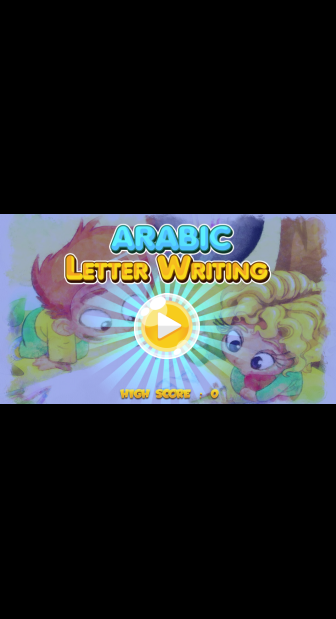


كتابة الحروف العربية is a Educational application developed by SOLRT INC, but with the best Android emulator-LDPlayer, you can download and play كتابة الحروف العربية on your computer.
Running كتابة الحروف العربية on your computer allows you to browse clearly on a large screen, and controlling the application with a mouse and keyboard is much faster than using touchscreen, all while never having to worry about device battery issues.
With multi-instance and synchronization features, you can even run multiple applications and accounts on your PC.
And file sharing makes sharing images, videos, and files incredibly easy.
Download كتابة الحروف العربية and run it on your PC. Enjoy the large screen and high-definition quality on your PC!
“Write Alphabet” is the best app available in the market today to teach kids to write letters. This application enables you to integrate and involve your children in learning the 28 letters of the Arabic alphabet. This educational application brings the learning of Arabic letters to life, so that children can draw letters with their own hands using the colors of their choice.For many children, simply reading and writing letters is not enough to help them learn. They need a motivational motive that infuses them with a spirit of fun, participation and entertainment during the learning process. With this educational application, children will not feel that they are learning, they will feel that they are having a great time playing and having fun, which is what all children are supposed to do today.
Should I download the alphabet writing app? Here are some of the main features of the app:
Colors: Your children can choose colors from among 4 different colors as they color the Arabic alphabet. Where they can use one to four colors for each letter, which helps them to integrate and participate in learning, writing and reading.
Eraser: Don't worry – if your child is messing up and wants to start over in coloring Arabic letters, our app has an eraser! He will be able to erase what he messes up and then start over, which helps him increase his self-confidence.
Participation and interaction: For many children today, simply reading and writing is not compatible with their personal learning capabilities. Children need to learn through play, fun and visual aids, and this is exactly what they will find in the Arabic alphabet application for children.
Fun: The most important thing is that children need to have fun. If you can show them that learning is fun and interesting, it will benefit them along the way. This would lay a solid foundation for a successful learning journey.
This application will spread the spirit of fun and enjoyment in the whole family
You can sit next to your children and watch the smiles on their faces as they explore each letter of the Arabic alphabet. Experiment with new letters and colors as your kids master the basics of the alphabet, providing an interactive and fun family-friendly evening activity. Relax after a hard day at work, open the mobile device and watch your children enjoy learning.
Is there anything better than that?
With over 1 million installs of the app by users, this app is supported by parents and certified in children's education.
Try it today with your family.