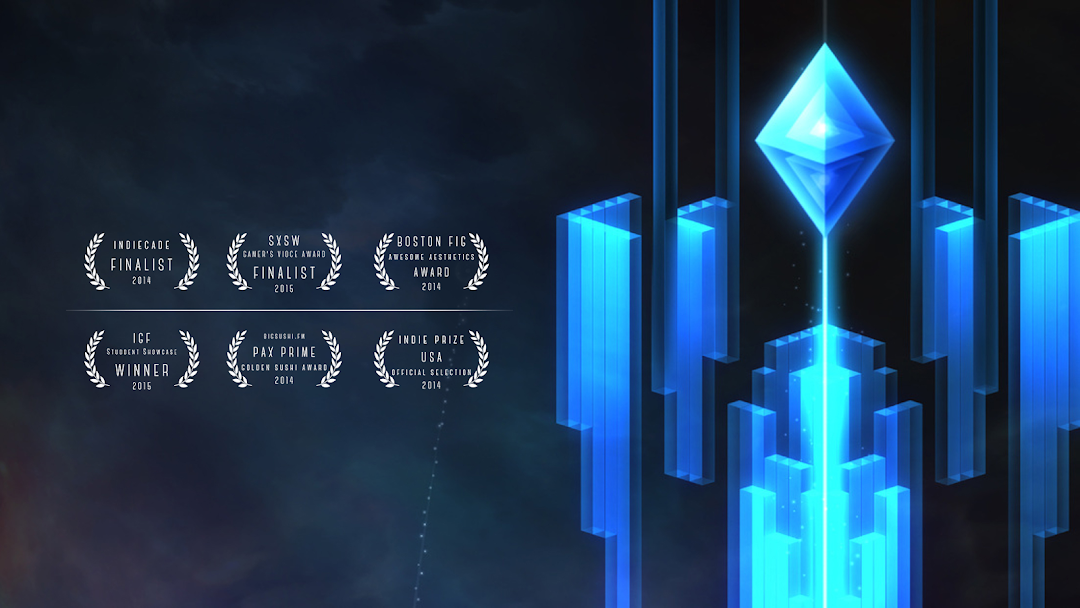
Gemini is a Casual game developed by X.D. Network. LDPlayer is the best platform for playing Gemini on Windows PC, offering powerful features to enhance your immersive experience in Gemini.
When playing Gemini on your computer, if you find repetitive actions or tasks tedious and time-consuming, fret not! Macro can alleviate your concerns. Simply record your actions with a click of the screen recording feature and let macros take care of the rest. Macros automate your operations, allowing you to effortlessly conquer the game with minimal effort! Start downloading and playing Gemini on your computer now!
Gemini - A Journey of Two Stars is an interactive poem and video game about two stars flying into the heavens together.You’re a star. Encountering another of your kind, you move in tandem to explore mythical spaces. Together you will twirl and surf in fluid motions, share moments of joy, overcome obstacles, and discover the meaning of your journey.
[Important: Requires android 4.0 or above]
- Designed for everyone, with simple and intuitive controls
- Original and expressive gameplay, where moving is like dancing
- Absorbing narrative delivered wordlessly with stunning visuals
- Abstract and dreamlike world immersed with haunting music
- Finish the single player game to unlock innovative modes for two players
- No In-App Purchases -- buy it once and enjoy
As a tiny team of indies, we have worked three years to deliver this experience to you. We all put our hearts and souls into this work, and we hope that it speaks to you on a personal level.
----- SELECTED HONORS -----
- SXSW 2015 Gamer's Voice Finalist
- IGF 2015 Student Showcase Winner
- IndieCade 2014 Finalist
- BigSushi.FM PAX Prime 2014 Golden Sushi Award
- Boston FIG 2014 Awesome Aesthetics Award
- Indie Prize US Showcase 2014 Official Selection