Cooking Undersea - Ocean Chef is a Casual game developed by TAAP GAME STUDIO. LDPlayer is the best platform for playing Cooking Undersea - Ocean Chef on Windows PC, offering powerful features to enhance your immersive experience in Cooking Undersea - Ocean Chef.
When playing Cooking Undersea - Ocean Chef on your computer, if you find repetitive actions or tasks tedious and time-consuming, fret not! Macro can alleviate your concerns. Simply record your actions with a click of the screen recording feature and let macros take care of the rest. Macros automate your operations, allowing you to effortlessly conquer the game with minimal effort! Start downloading and playing Cooking Undersea - Ocean Chef on your computer now!
In the future, when Earth🌎 is crowded, some people live underwater. Mia, a talented chef👩🍳, grew up beneath the waves🌊, learning to cook from her family. She opened a restaurant in her underwater city and then explored cuisine on magical land. Traveling from small towns to big cities, Mia mastered cooking styles worldwide. Now famous globally, she's not just a chef but also a leader, inspiring others in her field.Now, step into the chef role in "Cooking Undersea - Ocean Chef"where you'll experience the excitement of Mia's cooking adventures. This addictive restaurant management game puts you in charge of expanding your restaurant empire. With a simple tap, prepare, cook, and serve dishes worldwide. Manage your time as you explore new flavors towns and cities on a magical cooking map. Bring fever restaurants back to life and attract more hungry customers eager for your delicious dishes.
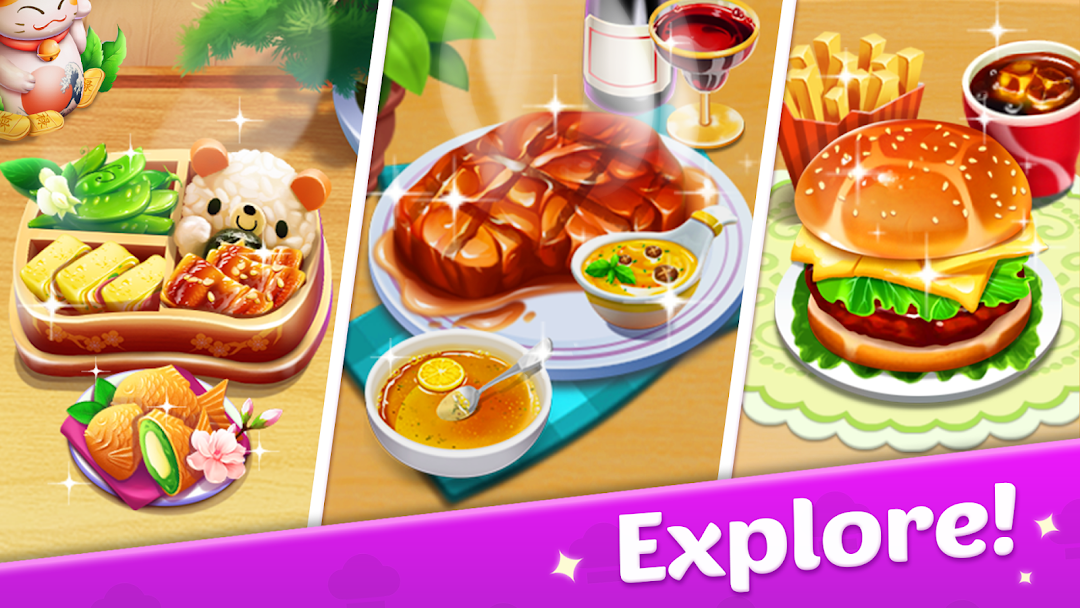
From burgers🍔 to seafood barbecue, mouthwatering sushi platters🍣 to desserts such as cookies🍪 or cupcakes🧁, explore various cuisines in the game's recipe collection. From the bustling Pizzeria to the serene Bakery, each restaurant offers unique gameplay and addictive cooking fun. Each themed restaurant, like the Ramen Canteen or Mexican eatery, offers fresh ingredients and flavors to challenge and delight you.
Improve your cooking skills by mastering techniques such as frying🍳, baking, boiling, steaming, simmering, and grilling. Create combos to earn bonuses and achievements, and upgrade your ingredients and kitchen tools to cook more efficiently.
More exciting features:
🍔Thousands of tasty dishes from around the world!
👩🍳Over 1,000 levels to conquer a variety of famous cuisines!
🤗Lots of upgrades for your kitchen and decor!
🏆Tournaments and challenges to join and win!
You can join special holiday events like Halloween with its Witch Soup and Pumpkin Pie, or Christmas with Turkey and Gingerbread Cookies. Compete in streak challenges to set new records and show off your culinary talents to your customers.
With over 50 themed restaurants, 800+ ingredients, and 200+ dishes to discover, this undersea cuisine craze offers endless culinary adventures. Enjoy and travel in this easy gameplay offline and across devices, anytime.