Counter Shooter is a Action game developed by Minimalist Games Publisher, and LDPlayer is the best platform for playing Counter Shooter on PC, offering powerful features to immerse you in the game.
When playing Counter Shooter on computer, you can adjust frame rate settings for smooth gameplay and stunning visuals.
LDPlayer also provides pre-configured keyboard mapping for convenient control of the entire game. Continuous optimization of keyboard mapping enhances key sensitivity and skill accuracy. Additionally, LDPlayer offers special buttons like shoot, hide mouse, and continuous key press for an enhanced gaming experience.
If you prefer using a gamepad, the automatic gamepad detection allows you to customize controls with just a few clicks, enabling you to freely maneuver your hero. Start downloading and playing Counter Shooter on your computer now!
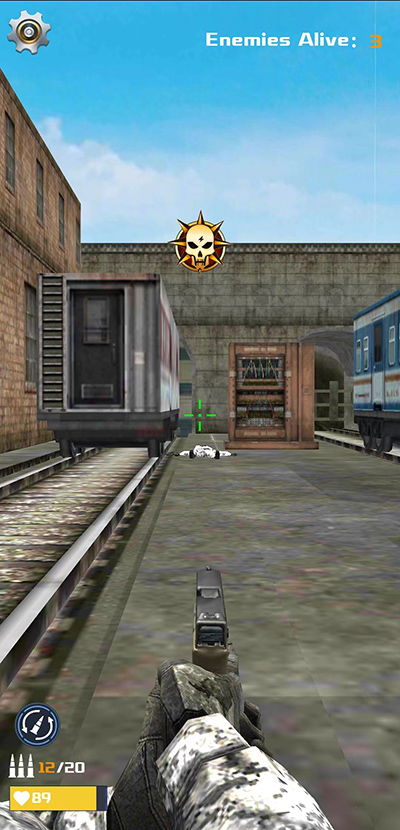
This is a first-person shooter game specially designed for mobile devices.Counter Shooter is a 3D FPS designed exclusively for mobile devices.
Experience intense action, where fast reflexes and tactical skills are essential to success. Are you ready for the challenge?
Counter Shooter is a first-person shooter that features competitive combat through beautifully crafted maps and challenging game modes. Battle it out alongside your band of brothers or lead an individual scoreboard.
The outcome is determined by your skill and your strategy. Counter Shooter has no in-app purchases that give a competitive advantage. We guarantee a fair-to-play experience.
Master a variety of modern weapons such as grenades, pistols, submachine guns, assault rifles, shotguns, snipers, and knives. Improve your aiming and shooting skills by competing in intense PvP gameplay. Competitive ranked games pit you against other similarly skilled operatives. Grow into a hero.
Go social! Call out to your friends and invite them to join your clan. Host private matches and organize tournaments to win prizes. You are strong by yourself but stronger as a team.
Counter Shooter expands the world of esports onto mobile platforms. Spectate the pros in action or squad up with your friends and build your dream competitive team. Join our vibrant scene and become Counter Shooter legends.
Features:
* Shooter game
* Optimized for Mobile
* Realistic graphic
* Multiple levels
* Gun upgrade system
* Simple rules and Easy control
* Perfect beginner guidance system
* Daily Quests System
* Lucky Wheel System
* Smooth and delicate animation