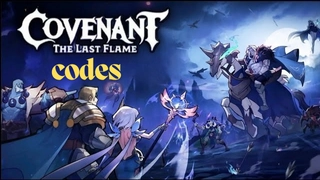
Covenant: The Last Flame is a Role Playing game developed by LUCKYYX GAME, and LDPlayer is the best platform for playing Covenant: The Last Flame on Windows PC, offering powerful features for an immersive experience.
When playing Covenant: The Last Flame on PC, as a new player looking to start with a fresh account, the multi-instance and sync features are extremely useful for rerolls. You can use them to run multiple instances and begin the synchronization process. Bind your account until you draw the desired heroes.
In addition, operation recorder is great for games that require you to level up and complete tasks! Run the sync and record your actions, then repeat the main instance's actions in real-time. By doing so, you can run 2 or more accounts simultaneously. You can always get the heroes you want before others by faster rerolls and more efficient summoning! Start downloading and playing Covenant: The Last Flame on your computer now!
A dark tide rises. The undead are approaching. In this moment of crisis, you, the nameless hero destined to choose a side. Will you fight for the Alliance or stand with the Horde?Swear your oath, forge your alliance, and embark on a legendary journey. Along the way, you’ll meet warriors of all kinds—humans, orcs, elves, and terrifying demons. Form an elite squad and lead them into battle.
Only those who dare to stand against the dark will shape the fate of the land. Your legend begins now.
--------Game Features-------
▶Alliance or Horde
In a land ruled by conflict, your journey begins with a choice: Will you stand for order and unity—or embrace the call of freedom and wild power? Each choice opens a different journey.
▶Win with Strategy
Recruit elite heroes and lead them into tactical battles. Just one finger lets you arrange formations, target enemies, and dominate the battlefield. Outsmart your enemies and lead your squad to glory.
▶Ready to Fight Fierce
Prepare for massive faction warfare like never before. Fight alongside friends in real-time multiplayer combat. Feel the rush of battle and the joy of triumph.
▶Tons of Free Rewards
Log in now to claim 100,000 diamonds and a free SSR hero of your choice. That’s not all—tons of valuable resources are waiting for you. Power up effortlessly and crush your enemies with ease.
▶Fight for Glory
Ally with your faction and dominate the map. Gather precious resources and expand your borders with every victory. The war for glory has begun—are you ready to lead your faction to greatness?