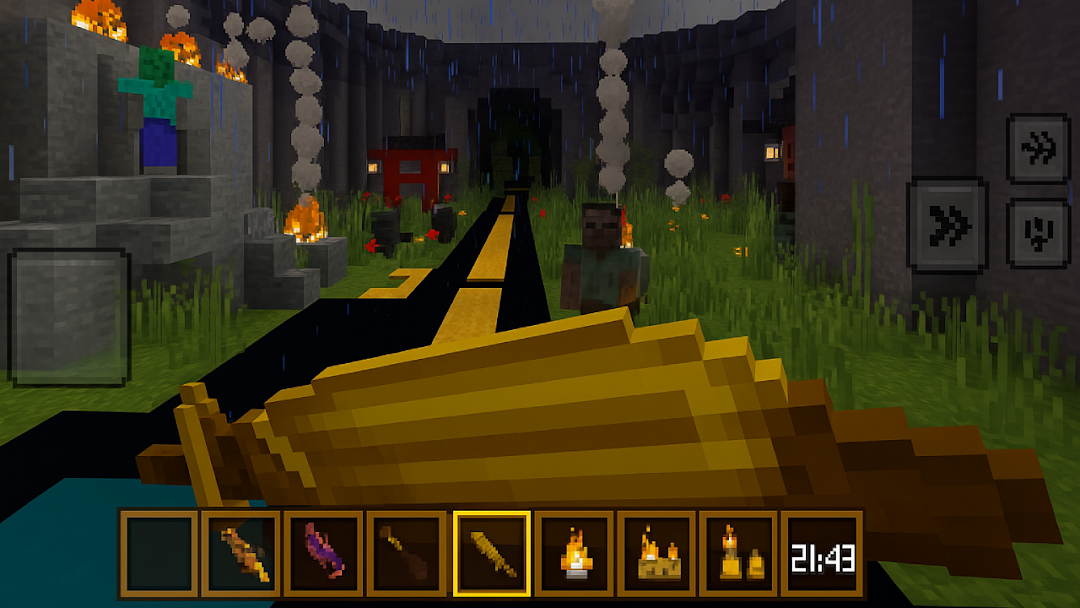
Craft Fun Block World is a Simulation application developed by dahlia, but with the best Android emulator-LDPlayer, you can download and play Craft Fun Block World on your computer.
Running Craft Fun Block World on your computer allows you to browse clearly on a large screen, and controlling the application with a mouse and keyboard is much faster than using touchscreen, all while never having to worry about device battery issues.
With multi-instance and synchronization features, you can even run multiple applications and accounts on your PC.
And file sharing makes sharing images, videos, and files incredibly easy.
Download Craft Fun Block World and run it on your PC. Enjoy the large screen and high-definition quality on your PC!
🧟♂️ Welcome to Zombie Craft – Block World Survival Begins!Dive into a pixelated apocalypse where survival is the only rule. In Zombie Craft, you enter a block-style open world full of zombies, danger, and endless building possibilities. Gather resources, craft weapons, build shelter, and fight to survive every night!
⸻
🔥 Survive the Undead Invasion
• Face hordes of voxel zombies that come out after sunset.
• Build safe shelters to protect yourself from the infected.
• Craft weapons and traps to keep zombies at bay!
⸻
🛠️ Craft & Build Your Own Base
• Use various blocks to build bunkers, watchtowers, or survival villages.
• Collect wood, stone, and rare items to upgrade your gear.
• Customize your structures with furniture, lighting, and secret rooms.
⸻
🌍 Explore an Open Sandbox World
• Travel across forests, deserts, abandoned cities, and dark dungeons.
• Discover hidden caves and rare loot caches scattered across the land.
• Tame animals, plant crops, and gather food to stay alive longer.
⸻
⚔️ Fight & Evolve
• Craft melee and ranged weapons: swords, bows, guns, and more!
• Fight different types of zombies – some faster, stronger, or toxic.
• Level up and unlock new crafting recipes and survival skills.
⸻
🎮 Features You’ll Love
• Free-to-play offline survival game with pixel-art style.
• Smooth controls for mobile devices – easy to play, hard to master!
• No internet required – play anytime, anywhere.
• Suitable for all ages who enjoy survival, adventure, and block building.
⸻
🧱 Build. Survive. Craft. Repeat.
Whether you’re a fan of zombie games or sandbox builders, Zombie Craft brings the best of both worlds. Can you survive the endless nights and build your own legend?
👉 Download Zombie Craft now and start your fight for survival in a blocky apocalypse!