
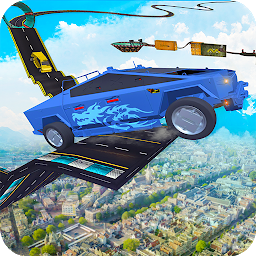


Cybertruck Stunts Driving Simu is a Simulation application developed by Million Gamerz Studio, but with the best Android emulator-LDPlayer, you can download and play Cybertruck Stunts Driving Simu on your computer.
Running Cybertruck Stunts Driving Simu on your computer allows you to browse clearly on a large screen, and controlling the application with a mouse and keyboard is much faster than using touchscreen, all while never having to worry about device battery issues.
With multi-instance and synchronization features, you can even run multiple applications and accounts on your PC.
And file sharing makes sharing images, videos, and files incredibly easy.
Download Cybertruck Stunts Driving Simu and run it on your PC. Enjoy the large screen and high-definition quality on your PC!
Welcome to Cybertruck Stunts Driving Simulator: Racing Game and drifting stunts in a Super Cybertruck. Imagine being in the city which is surrounded by construction sites and you get to know a lot of super cool Drift and Stunts spaces where you can go and drive your Super Drifting car in the city stunts and Play the Car Drifting in the city like a pro. You'll get a chance to drive all around the city and doing crazy impossible stunts in the traffic, where police cars and ambulances are driving the officers and patients to the hospitals a. You must be very careful performing city drift stunts. But we have to make sure that you won't be able to damage your car in City car Racing Drift and Stunts driving simulator game. As we've unlimited options to reset and restart the game.Ultimate City car driving 2019 and stunts drifting in Cybertruck is the coolest game out there in the category of Simulation games and racing games. The Graphics of the cars are very natural and the Super cool Cyber truck Controls are as realistic as the original car. So make yourself excited that you're going to drive the real Cybertruck in the city driving school. The car has the interior and all the available controls for a person who loves to drift car racing games in the city. So the car is super upgradeable along with the suspensions, Paint, Alloy Rims, Interior, Controls and Drift mode. Even there is an option of changing its maximum speed so that you can control the Car in the Busy City Car Drifting game and do not lose control and crash into the accident.
In the City Car Simulator game, there are several cities connected to each other with the Large barriers and water going underneath. What you need to do is to find a way from this crime city and Take your car to the next city and explore the paths and ways to go ahead in the game and find fun cars. Beware of the Police Car chasing, the police is patrolling around the city, if you exceed the speed from a specific point, there'll be Police car Chasing behind you, and in that case, you'll have to run away very fast. If in that case, you supercar Collides with any other Car in the Car simulator game, You'll crash and your game will be over. Extreme city car Drifting game covers all the major hurdles and ways to perform stunts in the city, which give you a boost to kickstart your drifting Car Game and You'll be able to perform extreme crazy city cars stunts!! Finally! So explore the Crazy Car City driving environment, cross the cities and make your path to the destination where you can perform your drifting lessons easily. where there is no traffic and no accidents are gonna appear. But don't worry, if you crash your cybertruck. We've got your back! You can perform drift and stunts as long as you want. So welcome to the best Car sports car Driving and Drifting stunts game. This crazy driving will remind you of your GT cars with the hurdles in the sky. So buckle up your seat belts and start the game with ease. These car games no wifi required so you can play as long as you want.







