Home/

Games/

Simulation/

DarkSlayer AFK RPG

DarkSlayer AFK RPG
3.0100+

DarkSlayer AFK RPG

Zombie Hunting Dark Fantasy AFK RPG

Play on PC with LDPlayer
recommend
ENP GAMES Co., Ltd.
How to Download&Play DarkSlayer AFK RPG on PC?
Last Updated: 2026-01-24
com.gamepub.zhteam.g
Share:
  • Overview

  • FAQ

  • Game Guides

Use LDPlayer to Play DarkSlayer AFK RPG on PC

Dark Slayer Idle RPG Overview

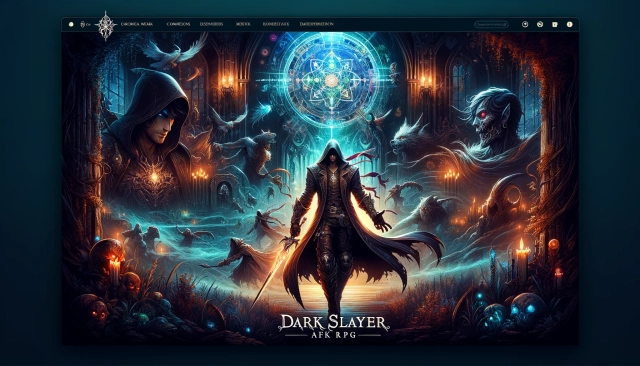
Dark Slayer Idle RPG is a thrilling mobile game set in a world overrun by zombies, and it's up to you to be the hero and save the world from the undead menace. As you venture into this dark and dangerous world, you'll enjoy a variety of exciting features that make the game a unique and engaging experience.


Game Features:

  • Stylish Action with Three Weapon Types: Engage in cool monster-slaying action by freely switching between swordsmanship, marksmanship, and spellcasting, offering diverse combat experiences.
  • Easy-for-All Infinite Idle Action: The game offers a user-friendly experience with no complicated controls, allowing you to easily grow your character as you progress.
  • Eye-catching Costumes and Gear Sets: Enhance your character's appearance and power with a variety of costumes and gear sets, adding a stylish element to your hero's journey.
  • Offline Growth: Even when the game is turned off, your character will continue to acquire resources and items, ensuring continuous progress.


Play Dark Slayer Idle RPG on PC:

  • Stylish Action with Three Weapon Types: Enjoy precise control and a superior gaming experience when you play Dark Slayer Idle RPG on PC using an emulator. Switch weapons effortlessly with the convenience of a keyboard and mouse.
  • Easy-for-All Infinite Idle Action: Playing on a PC allows for smoother progression and more comfortable gameplay, making it even easier to grow your character.
  • Eye-catching Costumes and Gear Sets: Customize your character's appearance with greater ease and precision on a computer, ensuring a stylish and powerful hero.
  • Offline Growth: Benefit from continuous offline growth with the added convenience of playing on a larger screen.
Open up

Screenshots and Videos of DarkSlayer AFK RPG PC

Experience a wider field of view, exquisite game graphics, and cooler combat skills and effects by downloading and playing DarkSlayer AFK RPG on PC with LDPlayer. Enjoy the ultimate gaming experience with LDPlayer.

Why Play DarkSlayer AFK RPG on PC with LDPlayer?

LDPlayer offers unique emulator features including multi-instance support, macros, operation recorder, and other functions not available on mobile devices.

Multi-Instance & Sync

Remote Control

Custom Controls

Multi-Instance & SyncRemote ControlCustom Controls

Effortlessly clone multiple instances and initiate synchronization until you draw the desired hero before binding your account, enhancing efficiency in rerolls in DarkSlayer AFK RPG.

  • High FPS

    With support for high FPS, DarkSlayer AFK RPG's game graphics are smoother, and actions are more seamless, enhancing the visual experience and immersion of playing DarkSlayer AFK RPG.
  • Video Recorder

    Easily capture your performance and gameplay process in DarkSlayer AFK RPG, aiding in learning and improving driving techniques, or sharing gaming experiences and achievements with other players.

How to Download&Play DarkSlayer AFK RPG on PC?

  • 1

    Download and install LDPlayer on your computer

  • 2

    Locate the Play Store in LDPlayer's system apps, launch it, and sign in to your Google account

  • 3

    Enter "DarkSlayer AFK RPG" into the search bar and search for it

  • 4

    Choose and install DarkSlayer AFK RPG from the search results

  • 5

    Once the download and installation are complete, return to the LDPlayer home screen

  • 6

    Click on the game icon on the LDPlayer home screen to start enjoying the exciting game