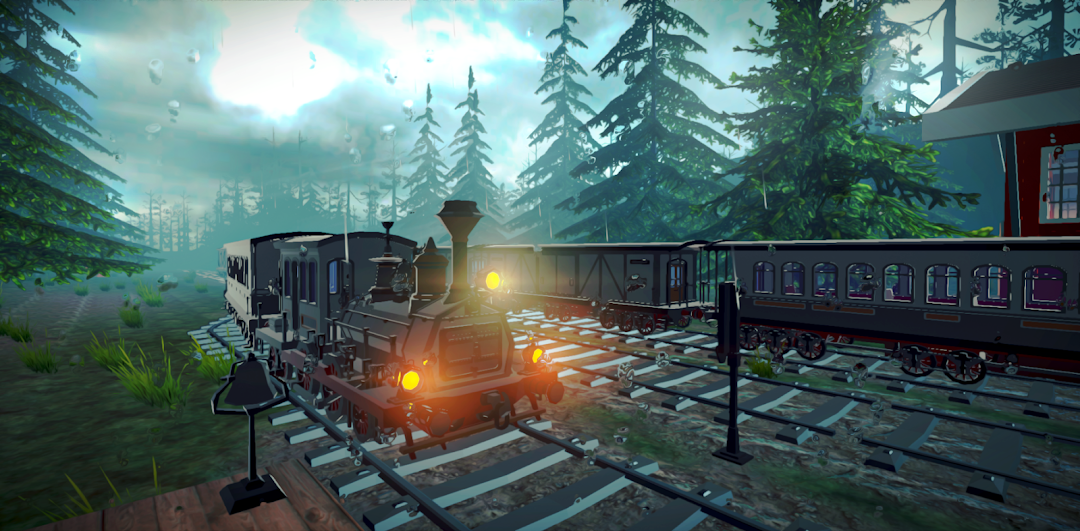
Uncharted Dead Rails is a Action game developed by Games Driving, and LDPlayer is the best platform for playing Uncharted Dead Rails on PC, offering powerful features to immerse you in the game.
When playing Uncharted Dead Rails on computer, you can adjust frame rate settings for smooth gameplay and stunning visuals.
LDPlayer also provides pre-configured keyboard mapping for convenient control of the entire game. Continuous optimization of keyboard mapping enhances key sensitivity and skill accuracy. Additionally, LDPlayer offers special buttons like shoot, hide mouse, and continuous key press for an enhanced gaming experience.
If you prefer using a gamepad, the automatic gamepad detection allows you to customize controls with just a few clicks, enabling you to freely maneuver your hero. Start downloading and playing Uncharted Dead Rails on your computer now!
The year is 1914. The world is on the verge of collapse.A ruthless zombie plague has swept across the American frontier, turning thriving towns into wastelands and people into the undead. In the heart of this chaos stands Abigail, a tough and resourceful young woman with nothing left to lose. She’s heard rumors of a mysterious cure hidden deep in Mexico — the only hope to stop the infection. To reach it, she must board a fortified train and embark on a deadly journey through the infected West.
A Gritty Journey Across the Dying Frontier
Abigail’s path is filled with danger: lawless bandits, untrustworthy survivors, and hordes of the undead lurk at every turn. From ghost towns to haunted graveyards and scorched deserts, every stop presents a new threat. The choices Abigail makes will shape not just her own fate, but possibly the future of what's left of humanity.
🧟♀️ Stand Your Ground Against the Undead
The infected are fast, brutal, and constantly evolving. Armed with revolvers, shotguns, dynamite, and whatever else she can scavenge, Abigail must fight tooth and nail to survive. Upgrade the train’s defenses, reinforce its steel hull, and brace for massive undead assaults. The plague is spreading — and Abigail is the last line of defense.