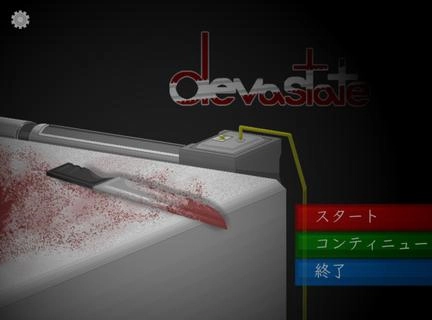


Devastate is a Simulation application developed by Devastate DEV, but with the best Android emulator-LDPlayer, you can download and play Devastate on your computer.
Running Devastate on your computer allows you to browse clearly on a large screen, and controlling the application with a mouse and keyboard is much faster than using touchscreen, all while never having to worry about device battery issues.
With multi-instance and synchronization features, you can even run multiple applications and accounts on your PC.
And file sharing makes sharing images, videos, and files incredibly easy.
Download Devastate and run it on your PC. Enjoy the large screen and high-definition quality on your PC!
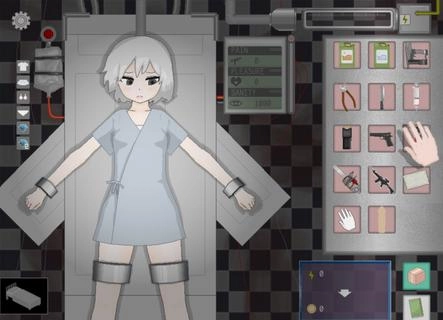
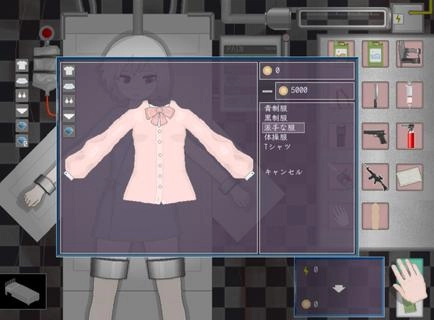
Devastate features a 2D anime art style and focuses on interactive character development. Players can interact with a mysterious, beautiful girl lying in a laboratory bed, learning her story through dialogue and offering companionship and care. Devastate offers items such as stun guns, buckets, and stimulants, each with different functions. A variety of exquisite outfits are also available for customization, allowing players to create adorable looks, strengthen their bond, and help her regain her smile and vitality.Devastate Beginner's Guide1. Interacting with the little girl character is crucial; warm, everyday actions will influence subsequent events.2. Pay close attention to special parameters such as "Sanity" in the game; reaching zero may lead to negative consequences.3. When using items, carefully observe environmental changes and the character's reactions. Strategic item usage will make it easier to control the game's direction.How to unlock outfits in Devastate:1. Tap the little girl to trigger interactive actions such as patting her head and having a conversation;2. When a danger warning appears, tap the corresponding item in the bottom inventory to defend or heal;3. Enter the "Wardrobe" interface and drag and drop outfits onto your character to change clothes. Multiple outfits can be saved;4. Claim daily goals on the "Tasks" or "Events" page and receive coin rewards upon completion;5. Use coins to purchase new outfits in the shop. Some rare outfits require specific conditions to unlock.