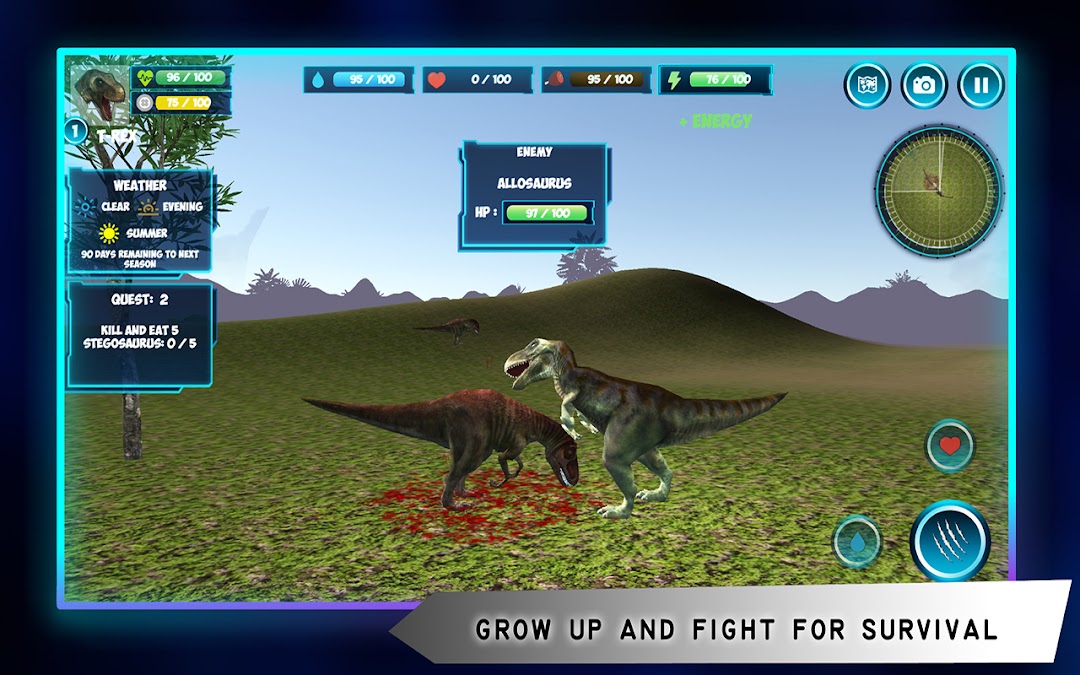
Dinosaurs Simulator is a Role Playing game developed by Opto Games, and LDPlayer is the best platform for playing Dinosaurs Simulator on Windows PC, offering powerful features for an immersive experience.
When playing Dinosaurs Simulator on PC, as a new player looking to start with a fresh account, the multi-instance and sync features are extremely useful for rerolls. You can use them to run multiple instances and begin the synchronization process. Bind your account until you draw the desired heroes.
In addition, operation recorder is great for games that require you to level up and complete tasks! Run the sync and record your actions, then repeat the main instance's actions in real-time. By doing so, you can run 2 or more accounts simultaneously. You can always get the heroes you want before others by faster rerolls and more efficient summoning! Start downloading and playing Dinosaurs Simulator on your computer now!
Thousands of years ago, the world's biggest, most ferocious and most powerful species of animals were in a great struggle to continue their lineage. Even though they were superior to other creatures, there was a fierce struggle among themselves. Do you want to be a part of this struggle? From birth to death, play like a real dinosaur. There is action in every moment of this dangerous world. You are always in danger. Be careful. Protect your family and try to continue your lineage! Don't forget to share this unique experience with your friends.GAME FEATURES:
- Complete the initial tasks. Raise your dino and kill the more powerful dinosaurs.
- You will be hungry, thirst and tired. Protect your health!
- Find your mate. Have a cub and protect your family.
- Wait near the eggs and enjoy the experience of having a cub.
- Use your mini map and large map finding enemies.
- Increase your level, strengthen the character.
TECHNICAL DETAILS:
- Mobil optimized HD graphics.
- Sensitive touch controls.
- Handy buttons.
- Quest system.
- Level system.
- Dynamic day and night system.
- Weather and season system.
- Realistic jungle environments.
- Different camera angles.
- Lots of dinosaurs.
- All game data can be saved.
- "How to play" for new starters.
FOR ALL YOUR QUESTIONS AND COMMENTS:
www.optogames.com
support@optogames.com
optogames@gmail.com
SOCIAL MEDIA ACCOUNTS:
www.facebook.com/optogames
www.instagram.com/optogames
www.twitter.com/optogames