

Doll Diary: DIY Princess is a Simulation application developed by Commandoo Jsc, but with the best Android emulator-LDPlayer, you can download and play Doll Diary: DIY Princess on your computer.
Running Doll Diary: DIY Princess on your computer allows you to browse clearly on a large screen, and controlling the application with a mouse and keyboard is much faster than using touchscreen, all while never having to worry about device battery issues.
With multi-instance and synchronization features, you can even run multiple applications and accounts on your PC.
And file sharing makes sharing images, videos, and files incredibly easy.
Download Doll Diary: DIY Princess and run it on your PC. Enjoy the large screen and high-definition quality on your PC!
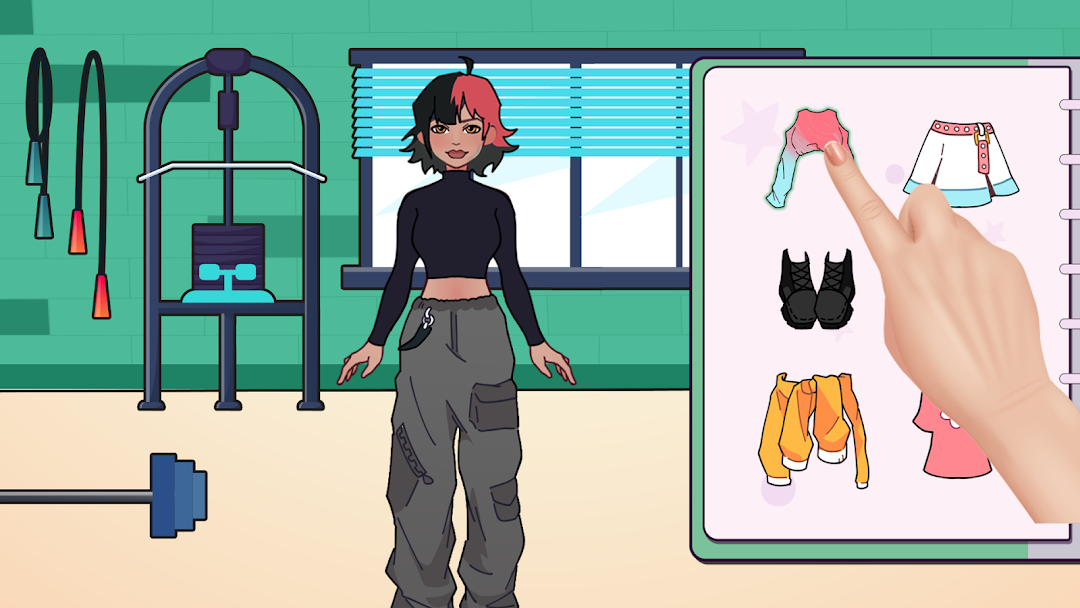
Unleash your inner fashionista in Doll Diary: DIY Princess! Create the princess of your dreams with endless wardrobe combinations, accessories, and more. Let your imagination soar as you design unique looks fit for royalty. With a wide range of dress up options, the only limit is your creativity. Let's makeover and bring your one-of-a-kind princess to life.Features:
* Wardrobe Wonderland: Mix and match dresses, accessories, and hairstyles to craft your perfect DIY princess style.
* Creative Expression: Experiment with various designs, hairstyles, and enchanting backgrounds to bring your makeover princess to life.
* Magical Settings: Choose from a range of captivating backdrops to set the stage for your princess's fairy tale adventure.
* Share Your Masterpiece: Showcase your custom princesses and invite friends to join in on the creative fun.
* Unlock New Styles: Discover fresh fashion pieces and accessories to keep your designs exciting and your princess always in vogue.
How to Play:
* Select from a wide array of clothing, accessories, and hairstyles to DIY your princess.
* Mix and match different elements to create a look that's uniquely yours.
* Choose a magical backdrop that complements your princess's enchanting persona.
* Save and share your creations with friends, and let the fairy tale begin!
Download Doll Diary: DIY Princess and start crafting your royal adventure now!