Home/

Games/

Action/

DRAGON BALL GEKISHIN SQUADRA

DRAGON BALL GEKISHIN SQUADRA
4.0500+

DRAGON BALL GEKISHIN SQUADRA

Dragon Ball's team-oriented game.

Play on PC with LDPlayer
recommend
Bandai Namco Entertainment Inc.
How to Download&Play DRAGON BALL GEKISHIN SQUADRA on PC?
Last Updated: 2026-02-07
com.bandainamcoent.dbgekishinsquadra
Share:
  • Overview

  • FAQ

  • Game Guides

Use LDPlayer to Play DRAGON BALL GEKISHIN SQUADRA on PC

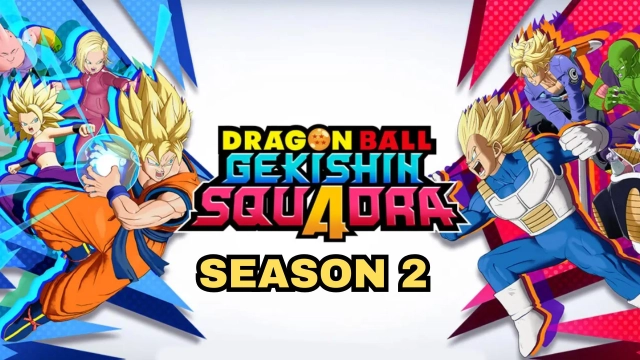
Dragon Ball Gekishin Squadra stands out team-based action game by Bandai. It released on 11 September 2025. You will encounter familiar anime characters like Son Goku, Krillin and etc.. Different characters have special responsibility that enriches gameplay. Multiple platforms are available, so choose your smoothest device. Come and enjoy the fun of claiming dragon ball!

Game Features

[Intense 4V4 Team Battle]

Dragon Ball Gekishin Squadra is team-oriented battle. You can not only show off your skillful operation, but also dominate the battlefield with intellectual team tactics. Invite your friends to seize victory.

[Interesting Role Type]

The characters are categorized into 3 types: Damage, Tank, and Technical. You can pick your favorite jobs for perfect lineups. Differents roles, Different skills, await your exploration!

[Exquisite Visual Feast]

The heroes with customizable appearance can wear various costumes. Besides, you can choose delicate introduction animation, win pose and more. There are massive maps to avoid aesthetic fatigue.

[Cross-Platform Gaming]

Dragon Ball Gekishin Squadra links mobile, home console, steam and etc. You can play across platform with one account. Global players enjoys same battlefield.

Why Play Dragon Ball Gekishin Squadra on PC with LDPlayer

Enjoy Dragon Ball Gekishin Squadra on PC with LDPlayer, it helps you dominate Dragon Ball Gekishin Squadra with the wonderful functions such as ultra-wide screen, one-click macro, keyboard mapping and etc. Download LDPlayer now for the smoothest gaming experience.

Ultra-Wide Screen: Get a full view of the battlefield and seize the strategic opportunities.

One-click Macro: Record your operations and replay as a script. Automate your gaming.

Keyboard Mapping: Place combat units, release skills and unleash powerful combos more conveniently and accurately.

Open up

Screenshots and Videos of DRAGON BALL GEKISHIN SQUADRA PC

Experience a wider field of view, exquisite game graphics, and cooler combat skills and effects by downloading and playing DRAGON BALL GEKISHIN SQUADRA on PC with LDPlayer. Enjoy the ultimate gaming experience with LDPlayer.

Why Play DRAGON BALL GEKISHIN SQUADRA on PC with LDPlayer?

LDPlayer offers unique emulator features including multi-instance support, macros, operation recorder, and other functions not available on mobile devices.

Ultra-Wide Screen

Keyboard Mapping

One-Click Macro

Ultra-Wide ScreenKeyboard MappingOne-Click Macro

Utilizing the expansive screen, it offers a panoramic, all-encompassing view of the game in DRAGON BALL GEKISHIN SQUADRA, leaving no blind spots. Players can observe game details with crystal clarity and react instantaneously.

  • High FPS

    With support for high FPS, DRAGON BALL GEKISHIN SQUADRA's game graphics are smoother, and actions are more seamless, enhancing the visual experience and immersion of playing DRAGON BALL GEKISHIN SQUADRA.
  • Extended Battery Life

    When running DRAGON BALL GEKISHIN SQUADRA on your computer, you need not worry about low battery or device overheating issues. Enjoy playing for as long as you desire.

How to Download&Play DRAGON BALL GEKISHIN SQUADRA on PC?

  • 1

    Download and install LDPlayer on your computer

  • 2

    Locate the Play Store in LDPlayer's system apps, launch it, and sign in to your Google account

  • 3

    Enter "DRAGON BALL GEKISHIN SQUADRA" into the search bar and search for it

  • 4

    Choose and install DRAGON BALL GEKISHIN SQUADRA from the search results

  • 5

    Once the download and installation are complete, return to the LDPlayer home screen

  • 6

    Click on the game icon on the LDPlayer home screen to start enjoying the exciting game