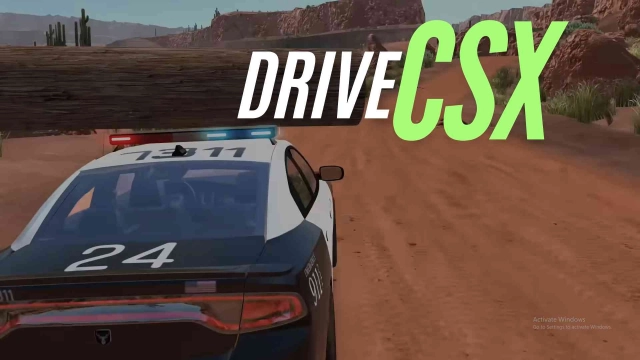
DriveCSX: Car Crash Simulator is a Simulation application developed by Studio WW Games, but with the best Android emulator-LDPlayer, you can download and play DriveCSX: Car Crash Simulator on your computer.
Running DriveCSX: Car Crash Simulator on your computer allows you to browse clearly on a large screen, and controlling the application with a mouse and keyboard is much faster than using touchscreen, all while never having to worry about device battery issues.
With multi-instance and synchronization features, you can even run multiple applications and accounts on your PC.
And file sharing makes sharing images, videos, and files incredibly easy.
Download DriveCSX: Car Crash Simulator and run it on your PC. Enjoy the large screen and high-definition quality on your PC!
DriveCSX — Realistic Crash SimulatorDriveCSX is a realistic car crash simulator that combines advanced physics with open-world driving. Built for car enthusiasts, it delivers immersive 3D gameplay, detailed damage systems, and full vehicle control.
Experience intense crashes, realistic deformation, and dynamic driving mechanics. Whether you want to race, drift, or test vehicle limits, Drive CSX offers complete freedom in a powerful simulation environment.
Drive, explore, and crash with precision.
🚗 Realistic Crash and Damage Physics
DriveCSX uses advanced soft-body physics to simulate real vehicle damage. Every collision is calculated in real time, with visible deformation, broken parts, and realistic impact reactions. The result is a true crash simulation experience.
🌍 Open World Sandbox
Explore a large open world designed for free driving and experimentation. Create custom crash scenarios, test different vehicles, or simply enjoy driving without restrictions. The sandbox system gives you full control.
🚙 Wide Vehicle Selection
Choose from more than 60 vehicles, including European models, American cars, luxury vehicles, trucks, and buses. Each vehicle has unique handling, weight, and physics behavior.
🛠️ Garage and Customization
Use the garage to upgrade and personalize your vehicles. Adjust performance, modify setups, and prepare your car for racing or crash testing.
🏁 Racing and Drift Modes
Take part in racing events and rally-style challenges. Practice drifting, improve control, and handle different road conditions.
🌧️ Mud and Water Simulation
Drive through mud and wet terrain with realistic traction effects. Environmental conditions directly affect handling and performance.
🎮 Realistic Driving Features
* Manual driving mechanics
* Detailed suspension system
* High-quality engine and crash sounds
🎯 Controller Support
Supports wireless controllers for smooth and accurate gameplay.
🌐 Future Online Features
The game is designed to support online features in future updates.
💥 Key Features
▶ Realistic crash simulation
▶ Advanced soft-body physics
▶ Open world sandbox environment
▶ Racing, drifting, and free driving
▶ Vehicle customization system
▶ Terrain, mud, and water physics
▶ Full controller support
Download DriveCSX and enjoy a realistic driving simulator where you can explore, crash, and control every detail of your vehicle.